












CAPA management software

Spend less time chasing CAPAs, more time closing them

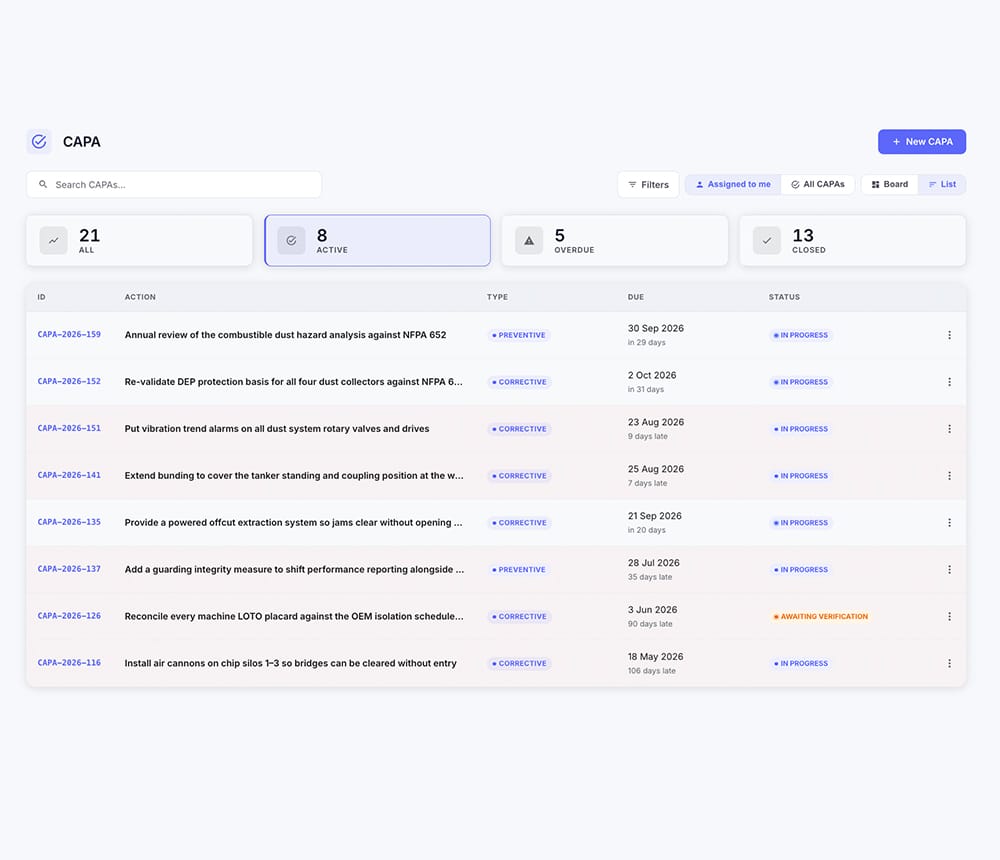
Actions track their own progress, remind whoever owns them, and go for sign-off on their own. Corrective and preventive actions from an incident, an investigation finding, a failed inspection or a risk, all in one list. You find out where things stand by looking, not by asking.

A supervisor and an engineer reviewing open actions on site
Trusted by10,000+ Safety Managers

An action list is easy. Closing it honestly is the hard part.

Every system can hold a list of actions with dates against them. The question is who does the chasing, what happens when one slips, and whether “closed” means somebody checked or just that somebody ticked.

Also called
CAPA software, corrective action tracking software, action management software
Actions can be raised from
An incident, an investigation finding, a failed inspection item, a hazard report, or a risk register entry
Standard it supports
ISO 45001 clause 10.2, Incident, nonconformity and corrective action
The difference

What changes when actions chase themselves.

Every system can hold a list of actions with dates against them. What separates them is who does the chasing, what happens when an action slips, and whether closed means somebody checked or only that somebody ticked.

Legacy EHS platforms compared with EHS Solutions by SDS Manager
SituationLegacy EHS platformsEHS Solutions by SDS Manager
An action is due Friday and it's WednesdayYou email the owner to ask. The answer arrives on Thursday, or it doesn't.Progress moved as tasks were ticked, so you saw it stall in week two and had time to act.
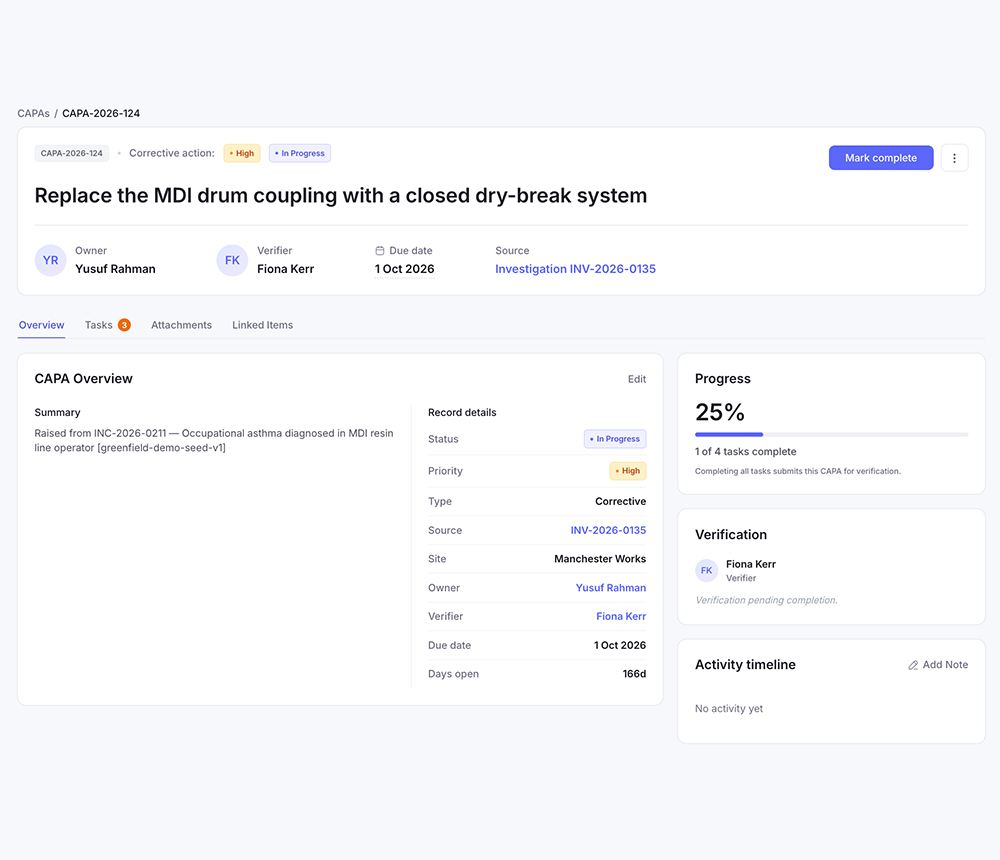
The person who did the work says it's doneThat's the close. The fix is confirmed by the only person with a reason to say it worked.Sign-off goes to a second person. The owner cannot verify their own work, and which roles can is part of your configuration.
An auditor asks who confirmed the fix heldA tick and a date, and whatever anyone can still remember.A name, a date, and the evidence they looked at, on a record that cannot be amended afterwards.

Everyone in this market has an action list. The question is what "closed" means on it.

  • Actions chase themselves

    Reminders, escalation and submission for sign-off happen without anybody prompting them.

  • Two people, always

    Whoever did the work cannot be the person who signs it off.

  • Configured, not coded

    We set up your priorities, due-date rules and sign-off roles. You don't.

See it running on your own process, not a demo dataset.Book a walkthrough
Capabilities

From a finding to a fix somebody actually checked

How the work gets tracked, who confirms it worked, what happens to the problems that haven't happened yet, and what all of it looks like across every site.

Bring us your action list

Show us how actions get raised, chased and closed today, and we'll show you the same thing running here.

Book a walkthrough

In practice

Workers reviewing safety records together on site
“An action can be raised on its own or fall out of an inspection, an investigation or a risk, and either way it carries an owner and a date and stays attached to whatever it came from. Before this the link between a finding and its fix was an email thread I was the only copy of.”
Head of SafetyPaper and packaging manufacturer · 1,200 employees, North AmericaVerified review · Gartner Peer Insights
One system

Corrective and preventive actions are one part of the platform

An action never lives alone — it's tied back to the incident, inspection, investigation or risk that raised it, and forward to the risk register once it's verified. One site structure, one permission model, one history.

What it costs

The software is the invoice

Legacy vendors quote a license, then bill the setup, the migration, the training days and every change afterwards. It's a relic of an era when software took a year to install.

You pay for the software, not the consultants.

Priced on headcount, however many sites you run. Under 200 people, start a free trial and go. Above that, ask us for a number and you'll get one.

On your invoice
  • The software
  • Every module
  • Your headcount
  • Setup of your rules
  • Reports built for you
  • Changes, whenever
  • Support
Never on your invoice
  • Implementation fee
  • Configuration project
  • Consulting hour blocks
  • Change requests
  • Professional services minimum
  • Data extraction on exit
  • No implementation fee
  • No professional services minimum
  • No hours to buy for changes
Questions

Frequently asked questions

Still have questions? Our safety experts will answer them against your own process rather than generically.

Talk to our safety experts
CAPA software tracks corrective and preventive actions, the work that comes out of a problem, from the moment an action is raised to a verified, closed record. In EHS Solutions by SDS Manager it sits in the same system as incident management, investigations, audits and risk, so an action always carries the finding it came from rather than living in a separate tracker.
The difference between a corrective action and a preventive action is whether the problem has already happened. A corrective action fixes something that went wrong and stops it recurring. A preventive action addresses something that hasn't gone wrong yet: a pattern across sites, a hazard somebody reported, a risk whose controls aren't holding. In EHS Solutions by SDS Manager both run on the same track, with the same owner, dates, escalation and independent verification, and they're counted separately in reporting because a programme that is entirely corrective is a programme that only ever reacts.
No, the person who did the work cannot sign it off. The owner and the verifier are always two different people. Which roles qualify as a verifier is part of your configuration, but the separation itself isn't optional, because a fix confirmed by the person who made it isn't independent evidence.
No, actions don't have to come from an incident. They can be raised from an investigation finding, an incident or near miss, a failed inspection item, a failed maintenance or calibration check, a risk on the register, or on their own as preventive work against a trend. They all land in the same action list rather than four separate trackers.
Task owners are notified by email and mobile push when work is assigned to them, and again as the due date approaches. Each task inside an action has its own owner and date, so maintenance, engineering and training update their own part directly rather than reporting progress through the safety manager.
Yes, different departments can own different parts of one action. Each task has its own owner and date, so maintenance, engineering and training can each hold a piece while one person stays accountable for the action as a whole.
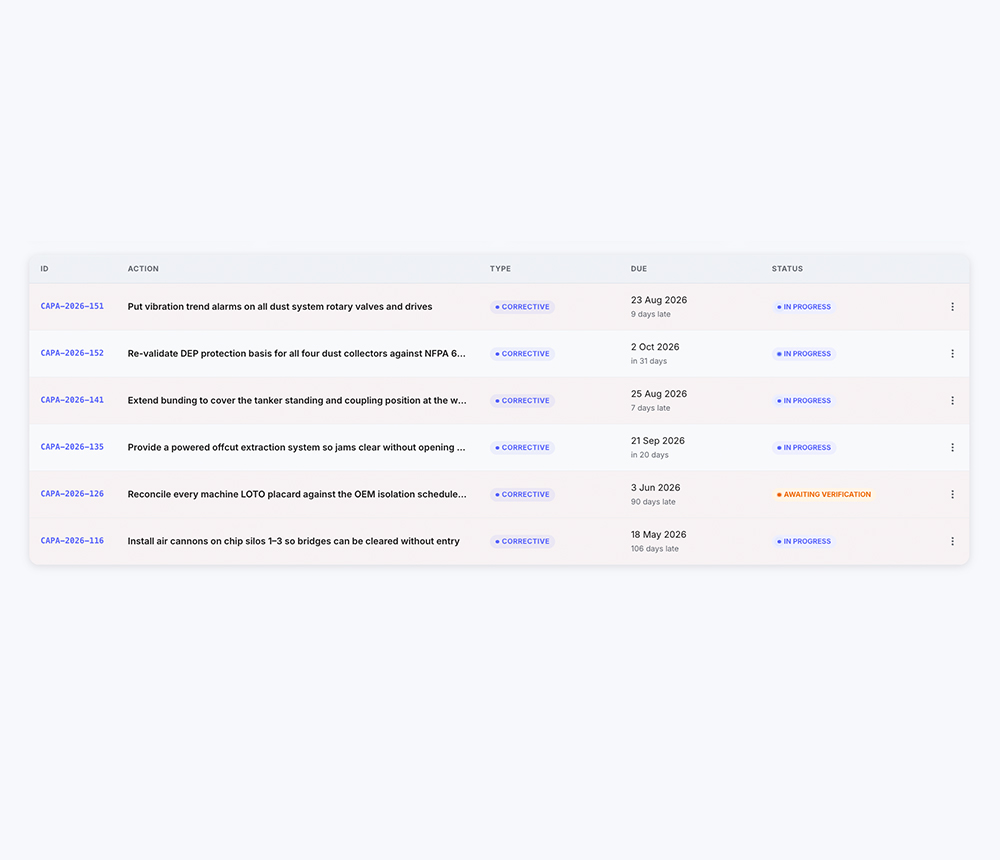
When an action goes overdue it escalates on its own rather than ageing in a list nobody opens. Progress moves as individual tasks are ticked, so a stalled action is visible in week two rather than on the due date, and slipping work reaches a manager without anyone having to chase it.
Yes. ISO 45001 clause 10.2 requires you to react to an incident or nonconformity, evaluate the need for action to eliminate the root cause, implement it, review whether it was effective, and retain documented information on both the actions taken and the results. In EHS Solutions by SDS Manager the effectiveness review is the verification step, performed by someone other than the person who did the work, and the record of it can't be amended afterwards.
Yes, it works for compliance task management. A regulator's requirement, an audit finding or a certification condition is tracked the same way, with an owner, a due date, escalation and verified closure, alongside safety actions rather than in a separate list.
Yes, your existing action list comes across at onboarding. A spreadsheet or an export from a previous system is brought in with owners, due dates and status intact, so open work doesn't restart from zero and closed work stays as history.
Chemical and SDS management connects directly, because EHS Solutions by SDS Manager is built by SDS Manager, whose core product is a chemical and safety data sheet compliance database. When an action involves a substance, such as a COSHH control, a substitution, or a change to how something is stored, the safety data sheet is in the same system as the action rather than in a separate library somebody has to go and search. SDS Manager is part of the NetPower group, headquartered in Norway with offices in the United States, Vietnam and Bangladesh.
Setup takes days, and your team's part is describing how actions get raised, chased and closed today. In EHS Solutions by SDS Manager your priorities, due-date rules, escalation points and sign-off roles are configured before go-live, by our team. There's no implementation fee and no consulting hours to buy.

Bring us your action list

Show us how actions get raised, chased and closed today, and we'll show you the same thing running here.
Set up around your own priorities, due-date rules and sign-off requirements.