EQUIPMENT DISPOSAL FORM An Equipment Disposal Form is an official document used by organizations to formally authorize, record, and process the retirement or removal of physical assets such as machinery, computers, furniture, laboratory instruments, or vehicles from active inventory. It serves as the paper trail that proves an asset was disposed of through proper, sanctioned channels. This template captures critical details, including the asset's identification number, condition, reason for disposal, method of disposal (e.g., sale, donation, recycling, or destruction), and the authorizing signatures required to complete the process. Using a formal disposal form is often a legal and regulatory requirement. 01 EQUIPMENT DISPOSAL FORM Accountability & Audit Trail Regulatory Compliance Fraud Prevention Accurate Financial Records Environmental Responsibility Data Security Here is why organizations rely on this document: Corporations and Private Businesses retiring aged office equipment, IT hardware, or machinery Educational Institutions disposing of laboratory equipment, computers, or furniture Government Agencies and Public Sector Bodies managing surplus property and public assets Healthcare Organizations retiring medical devices, diagnostic equipment, or patient care tools Non-Profit Organizations documenting donated or retired assets for grant compliance Property Managers and Facilities Teams removing or replacing building fixtures and systems IT Departments decommissioning end-of-life servers, workstations, and peripherals It applies to, but is not limited to: Note: The templates/guides in our Content Library were created by the SDS Manager Team to help you manage site operations effectively. They are provided as reference tools and should be tailored to match your specific project needs, company policies, and industry standards. SDS Manager does not guarantee that these templates meet legal, regulatory, or contractual requirements. Users are responsible for reviewing and adapting each template to ensure compliance with their operational and legal obligations. 01
100%
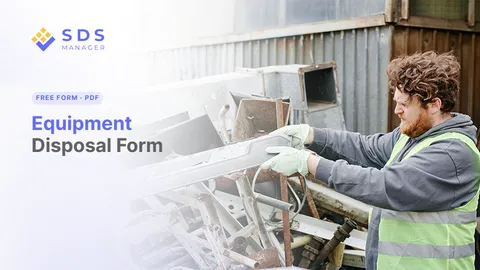
Equipment Disposal Form — cover

That’s the end of the preview

Download the PDF to read the full report.

Template · Free PDF

Equipment Disposal Form

1 download

6 pages · PDF

Free equipment disposal form (PDF). Authorize and record the retirement of machinery, computers, furniture and vehicles, with the asset ID, condition, reason, disposal method and sign-off.

What's inside

  • Asset details: asset ID, description, serial number and location
  • Condition and reason for disposal
  • Disposal method: sale, donation, recycling or destruction
  • Data security and decontamination checks
  • Approval signatures
  • Disposal confirmation for the asset register

Who it's for

  • Corporations and their finance and asset teams
  • IT departments
  • Educational institutions
  • Government agencies
  • Healthcare and non-profit organizations
  • Property and facility managers

What is equipment disposal?

Equipment disposal is the formal process of retiring an asset that's broken, obsolete or no longer needed, and removing it from your records. An equipment disposal form, also called an asset disposal form, documents who approved the disposal, how it was done and where the equipment went.

Why use a disposal form?

  • Accurate records: Finance teams need to remove disposed assets from the fixed asset register and account for any sale proceeds.
  • Fraud prevention: A signed approval makes it harder for equipment to disappear without explanation.
  • Data security: Computers, phones and storage devices must be wiped or destroyed before they leave your control.
  • Environmental responsibility: Electronics, batteries and some equipment contain hazardous materials that need proper handling.
  • Safety: Equipment that held chemicals, oils or refrigerants needs cleaning or draining before anyone else handles it.

How to complete the form

1. Identify the asset

Record the asset ID, description, serial number, location and the department that owns it.

2. Explain the reason

State why the equipment is being retired: damaged beyond repair, obsolete, replaced, surplus or unsafe.

3. Prepare it for disposal

Before the equipment leaves the site:

  • IT equipment: Wipe or destroy storage media. NIST Special Publication 800-88 gives widely used guidance on media sanitization.
  • Equipment that held chemicals: Drain and decontaminate tanks, pumps, lines and containers, and record what was done. Use the safety data sheet for each chemical to choose the right cleaning method and PPE.
  • Refrigeration and air conditioning units: Have a certified technician recover the refrigerant, as EPA rules under the Clean Air Act require.
  • Batteries and electronics: Send them to a recycler that can handle e-waste and universal waste.

4. Choose the disposal method

Select sale, donation, recycling or destruction. Record the buyer, recipient or recycler, and keep any certificate of destruction or recycling.

5. Approve and sign

Get sign-off from the asset owner and the approver set by your policy, such as finance or IT.

6. Update the asset register

Mark the asset as disposed, with the date and method.

Who should approve disposals?

Set approval levels in your policy. Low-value items might need only a manager's signature, while high-value assets, IT equipment holding data and equipment that held hazardous chemicals should also need sign-off from finance, IT or EHS. Separating the person who requests a disposal from the person who approves it reduces the risk of misuse.

IT equipment disposal form example

  • Asset: Laptop, asset ID IT-2231
  • Reason: End of life, replaced
  • Data: Drive wiped using a NIST 800-88 method; certificate on file
  • Method: Recycled through a certified e-waste recycler
  • Approved by: IT manager and finance controller

Chemical equipment disposal example

  • Asset: 500-liter stainless mixing tank
  • Reason: Replaced with a larger unit
  • Decontamination: Triple rinsed; rinse water collected as hazardous waste
  • Method: Sold for scrap metal; decontamination record given to the buyer

Download the free equipment disposal form to standardize your disposals. For chemical waste generated during decontamination, use the Hazardous Chemical Waste Disposal Form.

Christina Joyeeta Munshi

Operations Specialist

Christina is an Operations Specialist at SDS Manager. Her expertise lies in combining her operational knowledge with strong communication skills to translate complex concepts into practical, easy-to-follow content that supports customers and enhances their experience.