Most companies look for SDS authoring software when their current way of writing SDSs stops keeping up. That moment often follows a new market, a changed formula, or a long wait on consultants.
Not every tool solves those problems equally, though, and many only automate the typing.
The best SDS authoring software does more than fill in 16 sections. It works out the hazards for you, covers every language your markets need, and sends the new SDS to customers who still have the old one.
In a demo, most SDS authoring tools look the same. The gaps show up later: how each one classifies, what extra languages cost, and how updates reach customers. Support after you sign matters too, and so does a price you can see from the start.
Let us walk you through the best SDS authoring software for your authoring needs, and how to decide which one is best for you.
Key Takeaways
- ExactSDS by SDS Manager is the best SDS authoring software for enterprises. It uses AI to draft each SDS and work out its hazards. Translations use no extra credits, and Enterprise adds bulk creation and customer delivery.
- Almego by EcoOnline suits companies with many existing SDSs to bring into one system. Its AI pulls the data out of SDS PDFs, and it can send EU poison centre notifications straight to ECHA.
- TotalSDS by Enhesa keeps every author on the same hazard rules with a step-by-step wizard. Its SDS translations are checked by professional translators, not left to machines.
- Intersolia iPublisher is online SDS software for companies selling in the EU. It applies the EU's CLP hazard rules on its own and can create SDSs for many products at once.
- Quantum SDS by Quadshift sells SDS authoring software and a writing service. Its team can write an SDS for you, with a guaranteed turnaround for a standard SDS.
How Did We Evaluate the Top SDS Authoring Software?
We judged each platform on five points, in the order you meet them when you launch a product. You pick your countries and work out the hazards, then add languages and labels, send updates and scale up. Every platform was checked on its vendor's own website in September 2026.
- Regulatory coverage: whether the tool covers every market you sell into, such as the US, Canada, the EU, the UK or Australia. Some tools cover many regions, while others focus on one, like the EU and its REACH rules.
- Classification method: whether the tool works out hazard classes from your ingredients and amounts, or suggests them with AI for you to check. It helps if it shows how it got there, since checking an AI-drafted SDS is still your team's job.
- Translations and labels: whether other languages and GHS labels come from the same SDS, and whether each language costs extra. Canada's Hazardous Products Regulations, for example, call for every SDS in English and French.
- Revisions and delivery: whether the tool keeps every version and sends updates to customers with the old SDS. Deadlines for new hazard data differ by country, so how often an SDS needs updating depends on where you sell.
- Enterprise scale: whether the tool can create many SDSs at once, link to the systems that store your product data, and route drafts for approval before release.
Best SDS Authoring Software at a Glance
SDS authoring platforms come in three types. There are self-serve tools, larger systems that link to your other business software, and hybrids that can also write the SDS for you.
SDS Authoring Software Comparison, 2026
| Platform | Best For | Best Feature |
|---|---|---|
| ExactSDS by SDS Manager | Enterprises authoring across global markets that want AI-assisted drafting, bulk creation and public pricing | AI classification and section drafting from a CAS number and a chosen regulation |
| Almego by EcoOnline | Companies turning existing SDSs into editable authoring data | AI extraction from SDS PDFs, plus UFI codes and EU poison centre submission |
| TotalSDS by Enhesa | Teams that need every author working to the same classification rules | Step-by-step Product Wizard with professionally edited translations |
| Intersolia iPublisher | EU manufacturers authoring to REACH and CLP | Automatic CLP classification with bulk SDS creation |
| Quantum SDS | Companies that want software or an outsourced SDS writer from one vendor | Writing service with a guaranteed turnaround |
1. ExactSDS by SDS Manager: Best Enterprise SDS Authoring Software
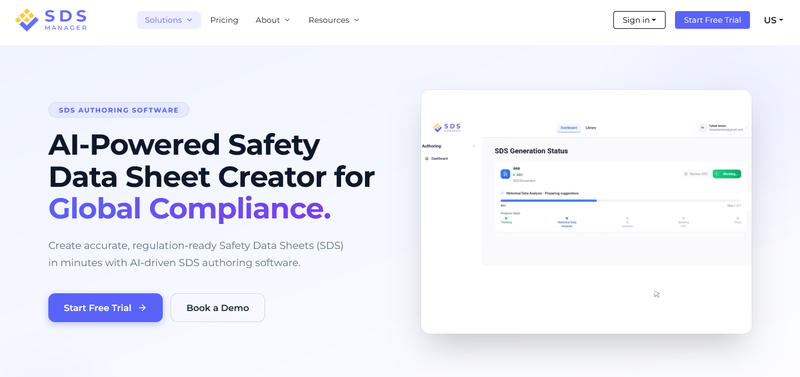
If you write SDSs for multiple jurisdictions, ExactSDS by SDS Manager is the best enterprise SDS authoring software in 2026. It uses AI to draft each SDS and work out its hazards, starting from a CAS number and the rules you pick.
Plans include credits, which are used when creating or importing an SDS. However, translations for existing SDS and upgrading SDS to a new version don't use an additional credit, so one product in five languages still counts as one SDS.
For large, global manufacturers, the ExactSDS Enterprise plan adds bulk SDS creation, automatic delivery to customers when paired with DirectSDS, and a dedicated account manager. Custom reports, training, and setup help come with it too.
ExactSDS also holds ISO 27001, 27017, and 27018 certifications for data and cloud security, which helps when your IT team reviews a new tool.
Prices are public for plans up to 300 SDSs a year, which is very rare in the industry because you get transparency. If you need 300+ SDSs, Enterprise pricing is custom.
For smaller teams, ExactSDS has a pay-as-you-go plan, and if you only need to translate and update versions, they have the Basic plan. And if chemical safety is a headache for you, ExactSDS can also be paired with an SDS management platform.
ExactSDS Key Features
- Hazard calculation that uses each ingredient's concentration limits, M-factors and toxicity estimates.
- Rule sets for OSHA, WHMIS, EU CLP and REACH, GB CLP and Safe Work Australia.
- Bulk SDS creation on the Enterprise plan.
- PDF import that updates existing SDSs to the current rules.
- One-click translations with version control for every language.
- Version history with an audit trail for every revision.
- A review step where your team checks and edits each generated SDS before publishing.
- GHS labels, pictograms and hazard statements made from the SDS data.
Ideal For: Enterprises that write SDSs across multiple jurisdictions and want AI-assisted drafting, bulk creation and audit-ready version records, which can be paired with a complete chemical safety and EHS management suite.
2. Almego by EcoOnline: Best for Converting Existing SDSs Into Authoring Data
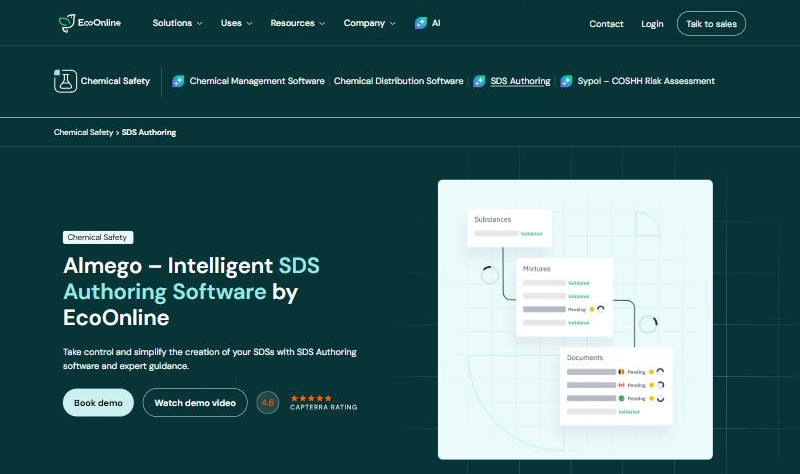
Almego by EcoOnline fits companies that already hold a large stack of SDSs, from old in-house files to supplier documents. Its SDS Smart Extraction uses AI language models to pull the data out of SDS PDFs. That data then becomes editable, so you can update each SDS instead of retyping it.
Once the data is in, Almego's CLP calculator works out the hazard classes. Its US pages also describe SDSs kept in line with OSHA's HazCom standard. For EU sales, it creates UFI codes, the formula IDs poison centres use, and sends the notifications straight to ECHA. An API links it to your other systems, and its yearly fee depends on how much you use its SDS database.
Almego Key Features
- AI extraction of SDS data from PDF files.
- A CLP calculator for hazard classification.
- Automatic translation of the extracted text.
- UFI code creation and direct poison centre (PCN) submission.
- An API and built-in tools for moving existing data across.
- ISO 9001-certified software.
Ideal For: Companies moving a large library of existing SDSs into one authoring system, especially those selling in the EU.
3. TotalSDS by Enhesa: Best for Consistent Multi-Author Classification
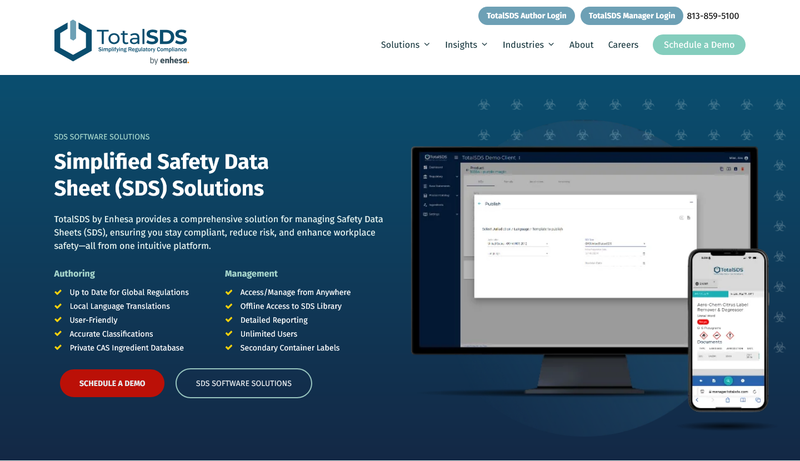
TotalSDS by Enhesa is built for consistency, so every author on your team follows the same hazard rules. Its step-by-step Product Wizard does the hazard math. A shared list of chemical IDs, kept current by its own team, also means every author starts from the same data.
Translation is its other strength. Professional translators check TotalSDS translations instead of leaving them to machines, and you can also buy translation as a service. Its pages cover GHS, OSHA, WHMIS, and the EU's CLP and REACH rules, and rule updates from Enhesa are built in.
TotalSDS Key Features
- Classification logic that updates as GHS and OSHA rules change.
- Product copying, bulk base statements and mass updates across many SDSs.
- Version control with a traceable audit trail.
- Role-based access for each author on the team.
- Professionally edited SDS translations.
- Secondary container labels and a connected SDS library.
Ideal For: Teams where many people write SDSs and classification has to stay the same from one author to the next.
4. Intersolia iPublisher: Best for EU REACH and CLP Authoring
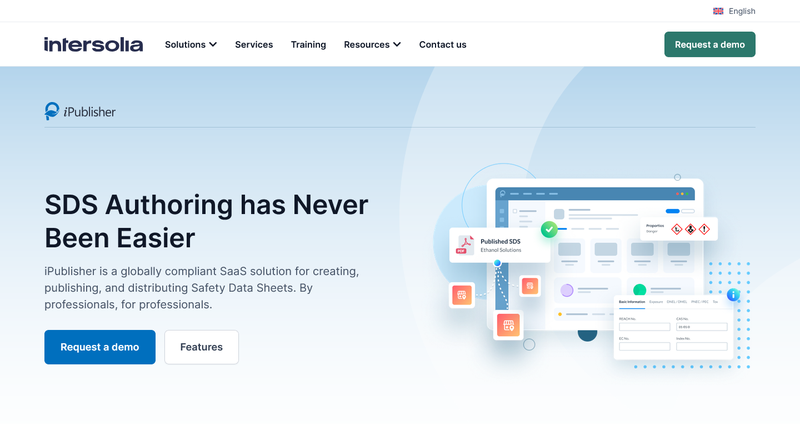
Intersolia iPublisher is online software for creating, publishing, and sending SDSs, built mainly for companies selling in the EU. Its Automatic Classification Engine applies the EU's CLP hazard rules. It draws on ECHA's public data on how substances are classified, so you don't start from scratch.
For long product lists, its AutoGen feature creates SDSs for many products and markets at once. A distribution add-on then links to your ERP and sends SDSs manually or automatically. Its pages focus on REACH and CLP, with extra rules for individual countries.
Intersolia iPublisher Key Features
- Automatic classification under the EU's CLP rules.
- The EuPhraC phrase library, or a company's own phrases.
- SDSs and extended SDSs (eSDS) with exposure scenarios attached.
- Customizable labels built from the SDS data.
- Transport data for road, rail, and inland waterways (ADR, RID, ADN).
- Logs and statistics for every SDS sent and every recipient.
Ideal For: EU manufacturers that write SDSs mainly to REACH and CLP across many EU markets.
5. Quantum SDS: Best for Software Plus Writing Services
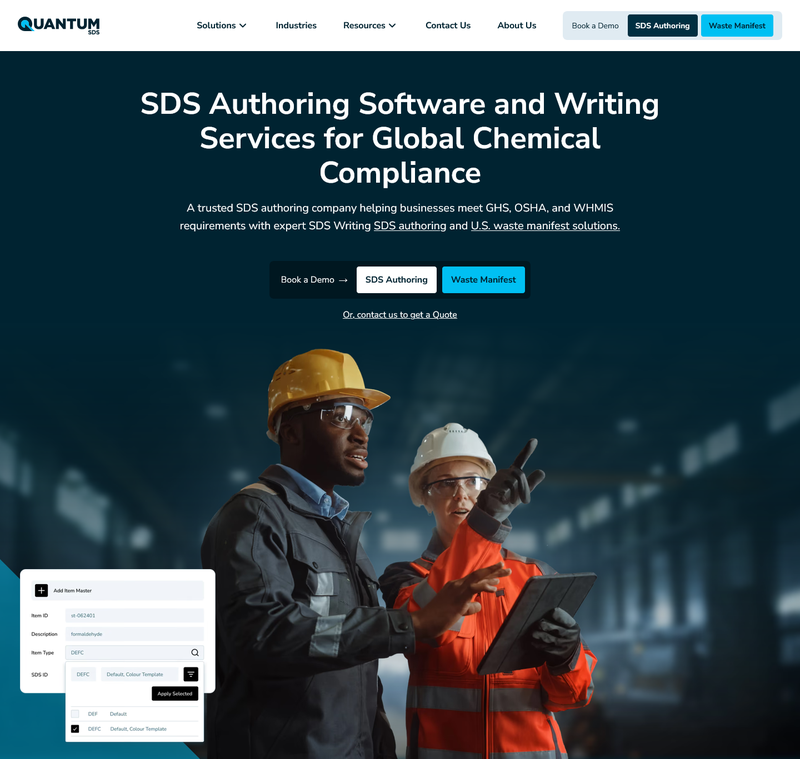
Quantum SDS by Quadshift sells both SDS authoring software and a writing service. You can write SDSs in its cloud software, hand the work to its team, or switch between the two as your workload changes.
Its software applies each country's rules and GHS version automatically, based on the ingredients and amounts you enter. When its team writes the SDS, Quantum guarantees a 14-business-day turnaround for a standard single SDS.
Quantum SDS Key Features
- Cloud authoring software, a writing service, or a mix of both.
- Coverage for OSHA HazCom 2024, WHMIS 2015, EU CLP and REACH, UK REACH, and Australian WHS.
- Ingredient entry by CAS number and concentration.
- Central version control for every SDS.
- English and French SDSs for the Canadian market.
- Also sold through the CanadaSDS and mSDS Source websites.
Ideal For: Companies that want a vendor to write some SDSs and their own team to write the rest.
What Should You Look For When Choosing SDS Authoring Software?
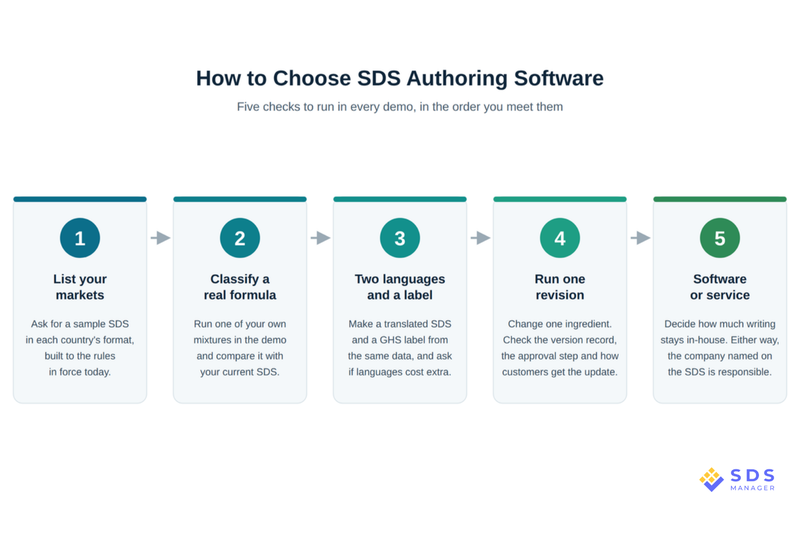
Choosing SDS authoring software gets easier with five checks, run in the order you'd meet them:
- Your markets: a sample SDS for each country you sell into tells you more than a feature list, especially while rules keep changing. Canada's updated rules have applied in full since December 2025, for example. US mixtures move to the new HazCom rules by November 2027, so each sample should meet current SDS authoring requirements.
- A real formula: one of your own mixtures is the best test of how a tool classifies. Run it in the demo, compare it with your current SDS, and ask how the tool worked out the toxicity figures.
- Two languages and a label: a translated SDS and a GHS label should both come from the same SDS data, so ask to see them made in the demo. It's also a good time to ask whether each language costs extra.
- One revision: a single ingredient change shows you the version record, the approval step, and how customers with the old SDS get the new one.
- Software or service: how much writing you keep in-house decides the type of tool. A service moves the work to the vendor, while software keeps it with your team and costs less per SDS as volume grows. Either way, the company named on the SDS stays responsible for it.
Start Authoring Compliant SDSs for Every Market
Two facts narrow your shortlist fastest: the countries you sell into and how many SDSs you write each year. Pick two or three platforms that fit, then give each the same demo test with a real mixture, two languages, and one revision.
ExactSDS covers SDS rules for the US, Canada, the EU, the UK, and Australia, and it counts translations as part of the same SDS, so your cost follows your SDS per chemical mixture, not your languages. Its AI-assisted classification and version records give you something concrete to put through that demo test.
Frequently Asked Questions
What Is the Best SDS Authoring Software for Enterprises?
The best SDS authoring software for enterprises in 2026 is ExactSDS by SDS Manager. It uses AI to draft and classify SDSs, adds languages without extra credits, and offers bulk creation and customer delivery on Enterprise.
What Is SDS Authoring Software?
SDS authoring software turns a product's formula into a full safety data sheet in the format each country needs. Most tools also make labels and translations, but they differ in how they work out hazards and send updates.
Can You Write Your Own SDS?
Yes, you can write your own SDS, and if you make, import, blend, or repackage a hazardous product, it's legally your job. But it is time-consuming, as you'll need full ingredient data with CAS numbers and amounts, the right hazard classification, and the format and language each market requires. Using an SDS authoring software like ExactSDS gives you the ability to speed up the SDS authoring process, just by entering the CAS number of the mixtures used, automatically inputting known ingredient data and letting the system handle the rest.
What Is the Difference Between SDS Authoring Software and SDS Authoring Services?
The difference between SDS authoring software and SDS authoring services is that SDS authoring software keeps the writing with your team. On the other hand, an SDS authoring service has the vendor's experts write it. Software gives you a draft in one sitting, but a service usually takes more time.
How Much Does SDS Authoring Software Cost?
SDS authoring software costs anything from a fee per SDS to a custom enterprise deal. ExactSDS, for example, charges $199 per SDS, and its Standard plans start at $1,499 a year for 15 SDSs.
Can AI Write a Safety Data Sheet?
Yes, AI can write a first draft of a safety data sheet by working out the hazards and filling in each section. A qualified person should still check it, because the company named on the SDS is responsible for it.
Is There Free SDS Authoring Software?
No, there is not “free” SDS authoring software, per se. Free SDS authoring software usually means a free trial, not a free plan, since most tools charge per SDS or by yearly volume. ExactSDS has a 15-day free trial with no credit card needed.

Arysha Alif Khan

Arysha Alif Khan is an EHS and chemical safety specialist with a background in biochemistry, biotechnology, and public health. She works closely with the product and regulatory teams to turn complex chemical regulations, SDS requirements, and workplace safety standards into clear, practical guidance for people.