Jekk SDS ma jkunx fid-database, uża sistema CRM biex titlobha.

Ipprova b’xejn
request SDS from vendor hero image

Email il-bejjiegħ tal-prodott tiegħek

Għażla ta' klikk waħda biex tibgħat email lill-bejjiegħ tal-prodott tiegħek biex titlob SDS għall-prodotti tiegħek.

Risposta tal-fornitur

Irċievi notifika meta l-fornitur tiegħek iwieġeb għat-talba SDS tiegħek.

Il-fajl SDS jiżdied awtomatikament

L-SDS mill-fornitur tiegħek jiżdied awtomatikament fil-librerija tiegħek meta jiġi riċevut.

How to request a Iskeda ta' Data tas-Sigurtà from your product vendor

1.
Before you send an email request to your product vendor,
you should first search for the product in Iskeda ta' Data tas-Sigurtà Manager database and use our integrated Google Iskeda ta' Data tas-Sigurtà Search.
2.
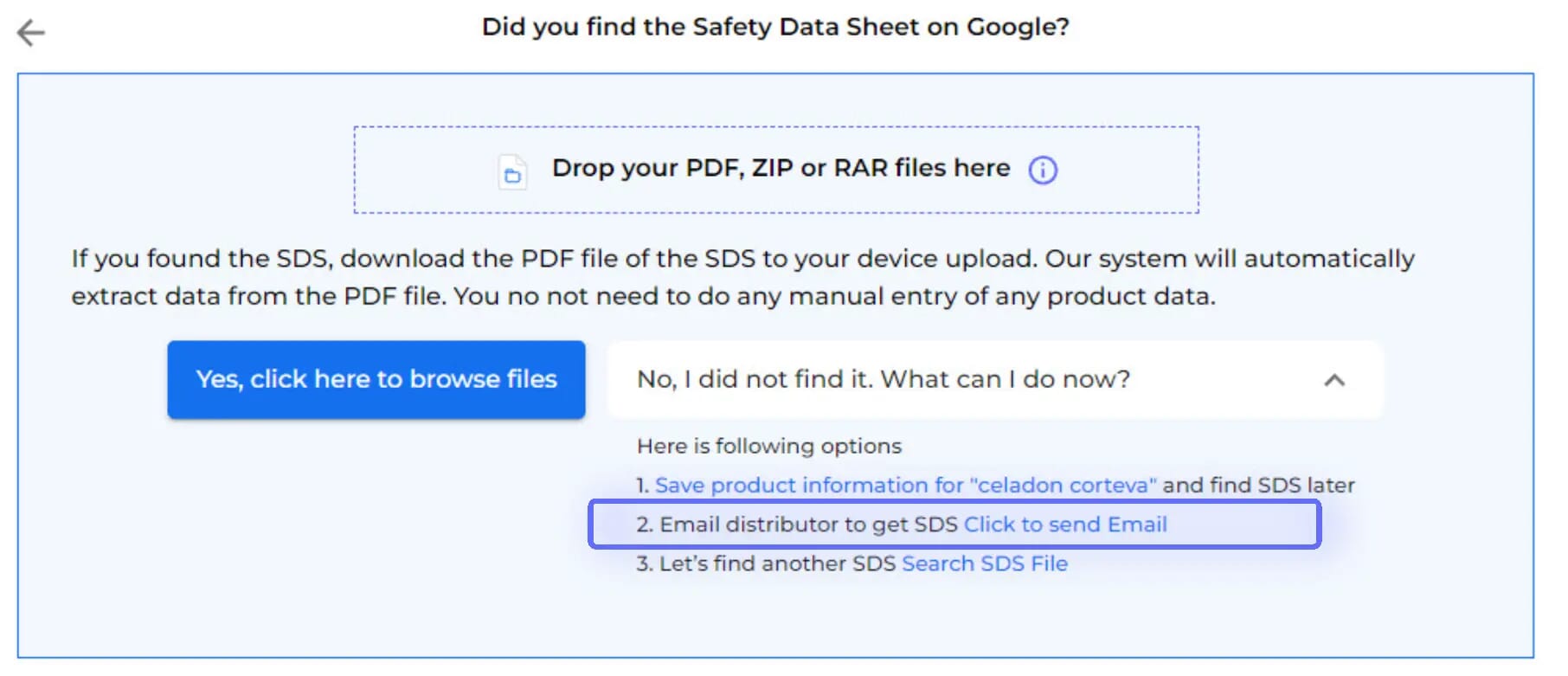
After Google Iskeda ta' Data tas-Sigurtà Search has been tried, the option to Email your vendor is available
3.
Just enter your vendor's email

The email template is pre-prepared for you, with the option to customize before sending. Emails are dispatched via Iskeda ta' Data tas-Sigurtà Manager's mail system.

An Iskeda ta' Data tas-Sigurtà Request will be stored in your library as a placeholder until you receive the Iskeda ta' Data tas-Sigurtà from your vendor.

4.
You will be notified when your vendor has responded.
5.
Upon accessing your vendor's message,
you'll find data extracted from the attached Iskeda ta' Data tas-Sigurtà, along with the option to incorporate the received Iskeda ta' Data tas-Sigurtà into your library.
6.
Before integrating the received Iskeda ta' Data tas-Sigurtà into your library,
you'll be able to compare the extracted information with the initially searched product details.
7.
If your vendor is not responding to your request for Iskeda ta' Data tas-Sigurtà,
you can request assistance from our Iskeda ta' Data tas-Sigurtà sourcing team.

Għandek mistoqsijiet?

Lest għall-bidu?

Skeda dimostrazzjoni ma’ wieħed mill-ispeċjalisti tagħna u akkwista kontroll mingħajr paragun fuq il-karti tad-data tas-sigurtà tiegħek
Ibda prova b'xejnJew
prova ta’ 30 jum b’xejn M’hemmx bżonn karta tal-kreditu.