SDS yoksa CRM sistemi ile tedarikçiden talep edin.

Ücretsiz dene
request SDS from vendor hero image

Ürün satıcınıza e-posta gönderin

Ürünleriniz için GVS talep etmek üzere ürün satıcınıza e-posta göndermek için tek tıklama seçeneği.

Tedarikçi yanıtı

Tedarikçiniz SDS talebinize yanıt verdiğinde bildirim alın.

SDS dosyası otomatik olarak eklenir

Tedarikçinizden gelen SDS alındığında otomatik olarak kütüphanenize eklenir.

How to request a Güvenlik Bilgi Formu from your product vendor

1.
Before you send an email request to your product vendor,
you should first search for the product in Güvenlik Bilgi Formu Manager database and use our integrated Google Güvenlik Bilgi Formu Search.
2.
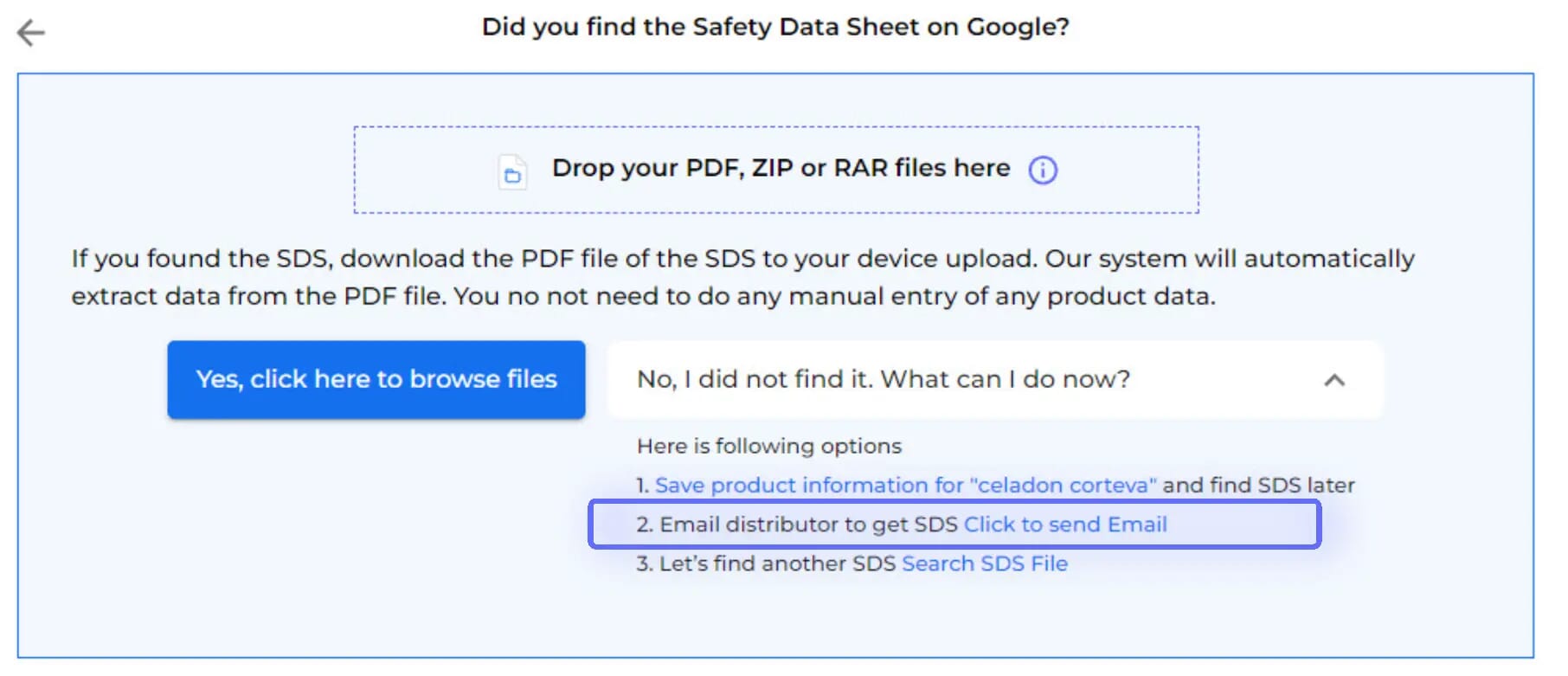
After Google Güvenlik Bilgi Formu Search has been tried, the option to Email your vendor is available
3.
Just enter your vendor's email

The email template is pre-prepared for you, with the option to customize before sending. Emails are dispatched via Güvenlik Bilgi Formu Manager's mail system.

An Güvenlik Bilgi Formu Request will be stored in your library as a placeholder until you receive the Güvenlik Bilgi Formu from your vendor.

4.
You will be notified when your vendor has responded.
5.
Upon accessing your vendor's message,
you'll find data extracted from the attached Güvenlik Bilgi Formu, along with the option to incorporate the received Güvenlik Bilgi Formu into your library.
6.
Before integrating the received Güvenlik Bilgi Formu into your library,
you'll be able to compare the extracted information with the initially searched product details.
7.
If your vendor is not responding to your request for Güvenlik Bilgi Formu,
you can request assistance from our Güvenlik Bilgi Formu sourcing team.

Sorularınız mı var?

Başlamaya hazır mısınız?

Uzmanlarımızdan biriyle bir demo planlayın ve güvenlik bilgi formlarınız üzerinde rakipsiz kontrol kazanın
Deneme sürümüne başlaVeya
30 günlük ücretsiz deneme. Kredi kartına gerek yok.