Yes. In SDS Manager you link each Safety Data Sheet (SDS) to the locations where the product is used, for example sites, buildings, departments or storage areas. This is useful when you have many SDSs:
- You can give other people admin access to some locations only.
- Your employees can get access to the SDSs for their own site only, with a QR code poster for that location.
- You can have as many levels of locations as you need.
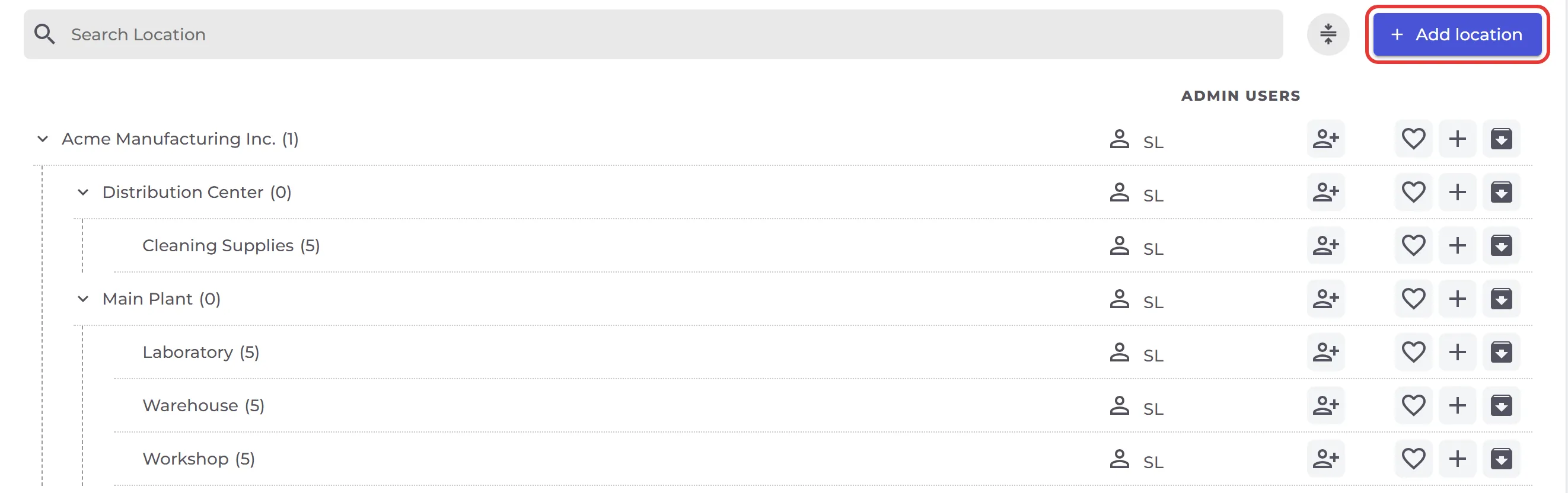
Click Locations in the left menu to open Sites & Locations. Use Add location for a new top-level location and the + on a row to add a sub-location under it. The number after each name is the number of SDSs on that location.
Read more: How can I create a hierarchy of locations that match our company structure? · How can I restrict users to only have access to SDS for certain locations? · How can our employees access our SDS library by scanning QR code poster?