SDS Manager lets you make risk assessments of chemicals and use them to create chemical instructions for your employees. A risk assessment must fit how you use each chemical, such as its form, the amount and how often it is used.
We are often asked if SDS Manager offers ready-made risk assessments. The short answer is no, and for good reason. Chemical risk cannot be assessed in general. A small can of gasoline may pose little risk, while storing 1,000 gallons does. If general risk assessments were possible, they would already be in the Safety Data Sheets (SDSs). SDS Manager makes sure your risk assessments fit your use, so that your chemical instructions are right.
Start a risk assessment
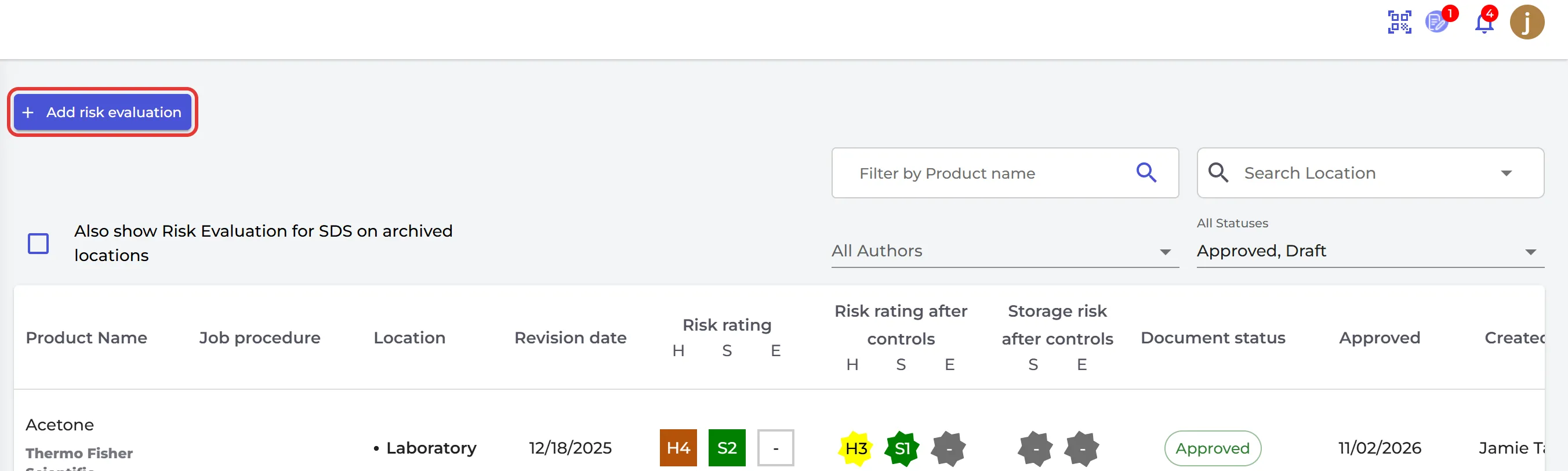
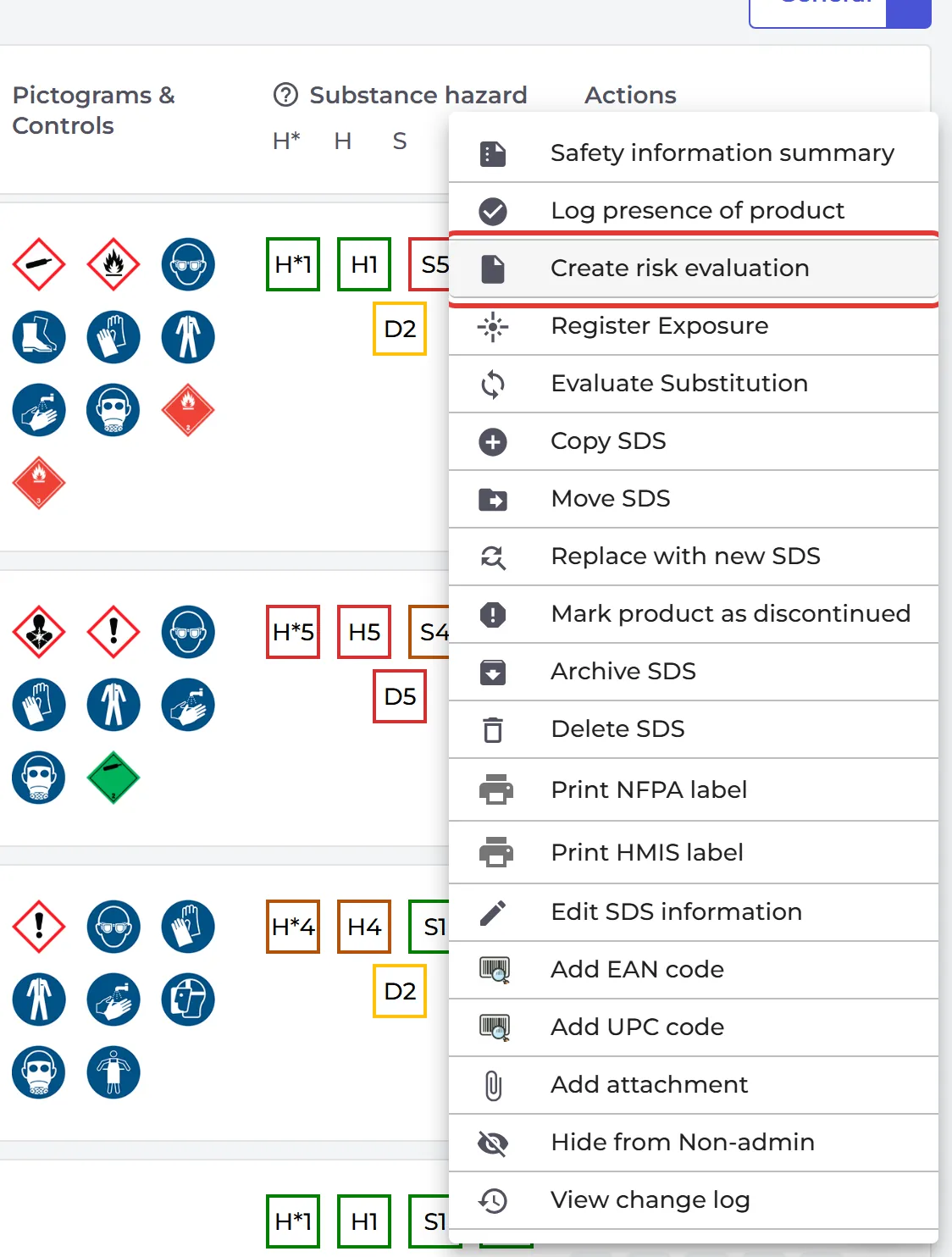
Click Risk assessment in the left menu and click Add risk evaluation. Or click ⋮ on an SDS in your library and choose Create risk evaluation.
What a risk assessment holds
- Your Usage: what the substance is used for and how it should be used, how long and how often it is handled, the amount, its form, the persons at risk, and if it should be substituted. For each location where it is stored, you rate the storage risk for safety and for the environment.
- SDS Information: filled in from the SDS, such as safe handling, storage, disposal, restrictions on use and transport. You can change the texts.
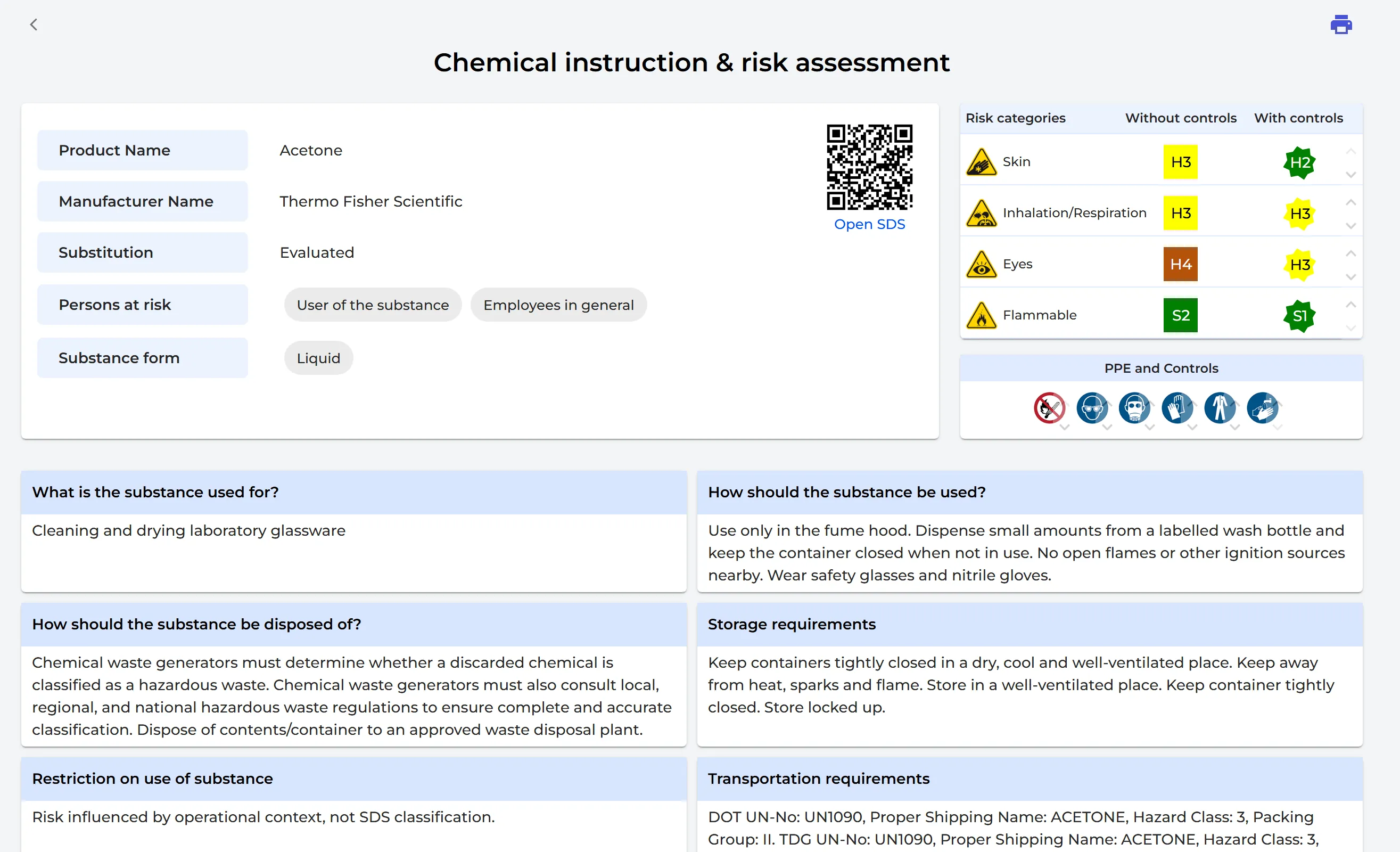
- Risk assessment: the types of hazards, for example eyes, skin, inhalation, flammable or toxic. For each hazard, you rate the hazard and the likelihood of exposure without controls, the effect of your controls, and the personal protective equipment (PPE) and controls needed.
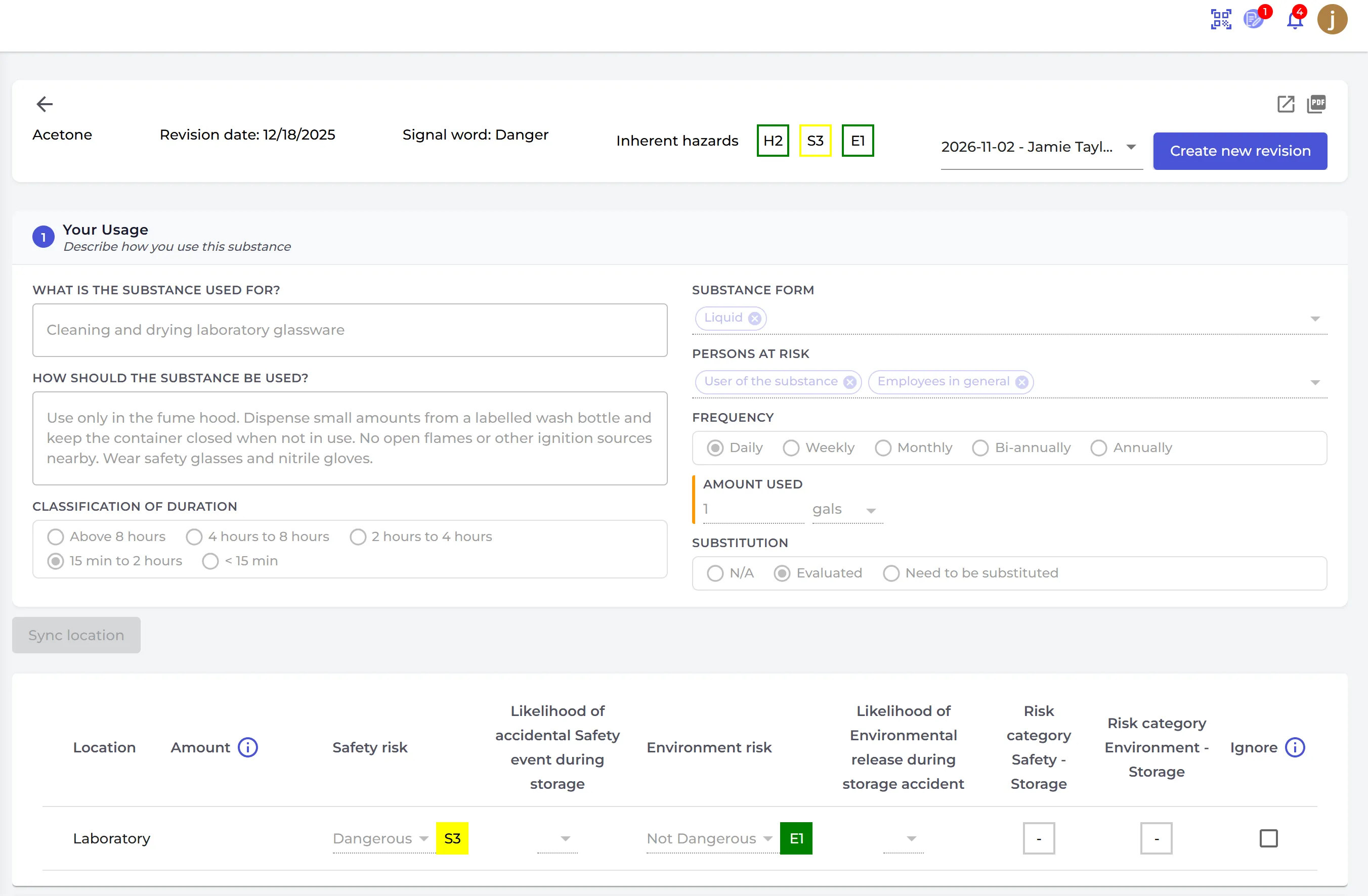
Fill in Your Usage and click AI Suggest to let SDS Manager suggest the hazards, the ratings and the PPE. Always check the suggestions: they are marked "AI-generated — verification required".
SDS Manager rates health, safety and environment risks from 1 to 5: 1 is low, 2 and 3 are medium, 4 is high and 5 is extreme. You see the risk without controls and the risk after controls.
Approve and use it
Click Approve when the risk assessment is ready. Users need the role Admin with approval to approve. To change an approved risk assessment, click Create new revision.
An approved risk assessment gives you:
- the Chemical instruction & risk assessment report (click ⋮ on the SDS and choose Open chemical instruction);
- a QR code on the secondary container labels that opens the chemical instruction on the employee's phone: Access Chemical instructions by scanning QR codes;
- your own PPE and controls in the SDS list: How can I inform our employees about required PPE and controls?
To describe a task that uses several chemicals, make a job procedure: How can I use SDS Manager to document job/work procedures for hazardous chemicals?
Risk assessments are part of the Pro and Enterprise plans.