SDS Manager logs every change to the Safety Data Sheets (SDSs) in your library: who made it, when, and what changed.
See the changes to one SDS
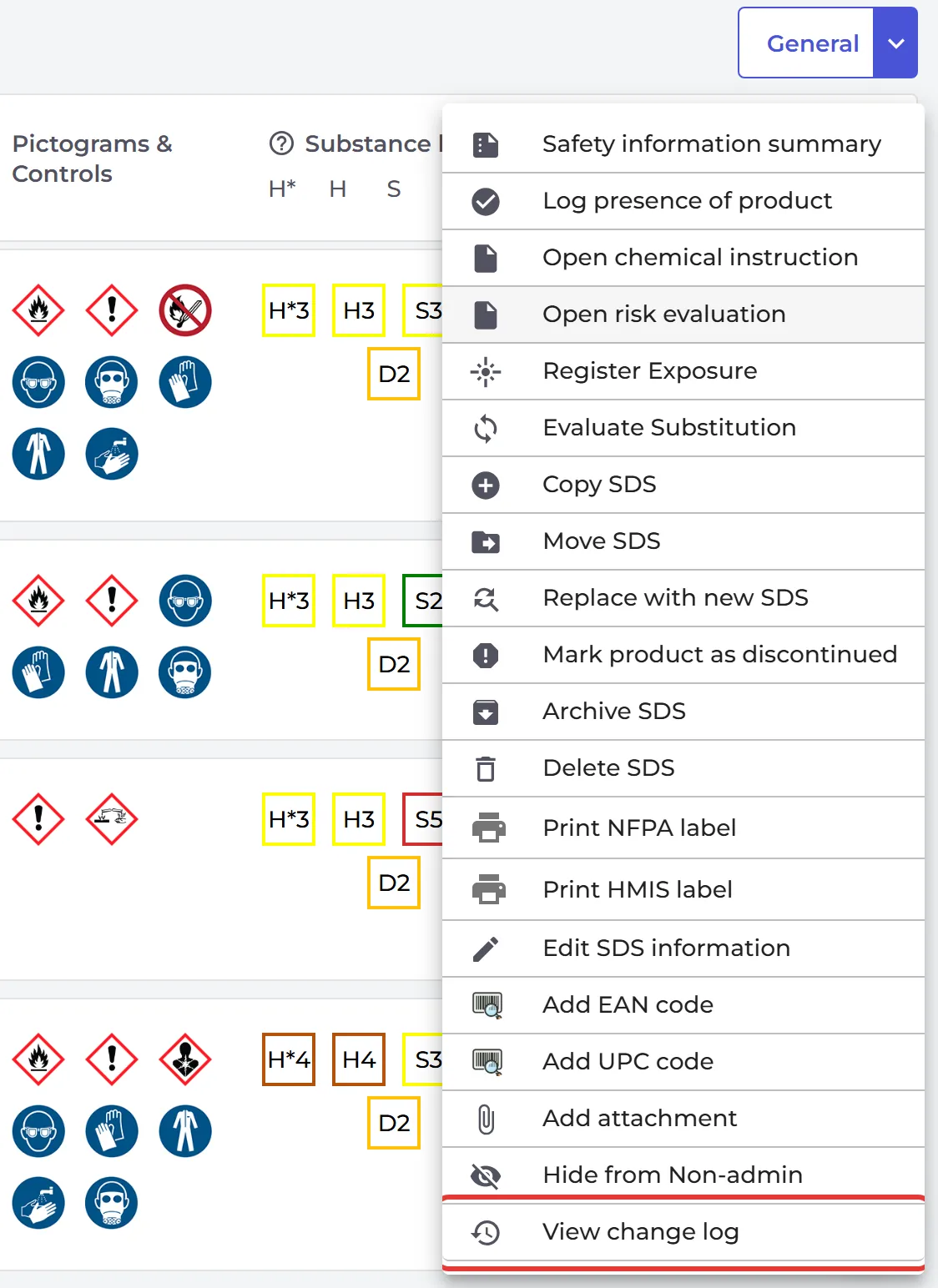
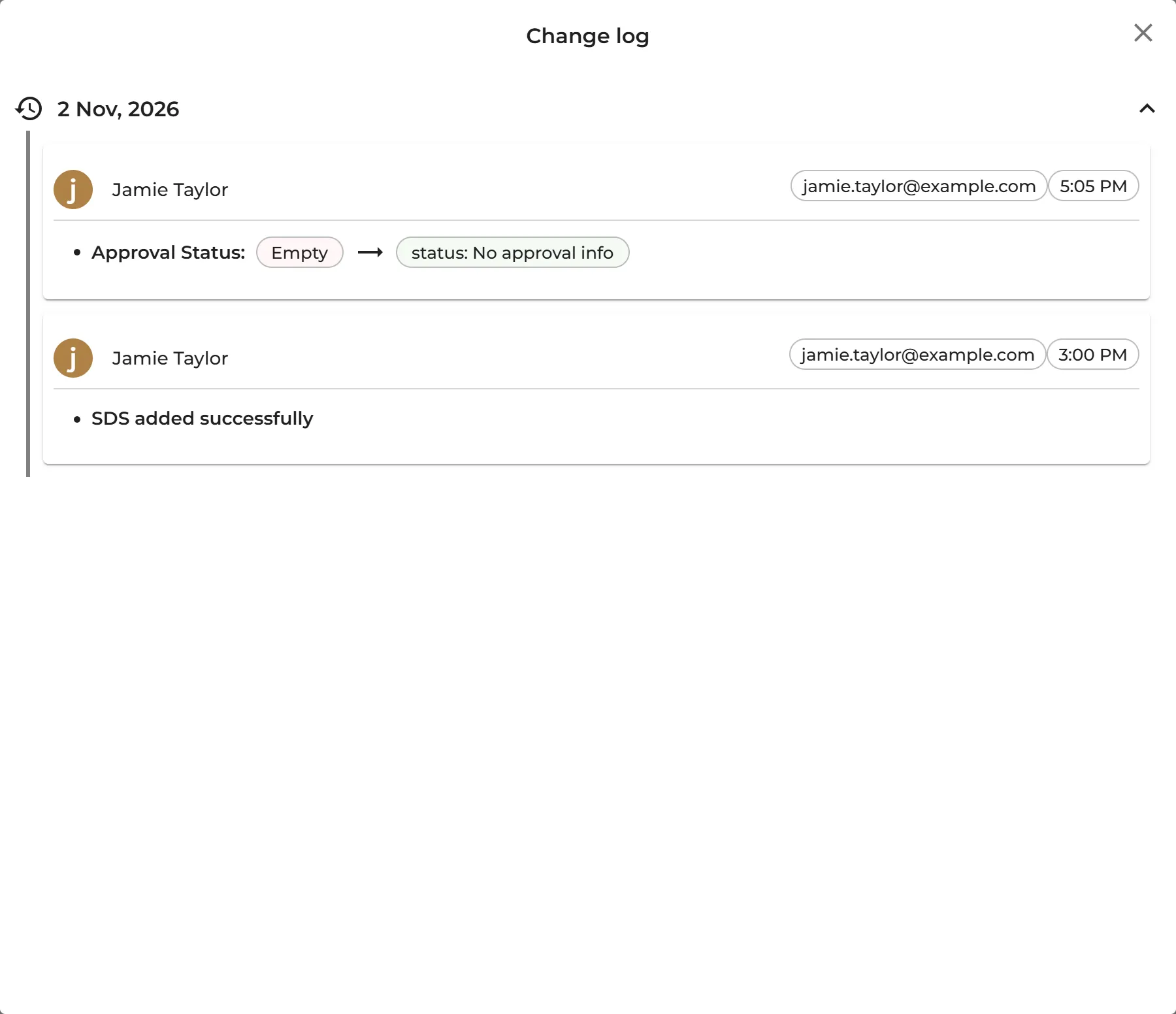
Click ⋮ on the SDS and choose View change log, or click View change log on the SDS details page. The Change log lists each change with the user's name and e-mail, the date and time, and the old and new values.
Find the SDSs one user has changed
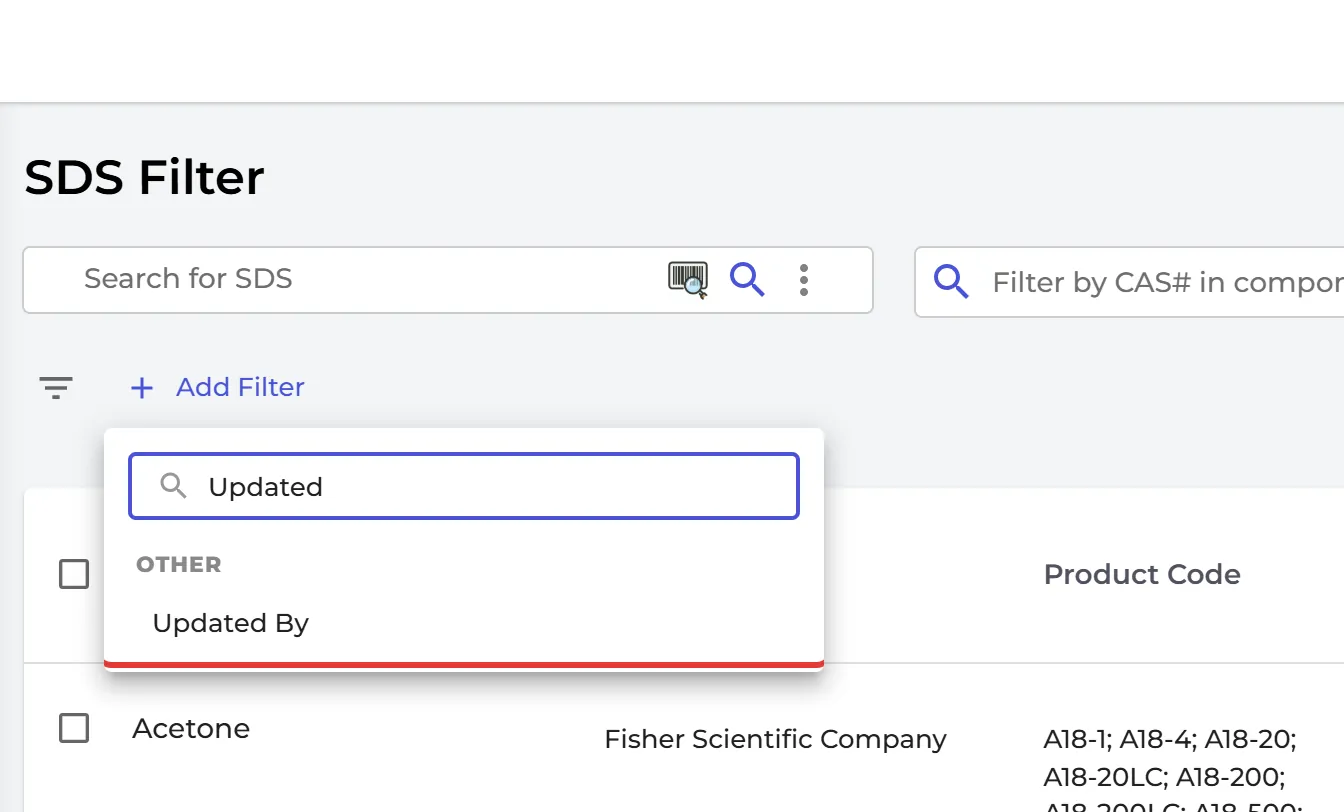
Click Filter (SDS Filter) in the left menu, add a filter and choose Updated By. Pick the user to list the SDSs they have changed.
Owners and admins can see the change log.