When a location is no longer in use, archive it.
- Open the location in Manage SDS Library.
- Click More options (⋯) at the top right and choose Move location to Archive.
- Click OK.
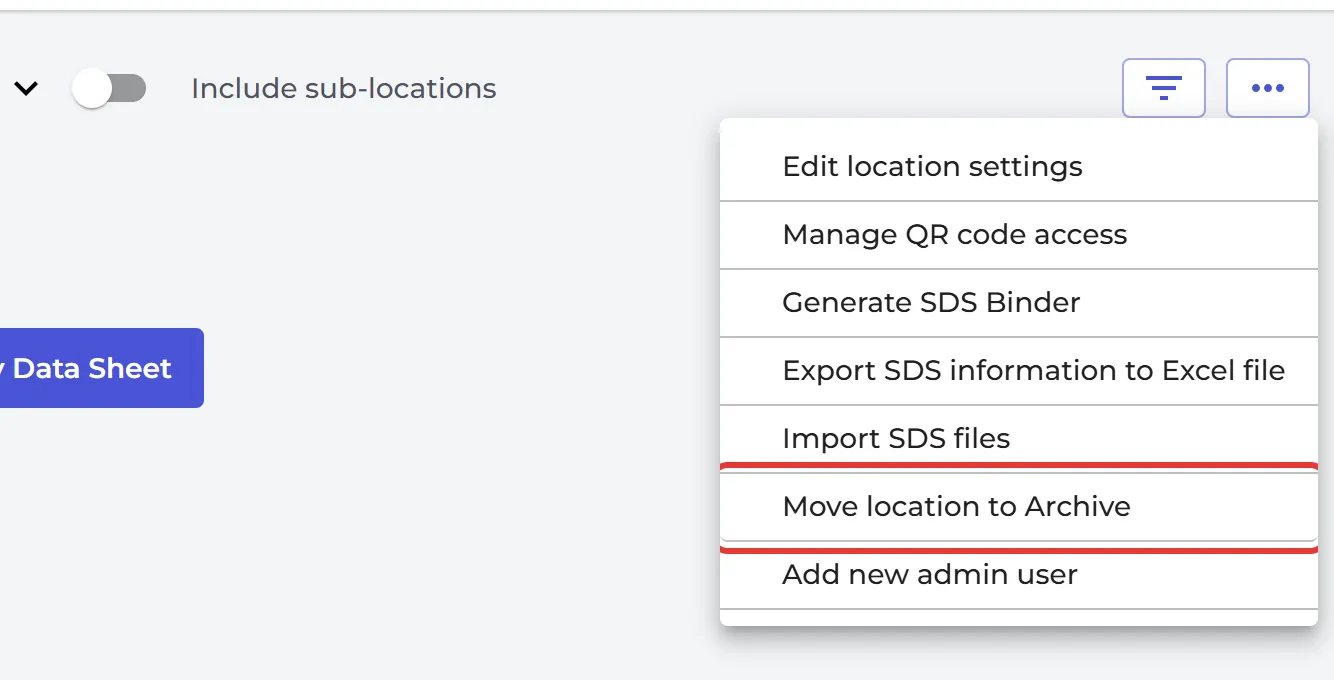
Its sub-locations are archived too. The SDSs on an archived location are no longer shown in searches, and they do not count towards the number of SDSs in your plan. You find the location in Archive, on the Archived locations tab, where you can also un-archive it. Read more: Where can I see archived locations?
Delete a location for good
An archived location without sub-locations has a delete icon on the Archived locations tab. It deletes the location and the SDSs on it permanently. If the same SDS is also used on other locations, it stays there. You confirm twice, because this cannot be undone.
Delete SDSs
To delete SDSs, archive them first. Then delete them on the Archived SDSs tab, one by one or several at once with Bulk Action. Read more: What do I do with SDS for chemicals that we no longer use (Archive SDS)?
Only owners and admins can archive and delete locations.