You can attach your own files to a Safety Data Sheet (SDS), for example a work instruction, a product data sheet or a certificate.
Add an attachment
- Open the location in Manage SDS Library. Click ⋮ on the SDS and choose Add attachment.
- Choose the file. You can add one file at a time, up to 5 MB: PDF, Word (doc, docx), Excel (xls, xlsx), pictures (jpg, jpeg, png), e-mail (msg), txt or xml.
- Confirm the upload. If the SDS is on more than one location, choose if the file goes with the SDS on all of them or on this one only.
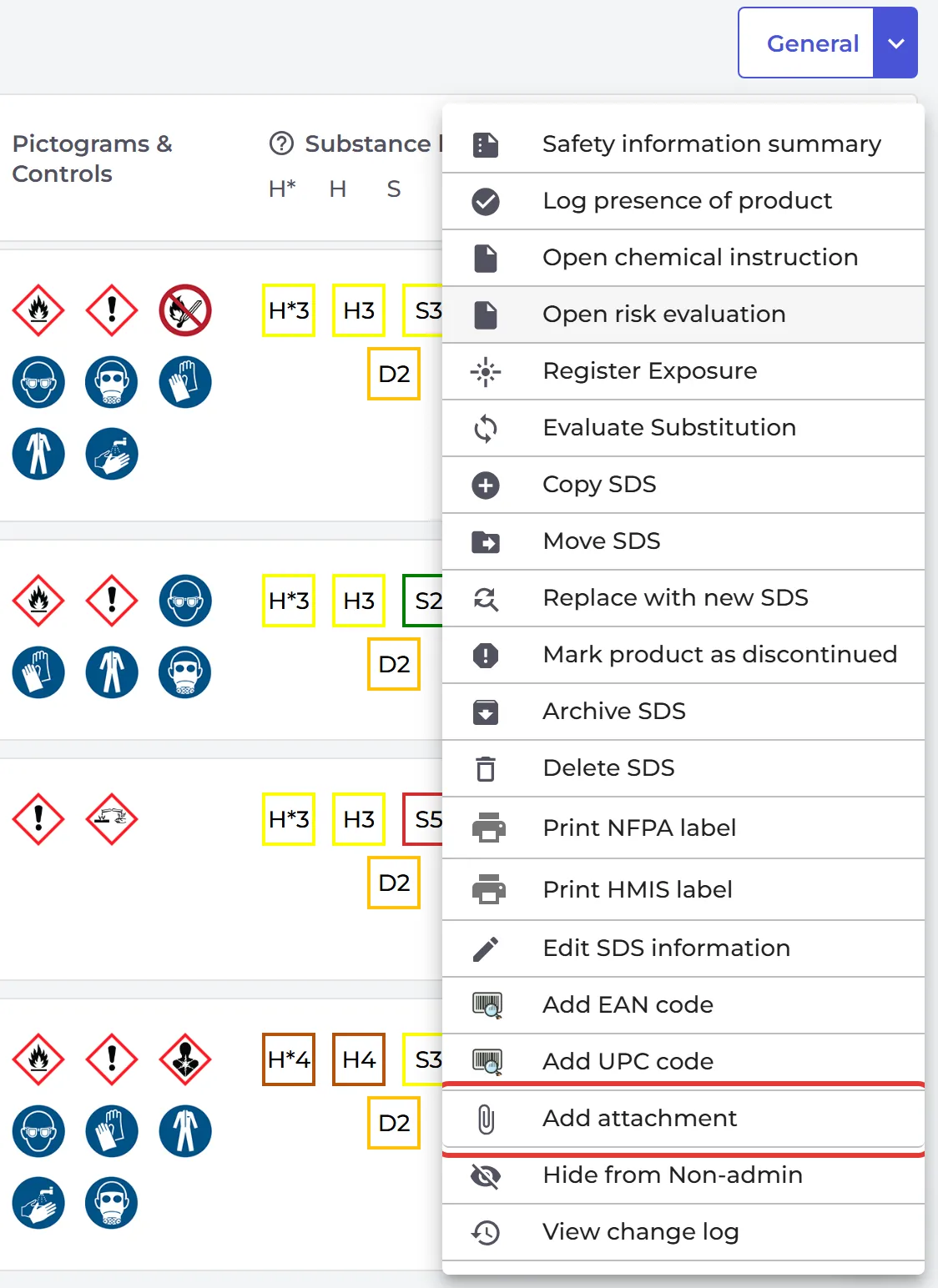
You can also add attachments from SDS Filter.
Open an attachment
An SDS with attachments has a paperclip icon on its row. Click it and click the file to open it. The files are also listed on the SDS details page.
To let people open the attachments from the secondary container label, switch on Attachment QR on Label in the label window. Read more: How to create Secondary container labels for hazardous chemicals
Attachments are not part of the Free plan.