Many products contain substances that are on restriction lists, such as REACH, California Proposition 65 or ZDHC. SDS Manager finds them for you. It reads the CAS and EC numbers of the ingredients in section 3 of each Safety Data Sheet (SDS) and checks them against the lists you have chosen.
See the products with restricted substances
Click Compliance (SDS compliance) in the left menu. The Hazardous substances page lists every SDS in your library with a component on a restriction list, with its concentration in the product and the list it is on.
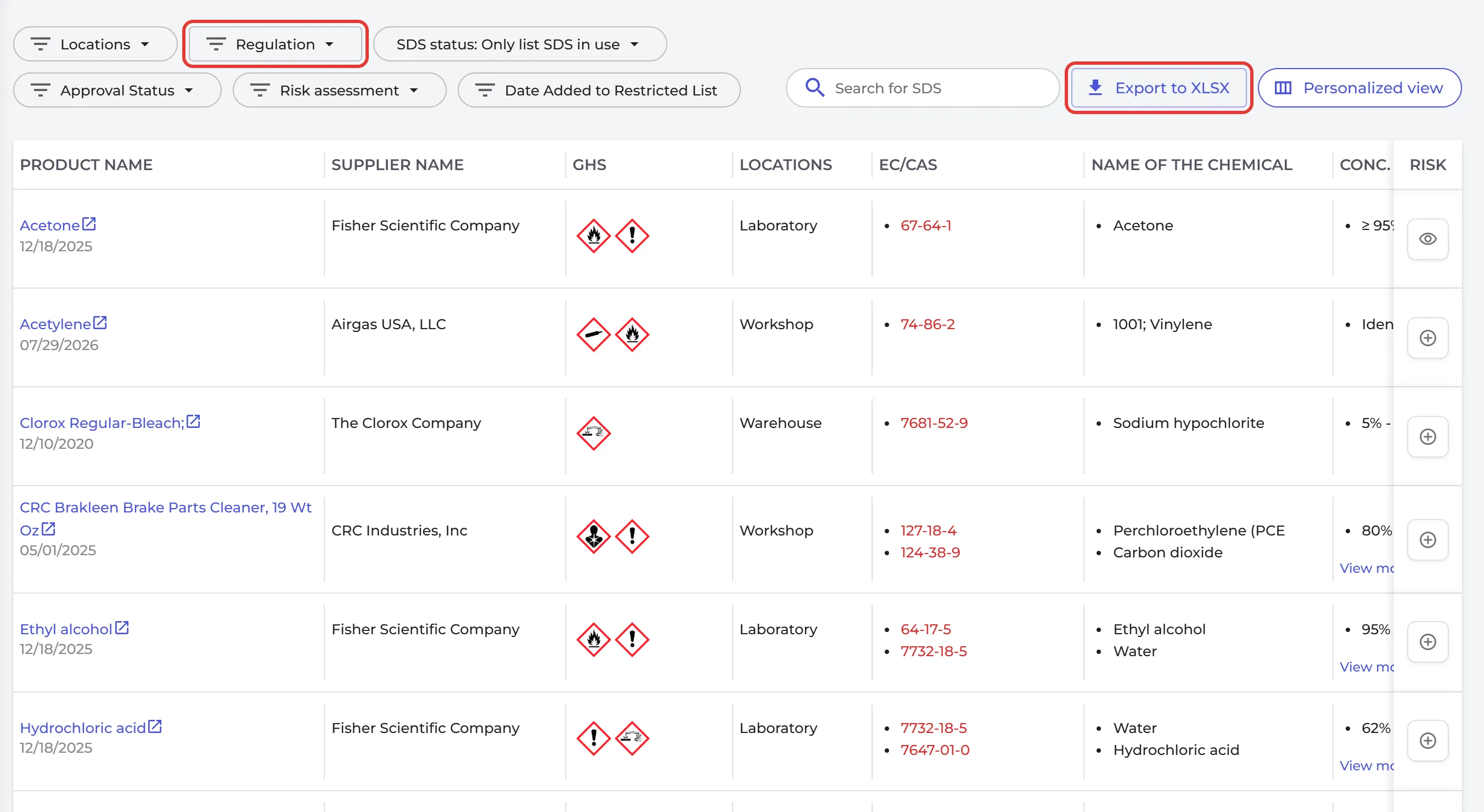
Use the list to decide what to do about each product:
- Assess the risk: click the icon in the Risk column to create a risk assessment for the product. Read more: How to create a risk assessment of a chemical?
- Look for a safer product. Click ⋮ on the SDS in your library and choose Evaluate Substitution.
- If you use SDS approval, approve the SDSs you have checked. Tick the box in the Approval Status column and click Approve. Read more: SDS Approval function explained
Which lists are checked, and how to choose them: List SDS in my library that contain hazardous substances - which regulatory restricted lists are checked?
The SDS compliance page is part of the Pro and Enterprise plans.