An SDS binder is one PDF file with all the Safety Data Sheets (SDSs) on a location. It starts with an index, and you click a page number in the index to go straight to that SDS. Use it as a backup to online access, for offline access, to print the SDSs, or to keep a copy of the SDSs you used at a given date.
Make an SDS binder
- Open the location in Manage SDS Library. To include the SDSs on its sub-locations, switch on Include sub-locations first. Filters you have set are used too.
- Click More options (⋯) at the top right and choose Generate SDS Binder.
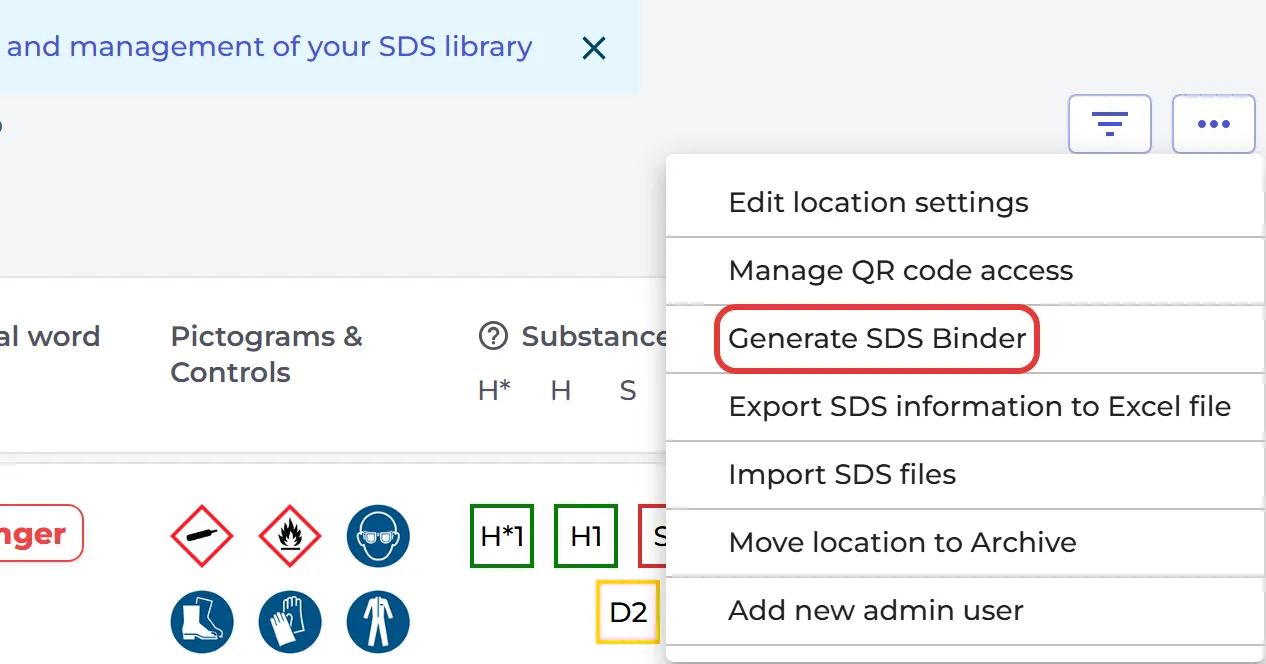
The binder opens in a new tab. For a location with up to 20 SDSs, it is ready in a few seconds. For a larger binder, SDS Manager makes it in the background and sends you an e-mail, Your SDS binder is ready, with a download link. The link works for 10 days. You can close the tab while you wait.
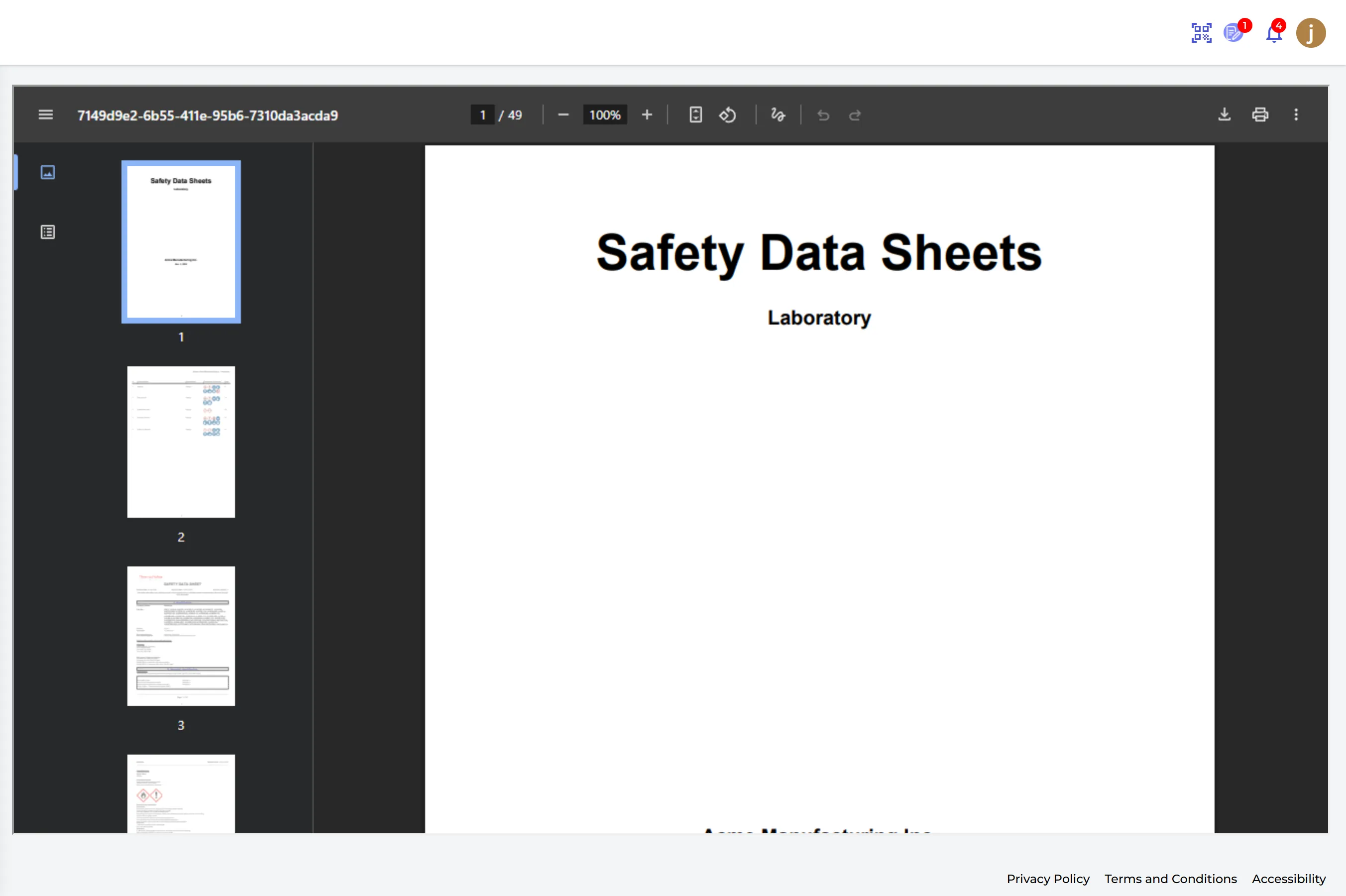
To make one binder for all your locations, open All my SDSs, click More options (⋯) and choose Generate SDS Binder.
What is in the binder
The binder has a cover page with your company logo, the location and the date. Then comes the index, sorted by product name, with the signal word, the pictograms and the PPE symbols of each product. Click the page number to open that SDS in the file.
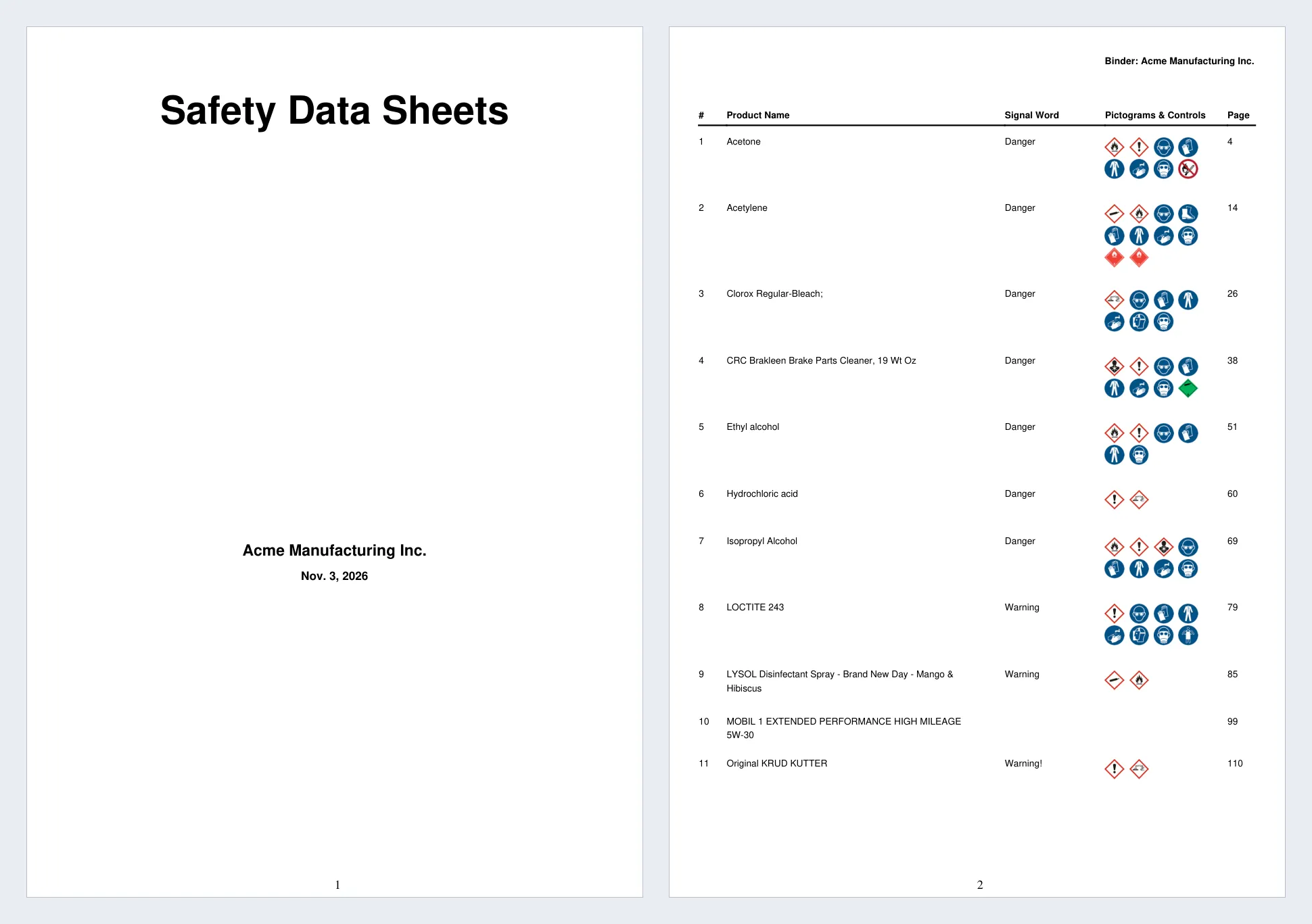
Save the PDF where your employees can open it, for example on a shared drive or your intranet, or print it. Make a new binder when you add or replace SDSs. Read more: Get Offline access to your SDSs - print a SDS Binder (PDF file with all SDSs on one location)?
Attached files: