SDS Manager reads many values from your Safety Data Sheets (SDSs), such as the auto-ignition temperature, the physical state or the pH. You can show them as columns in your SDS list.
- Open the location in Manage SDS Library.
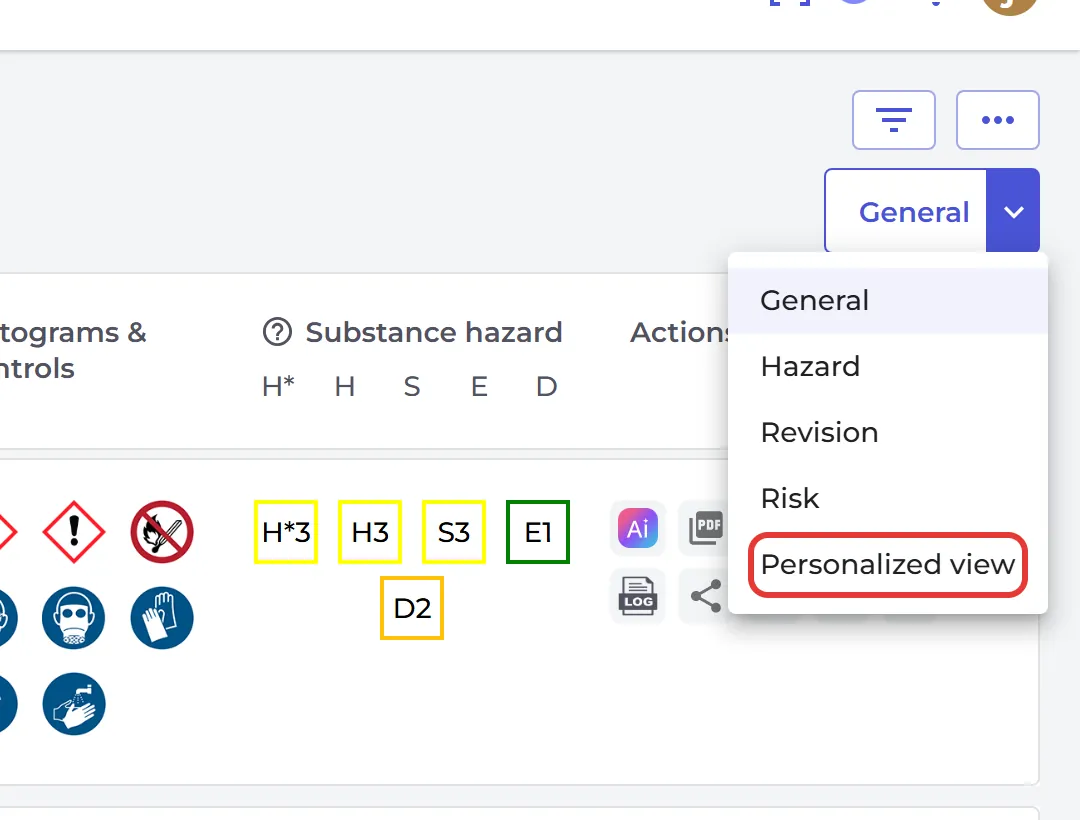
- Click General at the top right and choose Personalized view.
- Click the + icon (Add more columns).
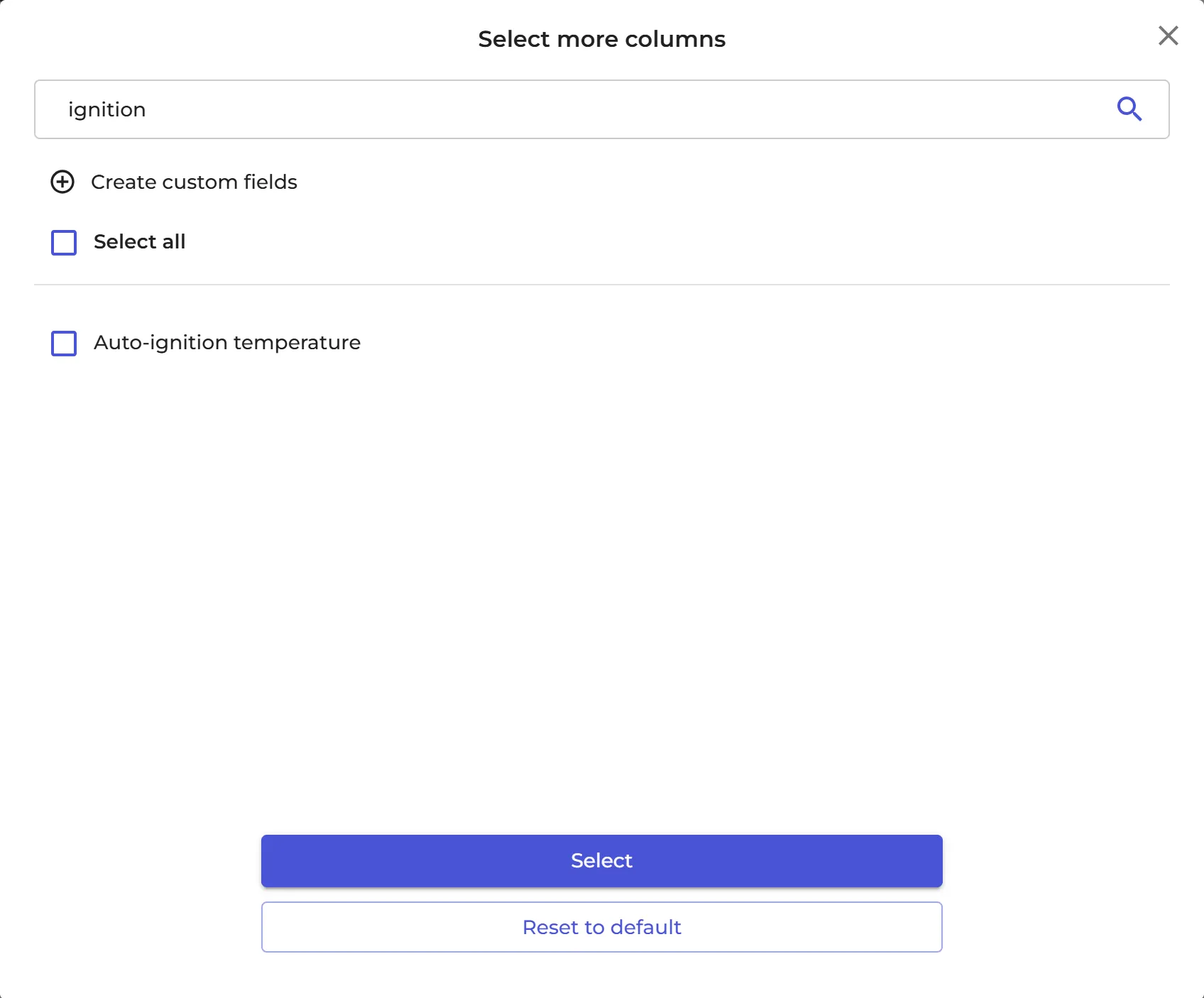
- In Select more columns, search for the value, for example ignition, tick it and click Select.
You can add your own custom fields as columns too. Read more: How can I create custom fields linked to my SDSs?
SDS Filter and SDS compliance have a Personalized view button too, so you can see a value for all the SDSs in your library in one list.
Personalized view is part of the Pro and Enterprise plans.