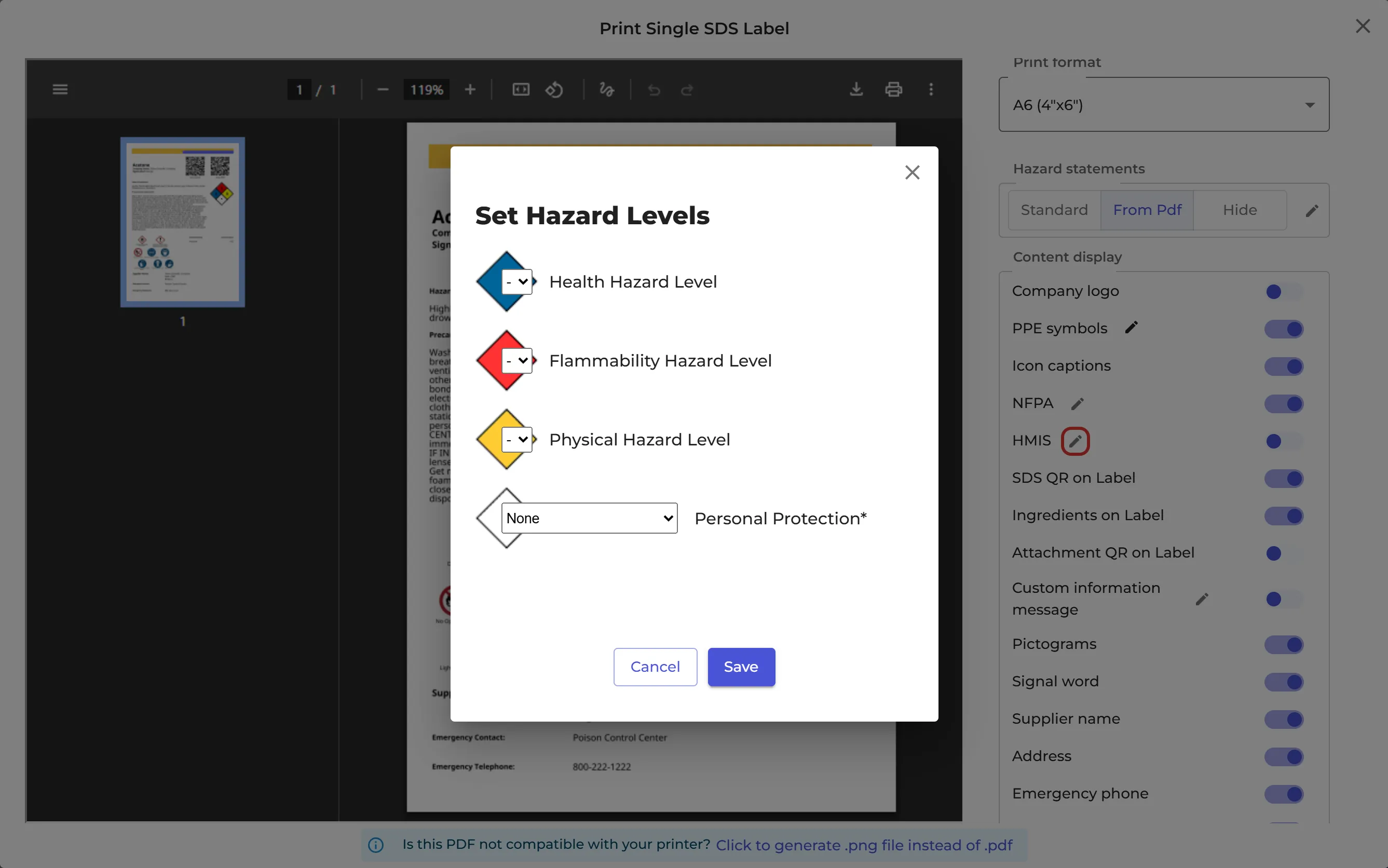
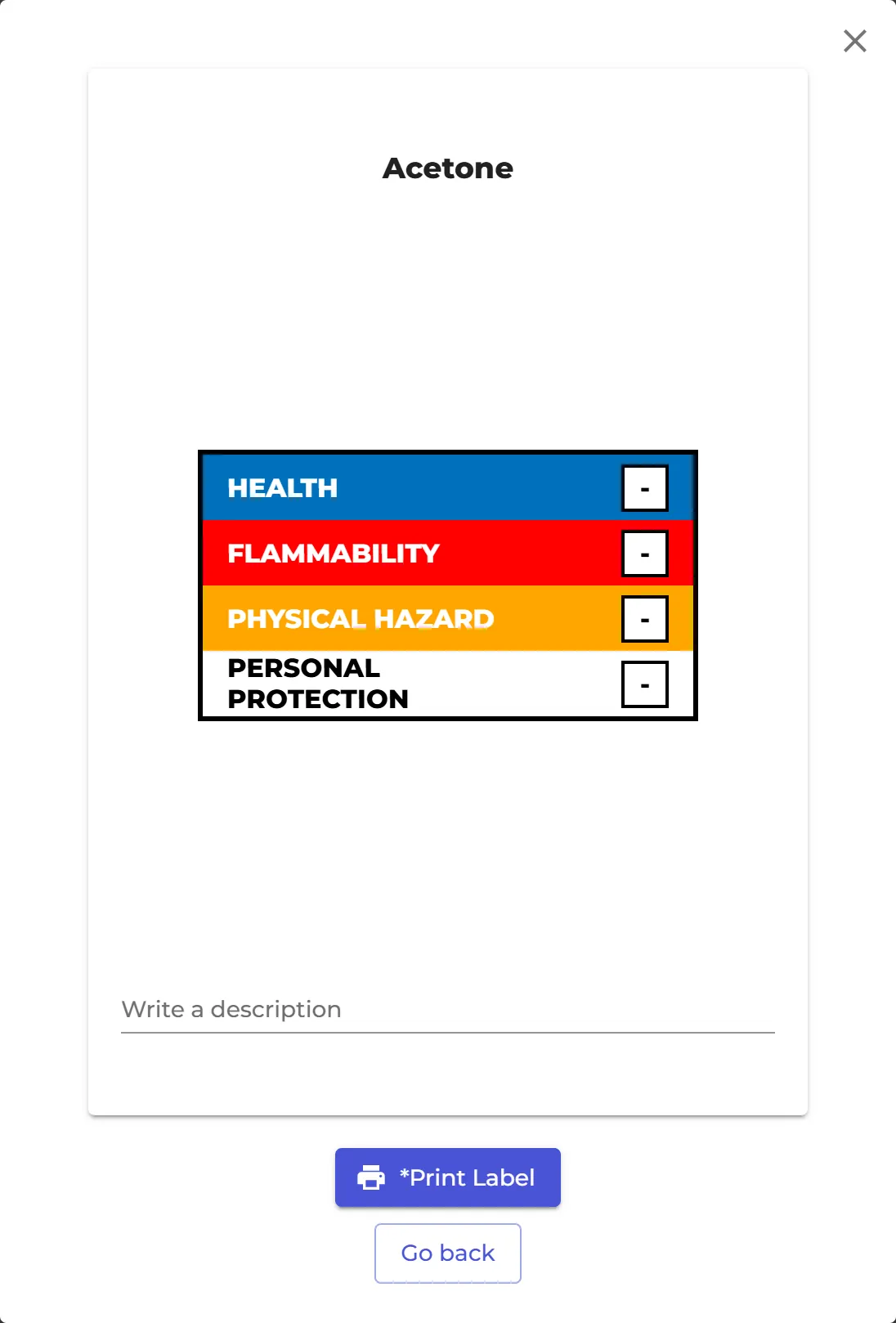
An HMIS label shows the hazard ratings of a chemical in coloured bars: health, flammability and physical hazard, each from 0 to 4, and a letter for the personal protection needed.
Print an HMIS label
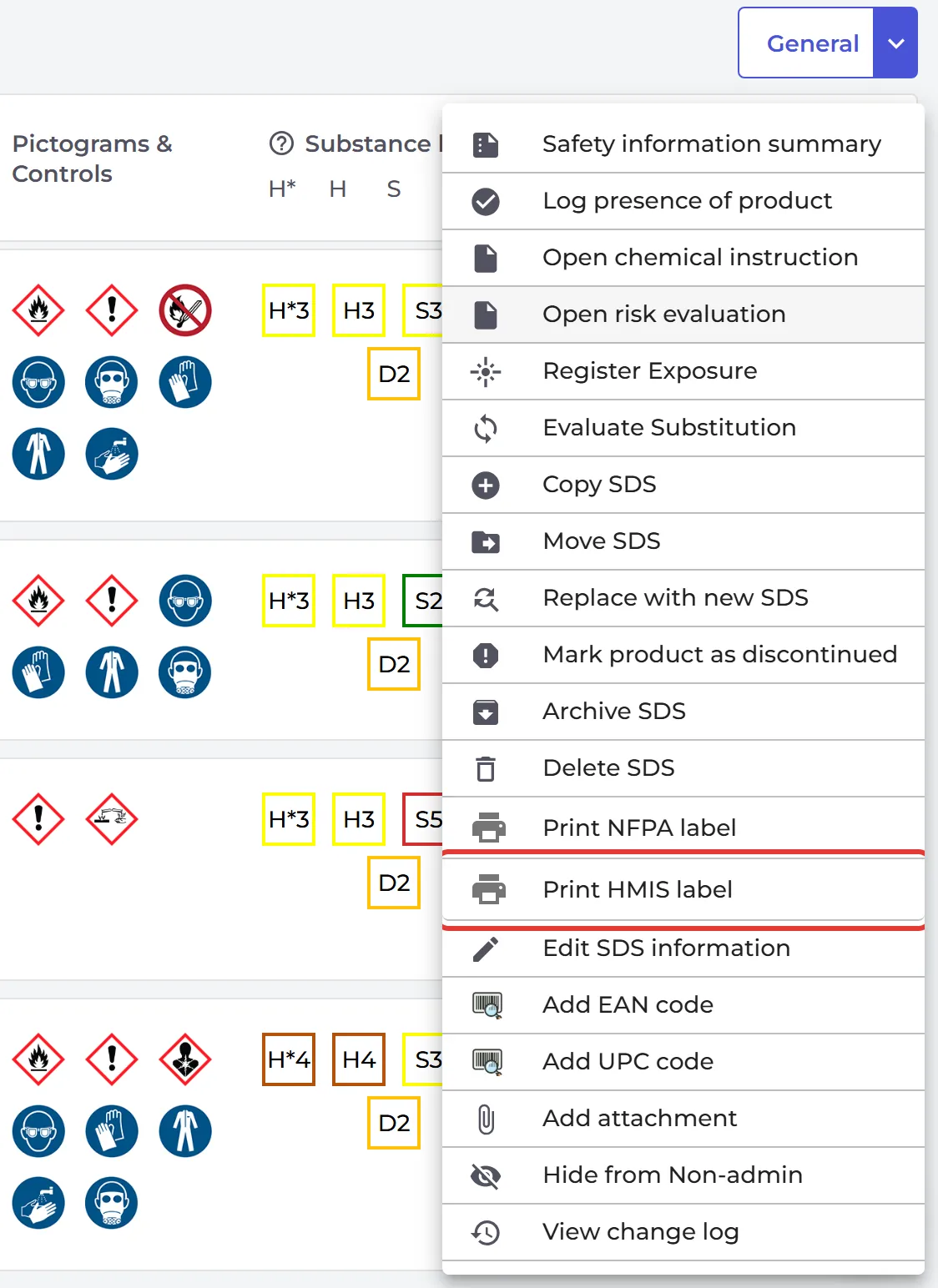
- Open the location in Manage SDS Library, click ⋮ on the SDS and choose Print HMIS label.
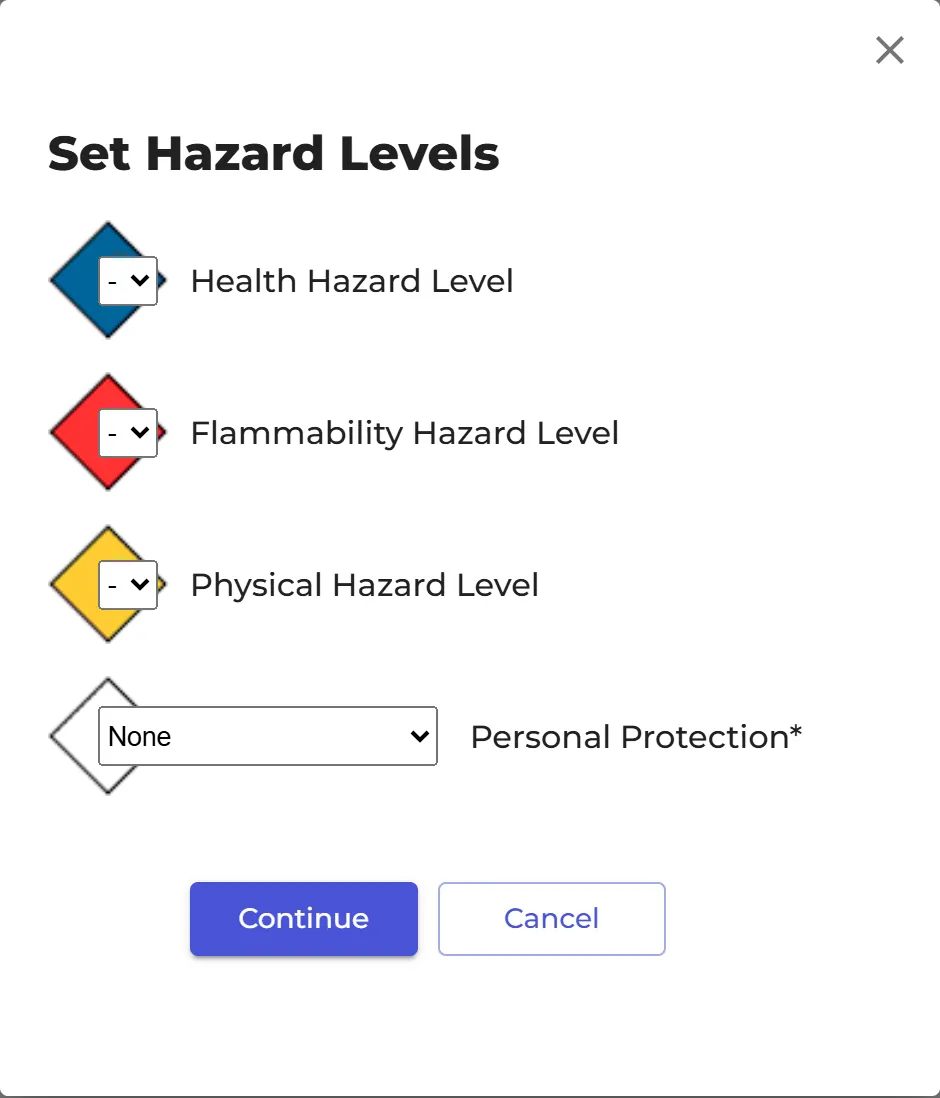
- In Set Hazard Levels, choose the Health Hazard Level, Flammability Hazard Level, Physical Hazard Level and Personal Protection. Click Continue.
- Check the label. Click Write a description to add a text, then click Print Label.
Don't see Print HMIS label?
The HMIS and NFPA options are shown when your organization's country is the United States or Canada. Click More in the left menu, then Organization profile, and check the Country.
HMIS on the secondary container label
You can also put the HMIS bar on a secondary container label. In the label window, switch on HMIS under Content display, and click the pencil next to it to set the levels. Read more: How to create Secondary container labels for hazardous chemicals