Anyone who has a QR code poster or its intranet link can open your SDS library, read-only. If only devices on your company network should get in, you can limit each QR code to your IP addresses.
- Click QR Access (Employee Access) in the left menu.
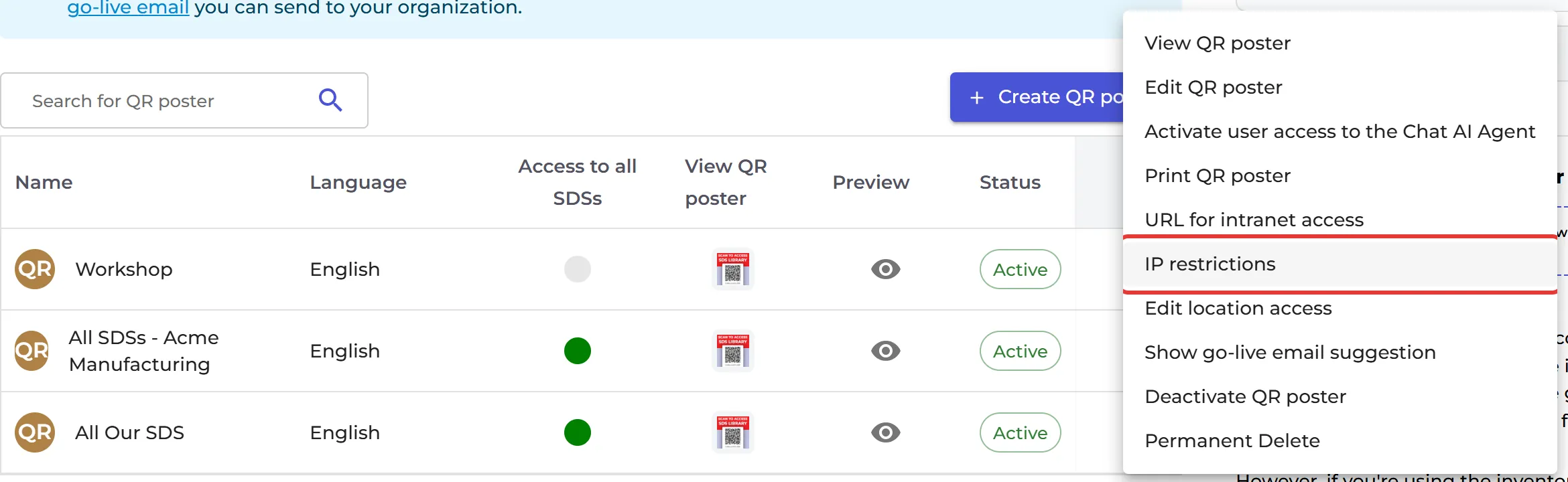
- Click ⋮ on the QR code and choose IP restrictions.
- In Allowed IPs, enter your IP addresses (x.x.x.x), IP ranges (x.x.x.x/y) or IPv6 addresses.
- Click Enable IP Restriction and Save.
Someone who scans the QR code on another network gets the message "Your IP address doesn't have permission to access this page". Click View change log to see who changed the IP restriction and when.
IP restriction is an extra subscription on top of the Premium, Pro or Enterprise plan. Without it, the window says "This feature is not available on your current subscription plan." Click Contact Us to ask about the price.