The Safety information summary is a short version of a Safety Data Sheet (SDS) with the information the users of the chemical need most: hazards, PPE, first aid, firefighting, spills, handling and storage. It does not follow the order of the SDS on purpose: the most needed information comes first.
- Open the location in Manage SDS Library, or SDS Filter.
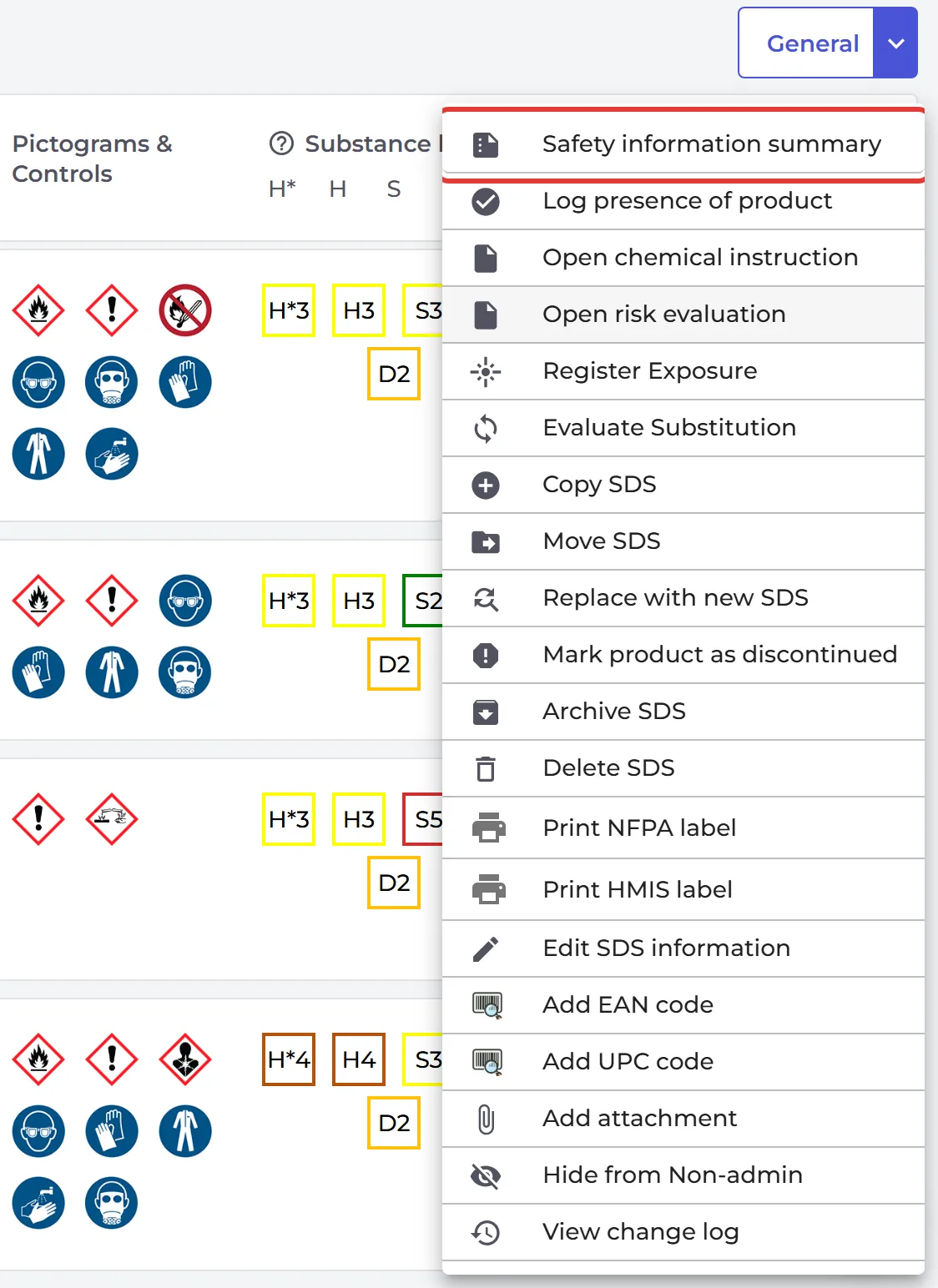
- Click ⋮ on the SDS and choose Safety information summary.
The summary opens as a PDF. Click PDF to download it, or print it from the viewer.
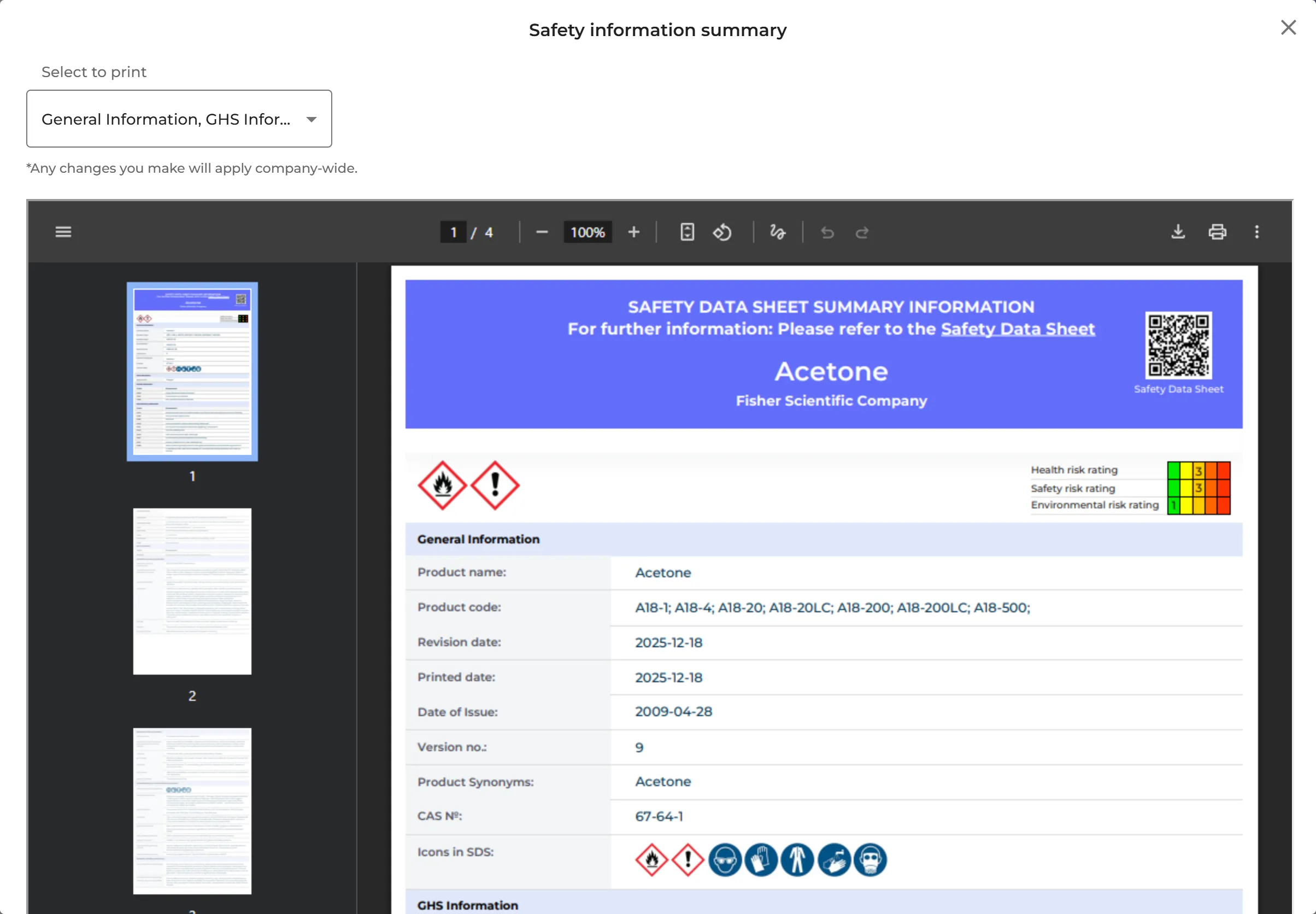
Choose what is in the summary
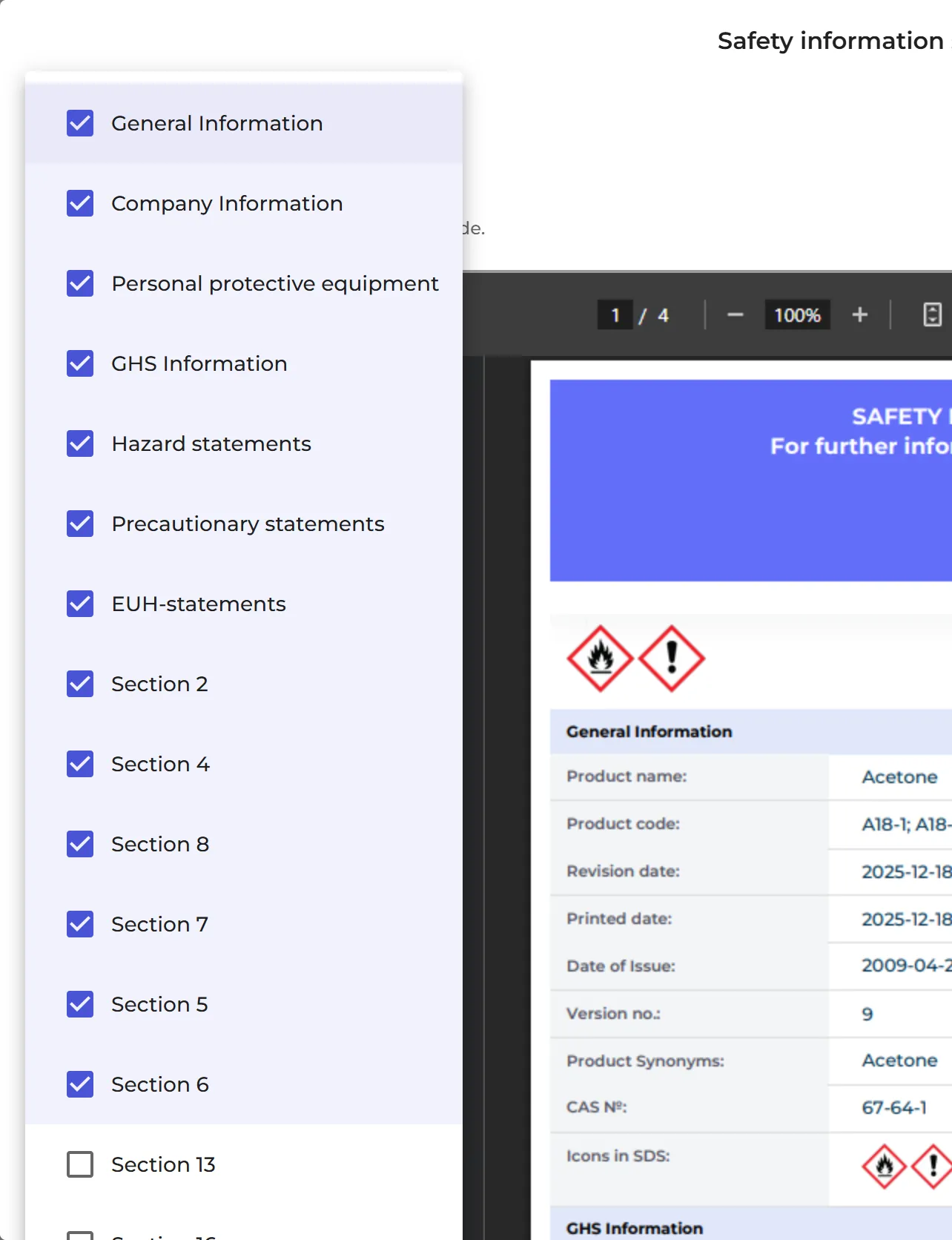
Open Select to print and tick the parts you want: General Information, Company Information, Personal protective equipment, GHS Information, Hazard statements, Precautionary statements, EUH-statements, and sections 2, 4, 5, 6, 7, 8, 13 and 16 of the SDS. Your custom fields can be added too. When an admin changes this, it applies to the whole company.
The Safety information summary is not part of the Free plan.
Attached files: