Suppliers sometimes send their customers an updated Safety Data Sheet (SDS), for example by e-mail. Here is how to put it in your library in place of the old one.
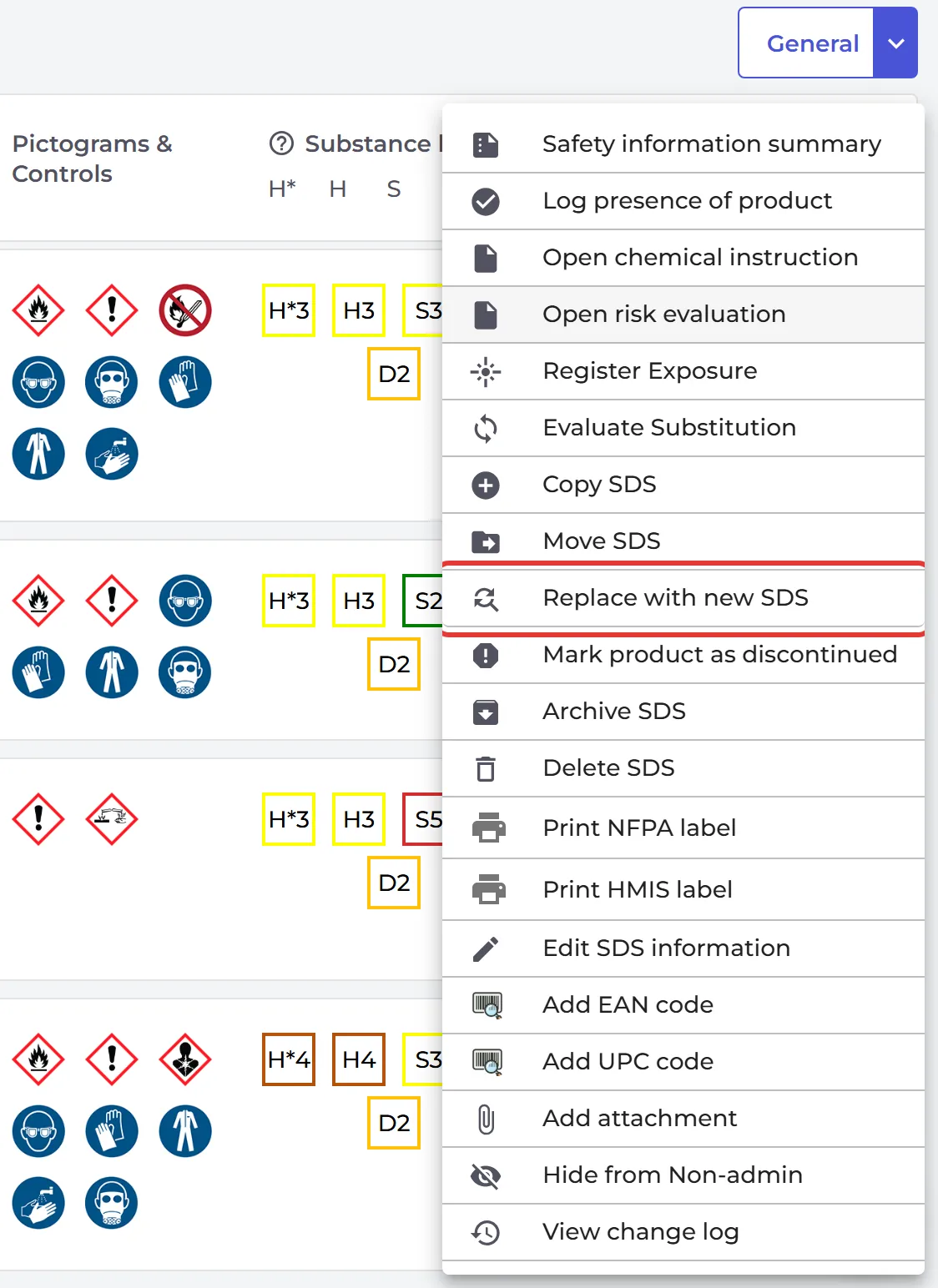
- Find the old SDS in your library, for example in All my SDSs or Manage SDS Library.
- Click ⋮ on the SDS and choose Replace with new SDS.
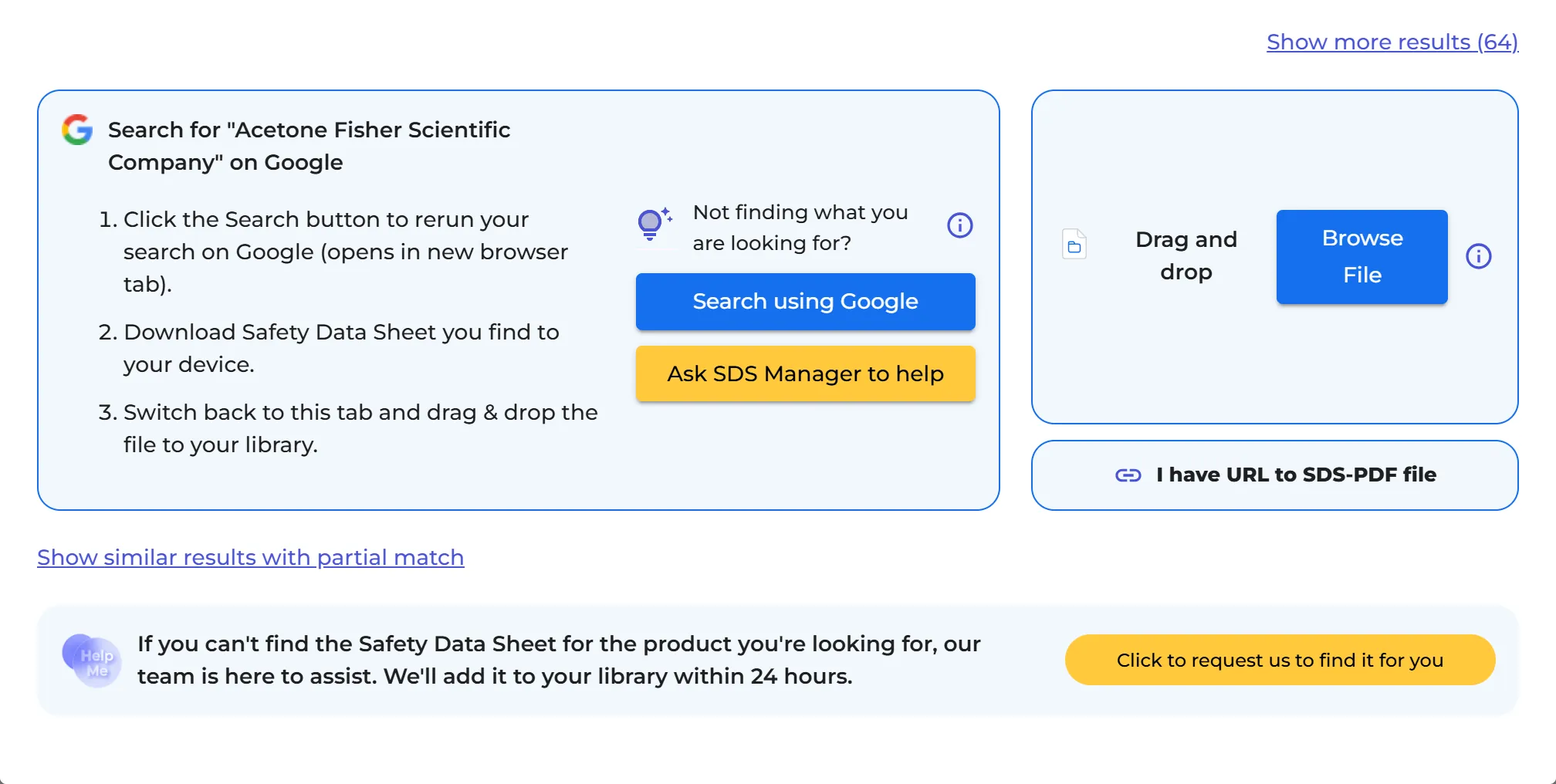
- Drag the new file into the window, or click Click here to browse files and choose it.
- SDS Manager reads the file. Choose what to copy to the new SDS, such as your edited information, attachments and information message, and on which locations to replace it. Confirm.
The new SDS is now in your library. The old one moves to the Archive, on the Replaced by newer version tab. Its risk assessment, amount and EAN/UPC codes go with the new SDS.
Did the supplier answer a request you sent from SDS Manager? Then the SDS is also in Inbox (from vendors). Read more: User manual for "Manage SDS Updates" - see how you can upgrade SDSs to the latest version