You can give a user or a QR code access to all SDSs, or only to some locations.
- Access to all SDSs: the user sees all SDSs on all locations, with the same role everywhere.
- Customize access: you choose the role on each location, for example Admin on one site and No Access on the others.
Only the owner of the account can choose Access to all SDSs. Users and QR codes added by an admin always get customized access. You can change the access at any time.
Change the access of a user
- Click More → User management.
- Click ⋮ on the user and choose Edit location access.
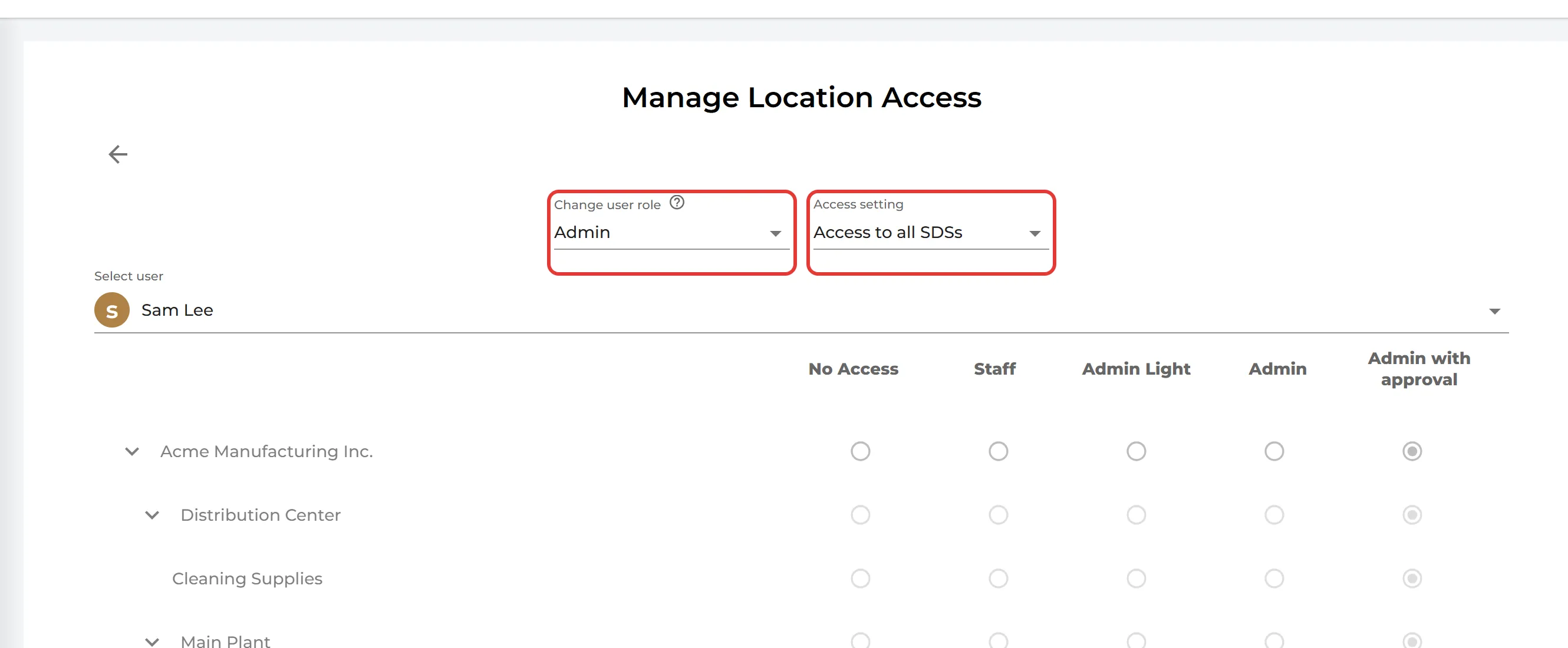
- Choose the main role under Change user role, and Access to all SDSs or Customize access under Access setting.
- With Customize access, choose the role on each location in the location tree. Click Save.
A new Access setting is saved as soon as you choose it. The roles in the location tree are saved when you click Save.
Read more about the roles: Can I assign different roles for people in a location?
Change the access of a QR code
Click QR Access (Employee Access) in the left menu, click ⋮ on the QR code and choose Edit location access. A QR code always gives read-only access.