Each Safety Data Sheet (SDS) says which personal protective equipment (PPE) and controls are needed. SDS Manager shows them as symbols, so your employees see them at a glance.
PPE in the SDS list
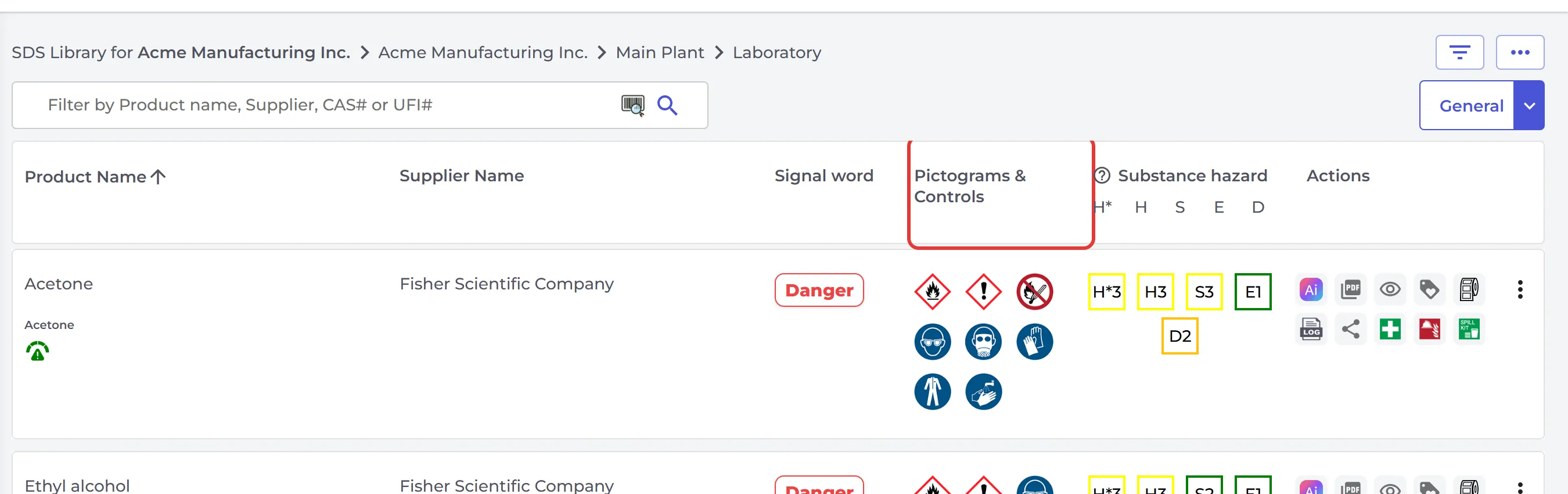
In Manage SDS Library and All my SDSs, the Pictograms & Controls column shows the hazard pictograms and the PPE symbols of each SDS. Employees see the same when they search for an SDS. The Hazard view (click General at the top right) has a PPE/Controls column.
Set your own PPE with a risk assessment
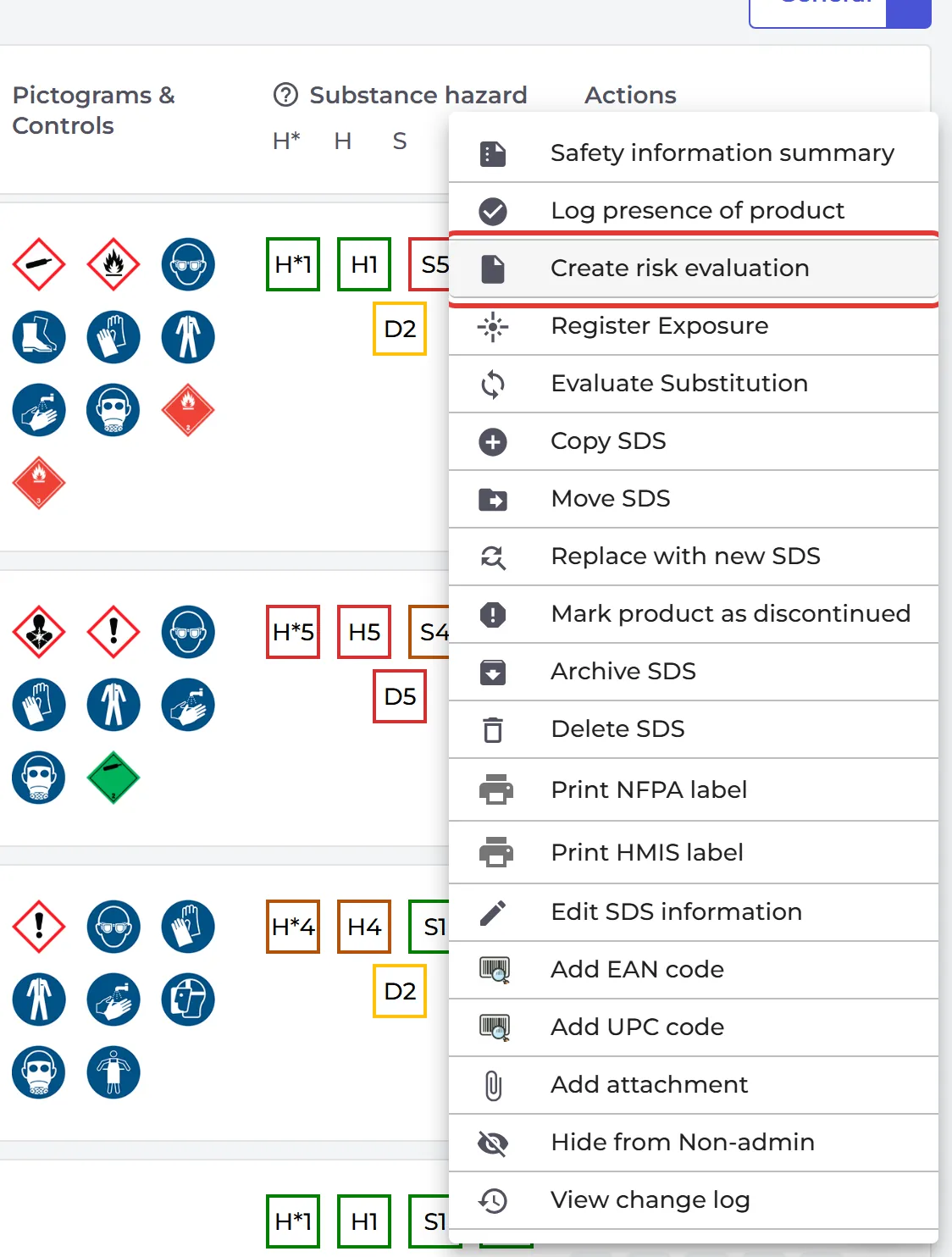
Does your company require other PPE or controls than the SDS? Make a risk assessment of the product. Click ⋮ on the SDS and choose Create risk evaluation. When the risk assessment is approved, its PPE and controls are shown for the product. Read more: How to create a risk assessment of a chemical?
Tell employees how to work safely in a task
Make a job procedure for the task, with the chemicals it uses, and add the employees who do the task. When the job procedure is approved, they get an e-mail. They open it from My job procedures and click Confirm I have read the job procedure. Read more: How can I use SDS Manager to document job/work procedures for hazardous chemicals?
Risk assessments and job procedures are part of the Pro and Enterprise plans.