When you print a secondary container label, you choose its size in Print format. Read how to print a label: How to create Secondary container labels for hazardous chemicals
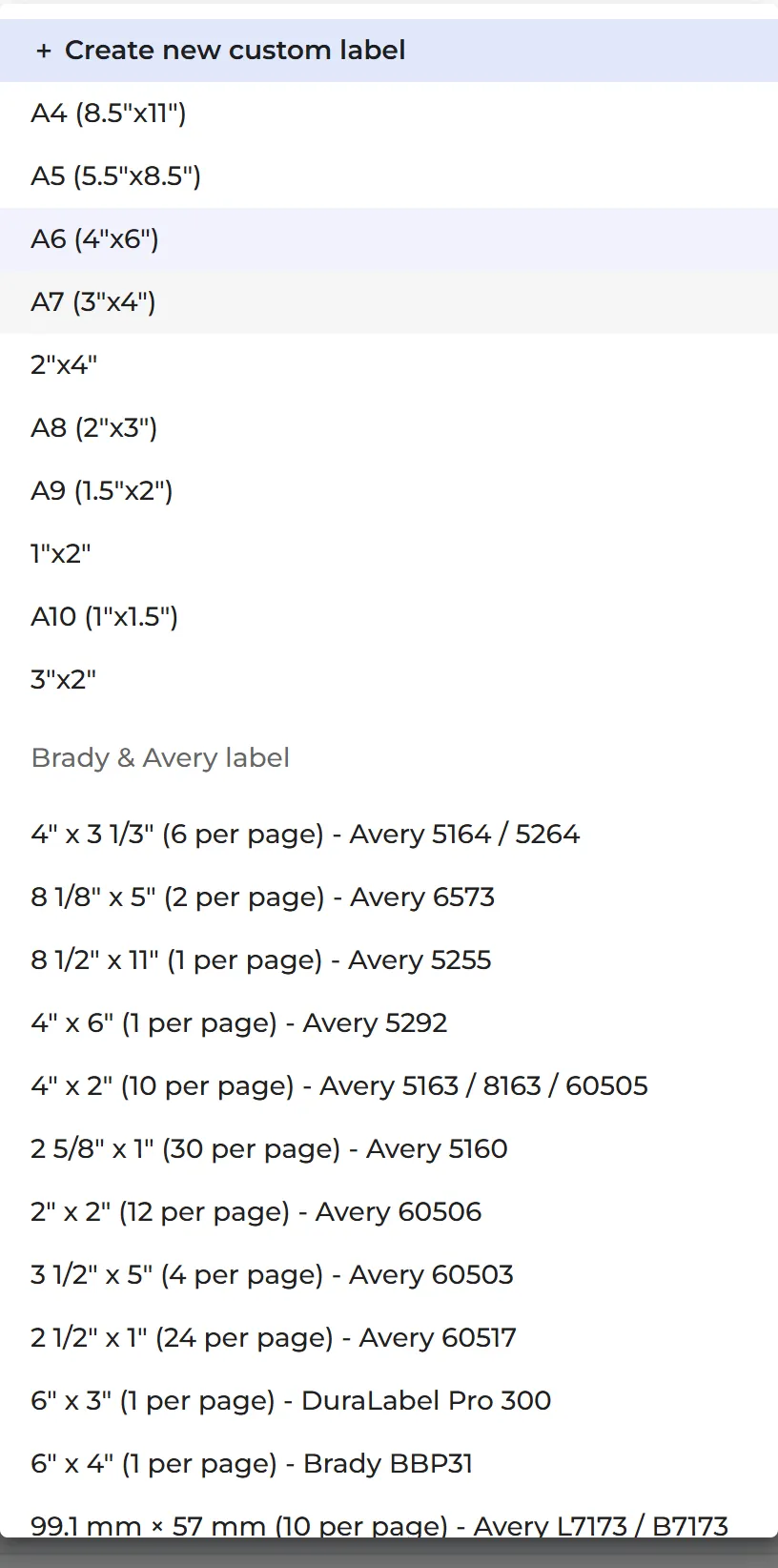
Label sizes
SDS Manager shows the sizes in inches or in millimetres, depending on the Measurement system in your account settings (click your profile picture at the top right, then Manage account).
| US | Metric |
|---|---|
| A4 (8.5"x11") | A4 (210x297mm) |
| A5 (5.5"x8.5") | A5 (148x210mm) |
| A6 (4"x6") | A6 (105x148mm) |
| A7 (3"x4") | A7 (74x105mm) |
| 2"x4" | 52x105mm |
| 50x105mm | |
| A8 (2"x3") | A8 (52x74mm) |
| 50x74mm | |
| A9 (1.5"x2") | A9 (37x52mm) |
| 1"x2" | 26x52mm |
| A10 (1"x1.5") | A10 (26x37mm) |
| 3"x2" | 74x52mm |
The smaller the label, the less fits on it. On the smallest sizes, for example, the hazard statements are left out.
Sheets of Avery, Brady and DuraLabel labels
- Avery 5164 / 5264: 4" x 3 1/3" (6 per page)
- Avery 6573: 8 1/8" x 5" (2 per page)
- Avery 5255: 8 1/2" x 11" (1 per page)
- Avery 5292: 4" x 6" (1 per page)
- Avery 5163 / 8163 / 60505: 4" x 2" (10 per page)
- Avery 5160: 2 5/8" x 1" (30 per page)
- Avery 60506: 2" x 2" (12 per page)
- Avery 60503: 3 1/2" x 5" (4 per page)
- Avery 60517: 2 1/2" x 1" (24 per page)
- DuraLabel Pro 300: 6" x 3" (1 per page)
- Brady BBP31: 6" x 4" (1 per page)
- Avery L7173 / B7173: 99.1 mm × 57 mm (10 per page)
- Avery L7913 / B3427: 99.1 mm × 67.7 mm (8 per page)
- Avery L7912: 99.1 mm × 42.3 mm (12 per page)
- Avery L7911: 45.7 mm × 21.2 mm (48 per page)
On a sheet, you click the cell where printing should start.
Your own size
Choose Create new custom label at the top of the list. Enter the Label width and Label height in mm or inches and the Margin (mm). Under Overflow mode, choose Fit to label or Allow multipage. Use this for a label printer with its own label size. Your saved sizes are listed under My saved layouts.