What used to be named MSDS-Binder is now typically named SDS-Binder, because the term MSDS has been replaced by the term SDS.
It is called an SDS-Binder because it is a hard-copy print of all Safety Data Sheets inserted into a binder.
Printed copies are no longer the only option: OSHA allows electronic access to Safety Data Sheets, as long as employees can get to them without barriers during each work shift (29 CFR 1910.1200(g)(8)). Many companies still keep a binder as a backup to online access.
With SDS Manager, you can create an SDS-Binder file: one PDF file with all the Safety Data Sheets for a location. Open the location, click More options (⋯) and choose Generate SDS Binder.
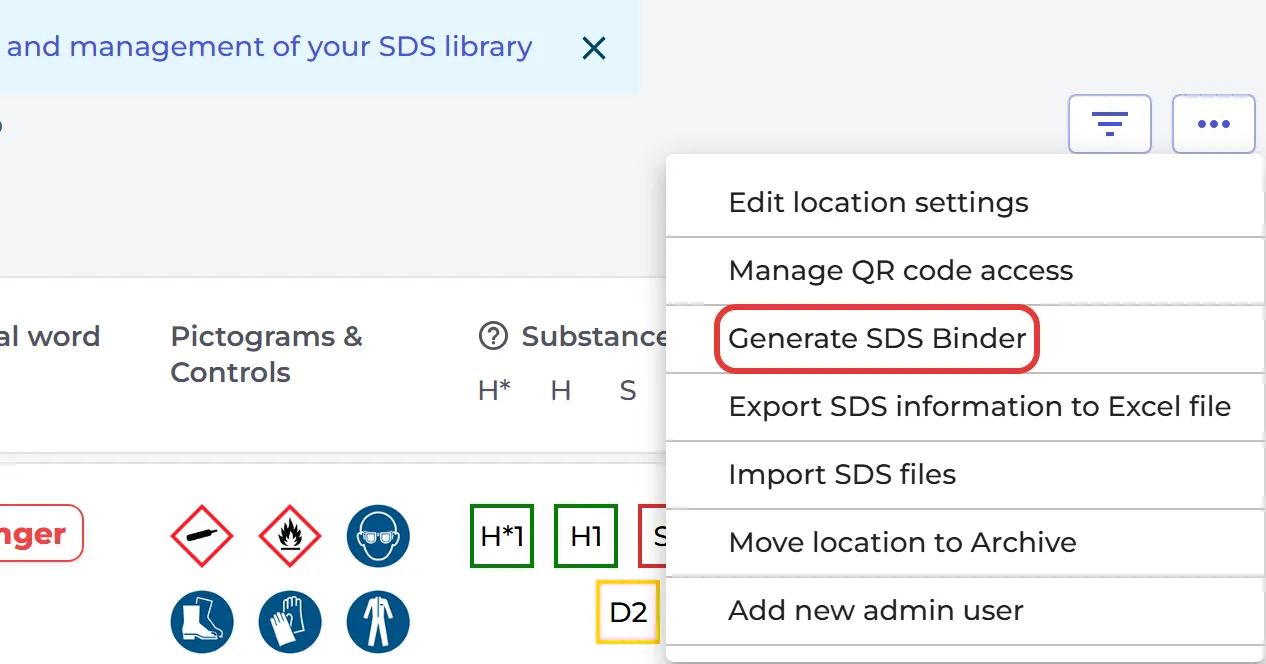
A small binder opens in a new tab after a few seconds. A larger binder is made in the background, and you get an e-mail with a download link.
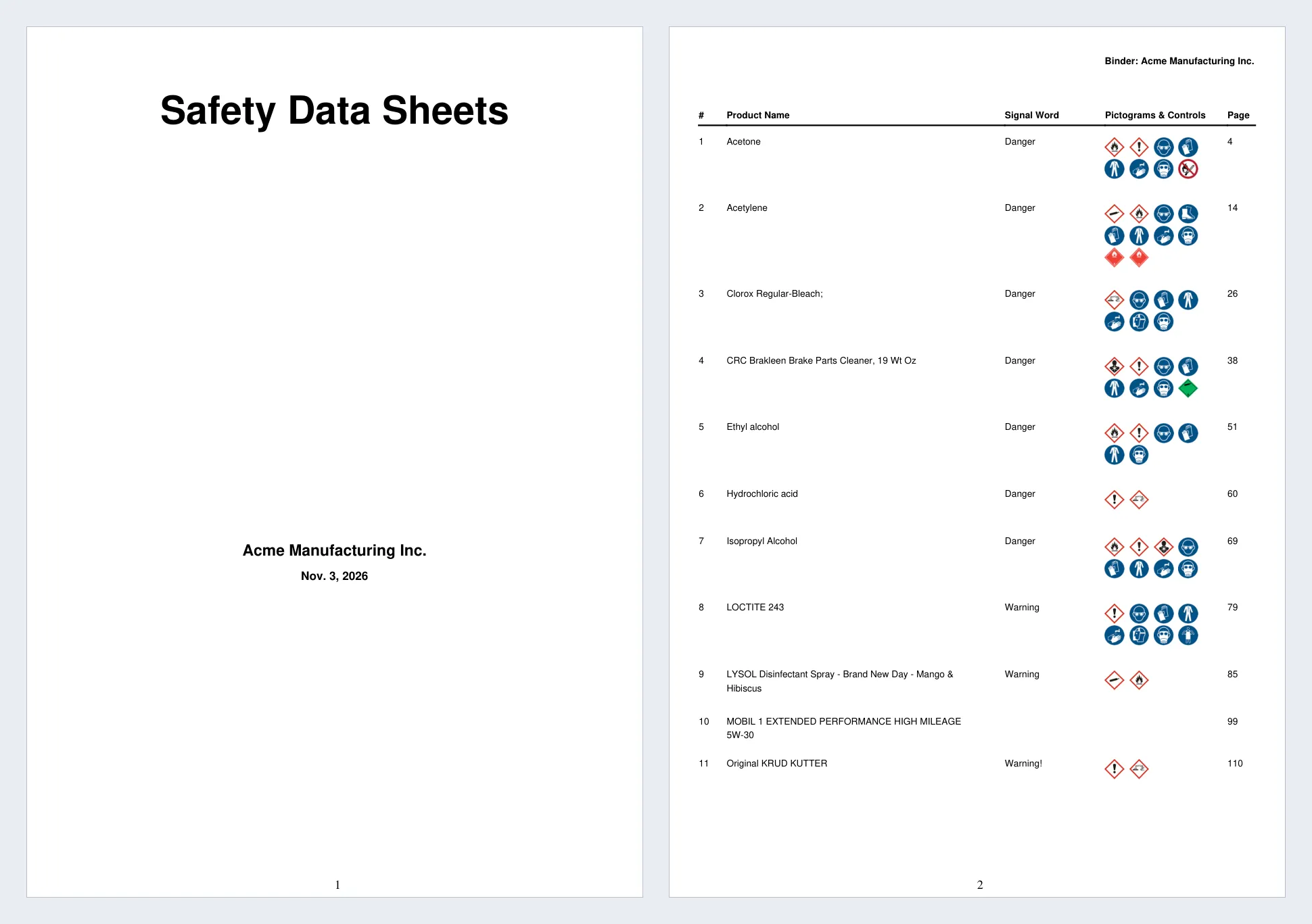
The binder starts with an index that lists all Safety Data Sheets in the file, with the signal word, pictograms and PPE icons found in each SDS. To open a Safety Data Sheet, open the binder in a PDF reader and click the page number in the index. The PDF reader moves to the page where that Safety Data Sheet starts.
Read more: How to create an SDS-Binder file?
Attached files: