You choose which e-mails SDS Manager sends you in your account settings.
- Click your profile picture at the top right and choose Manage account.
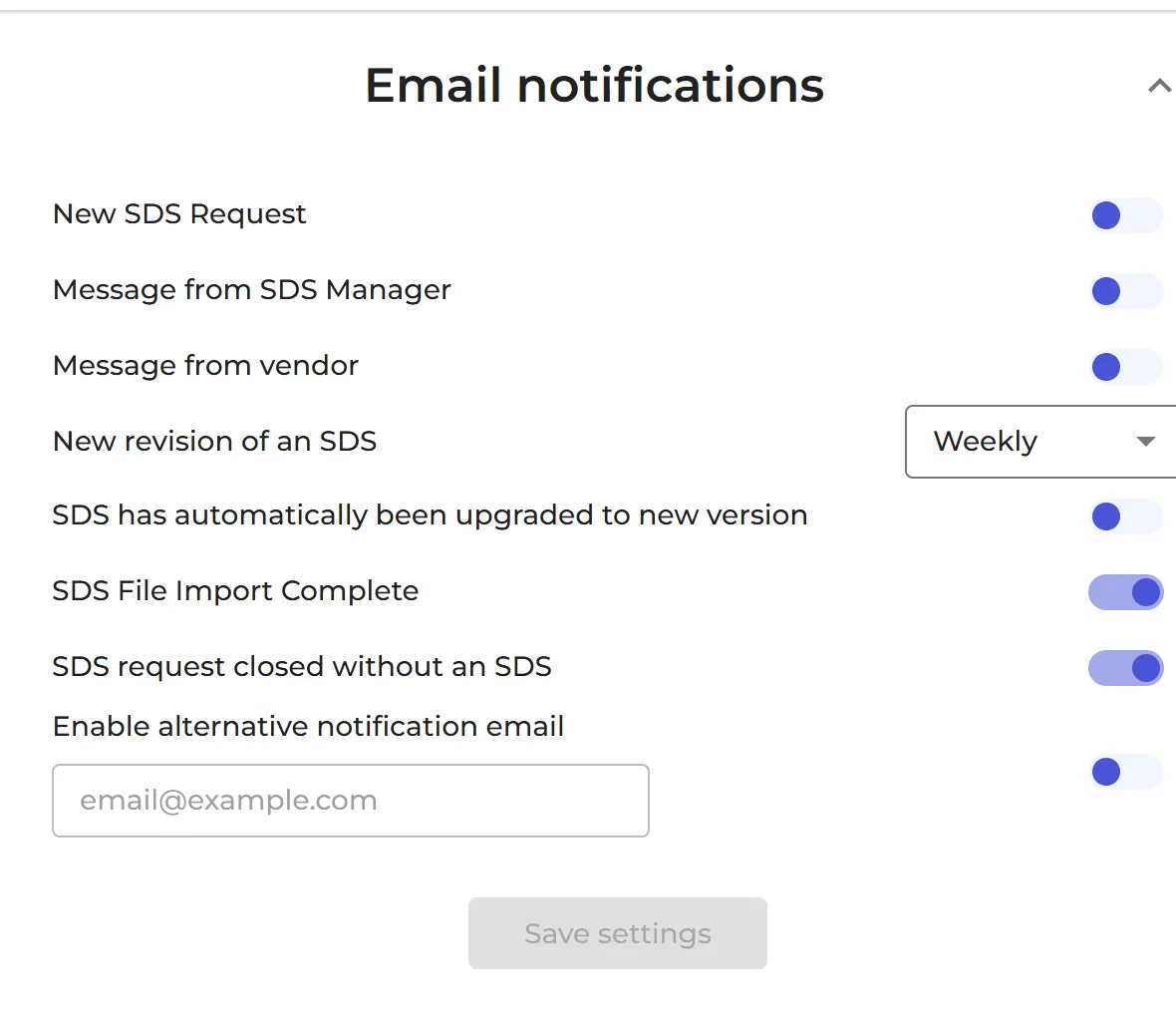
- Go to Email notifications and switch each e-mail on or off.
- Click Save settings.
| When you get it | |
|---|---|
| New SDS Request | A new SDS request is made, for example when an employee asks for an SDS to be added to your library. |
| Message from SDS Manager | SDS Manager sends you a message. |
| Message from vendor | A supplier answers your request for an updated SDS. |
| New revision of an SDS | A newer version exists of an SDS in your library. Choose how often: Daily, Weekly, Monthly or Never. |
| SDS has automatically been upgraded to new version | SDS Manager has replaced an SDS with its newer version for you. |
| SDS File Import Complete | The SDS files you uploaded have been imported. |
| SDS request closed without an SDS | An SDS request was closed without an SDS being added. |
| SDS waiting for my approval | Only for approvers: an SDS waits for your approval. |
Switch on Enable alternative notification email to send the e-mails to another address than your login.