You can compare two Safety Data Sheets (SDSs) side by side, for example two products you can choose between, or two versions of the same product.
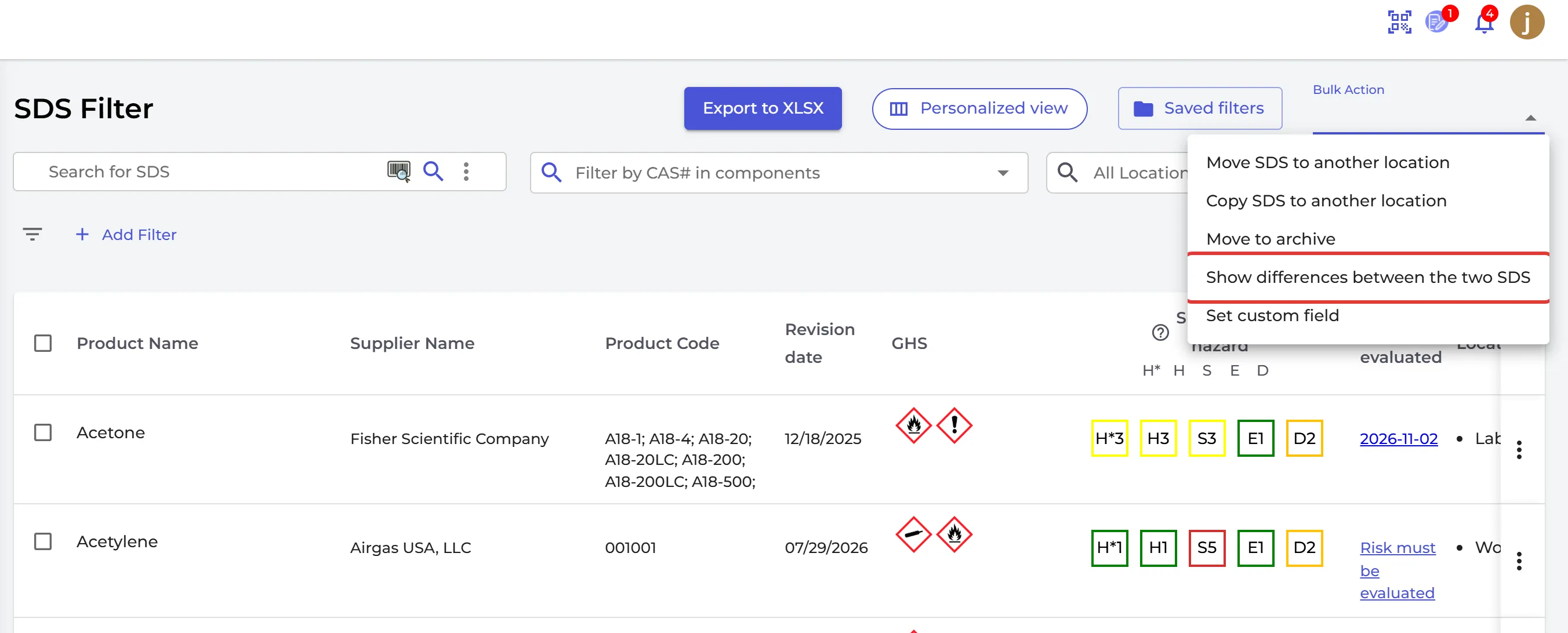
- Click Filter (SDS Filter) in the left menu.
- Tick the two SDSs.
- Open Bulk Action and choose Show differences between the two SDS.
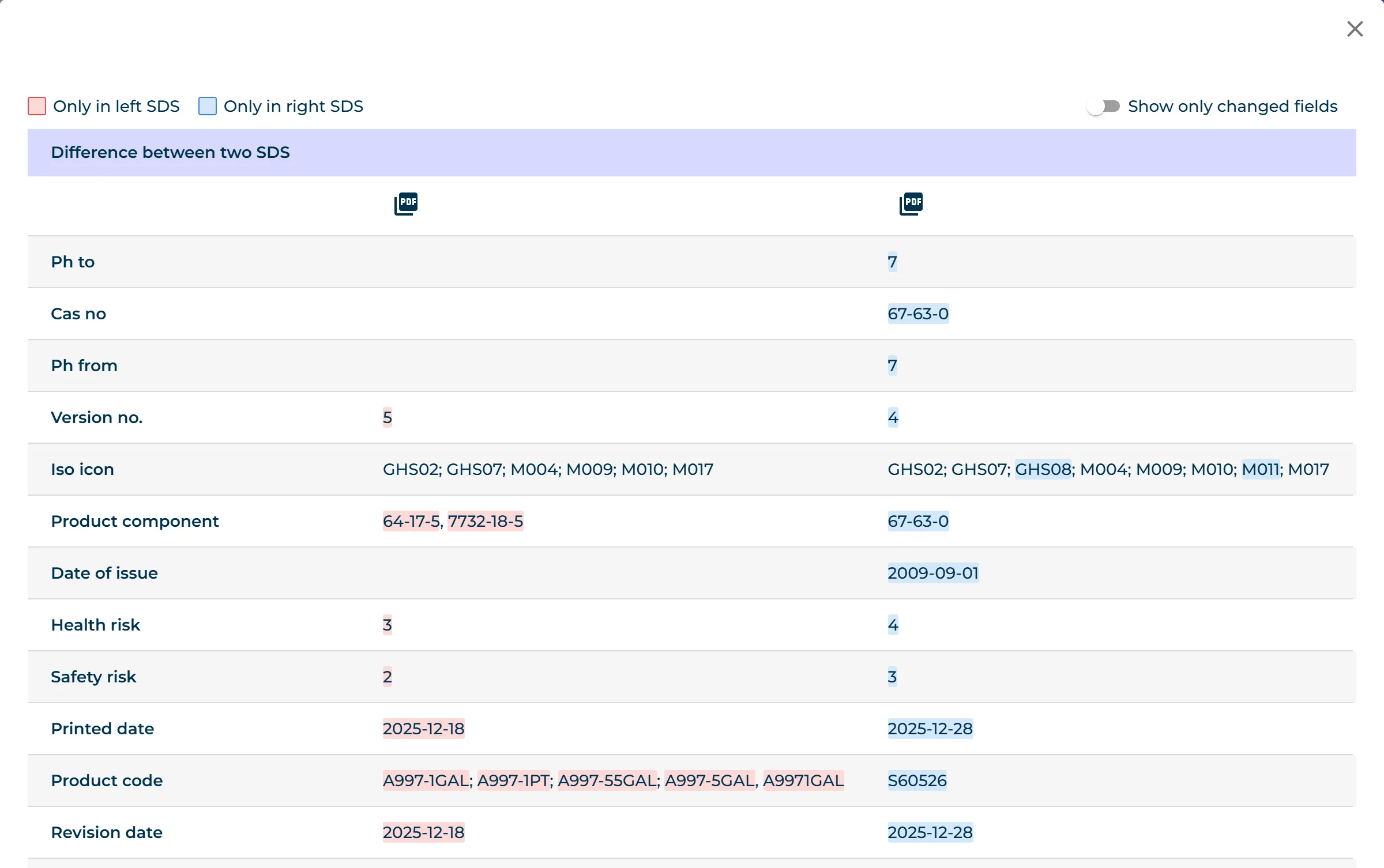
Difference between two SDS shows the values of both SDSs, field by field. Colours mark what is only in the left SDS and what is only in the right one. Switch on Show only changed fields to hide the fields that are the same. Click the PDF icons to open the SDSs.