The price of SDS Manager depends only on the number of Safety Data Sheets (SDSs) in your library. If you are not sure how many you need, start with a smaller plan and upgrade when your library grows. You can pay monthly or yearly; paying yearly costs less. See the pricing page.
Start your subscription in SDS Manager
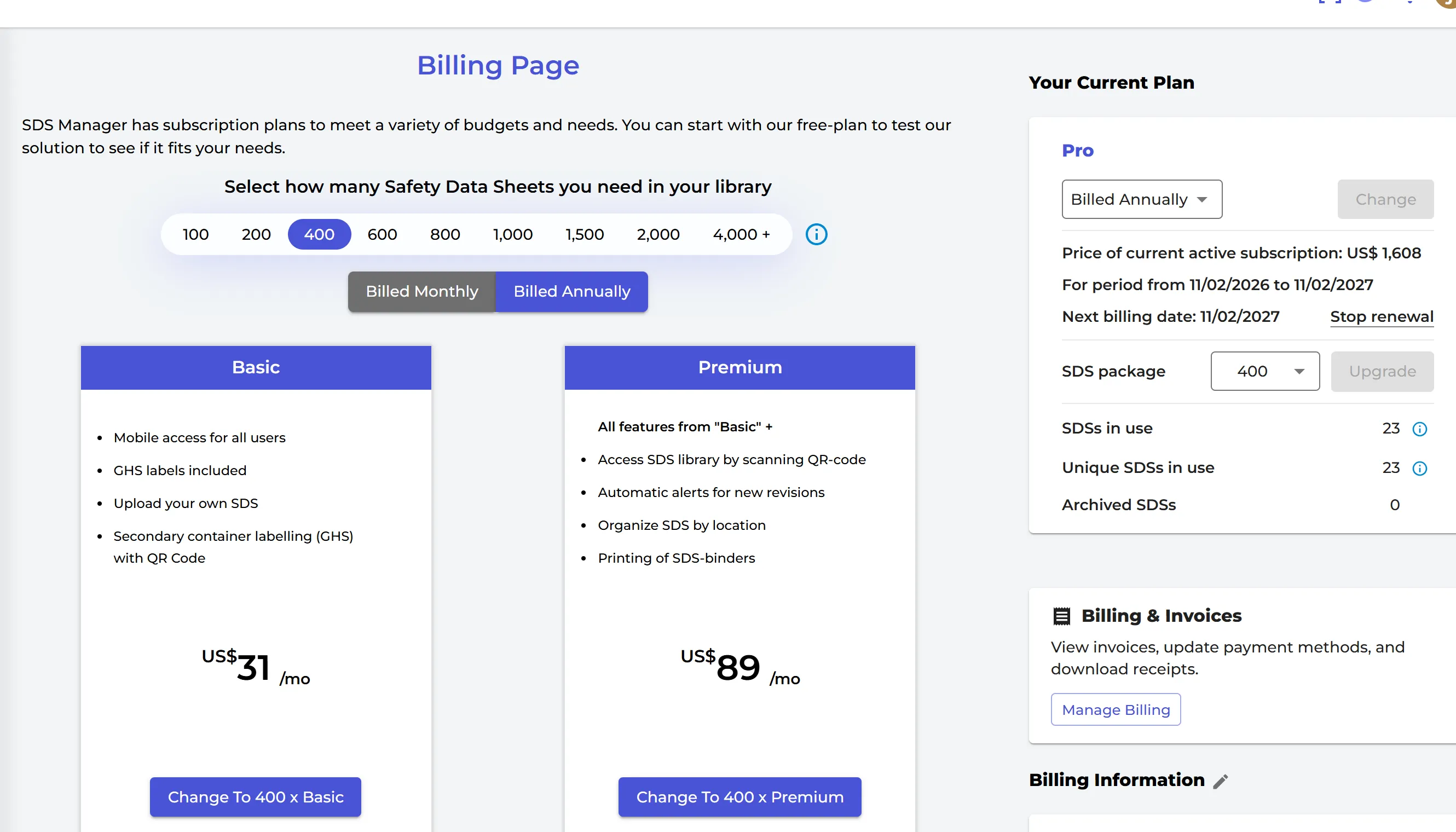
- Click More → Subscription. Only the owner of the account sees this page.
- Choose how many SDSs you need, Billed Monthly or Billed Annually, and click the button on the plan you want (for example PURCHASE Premium).
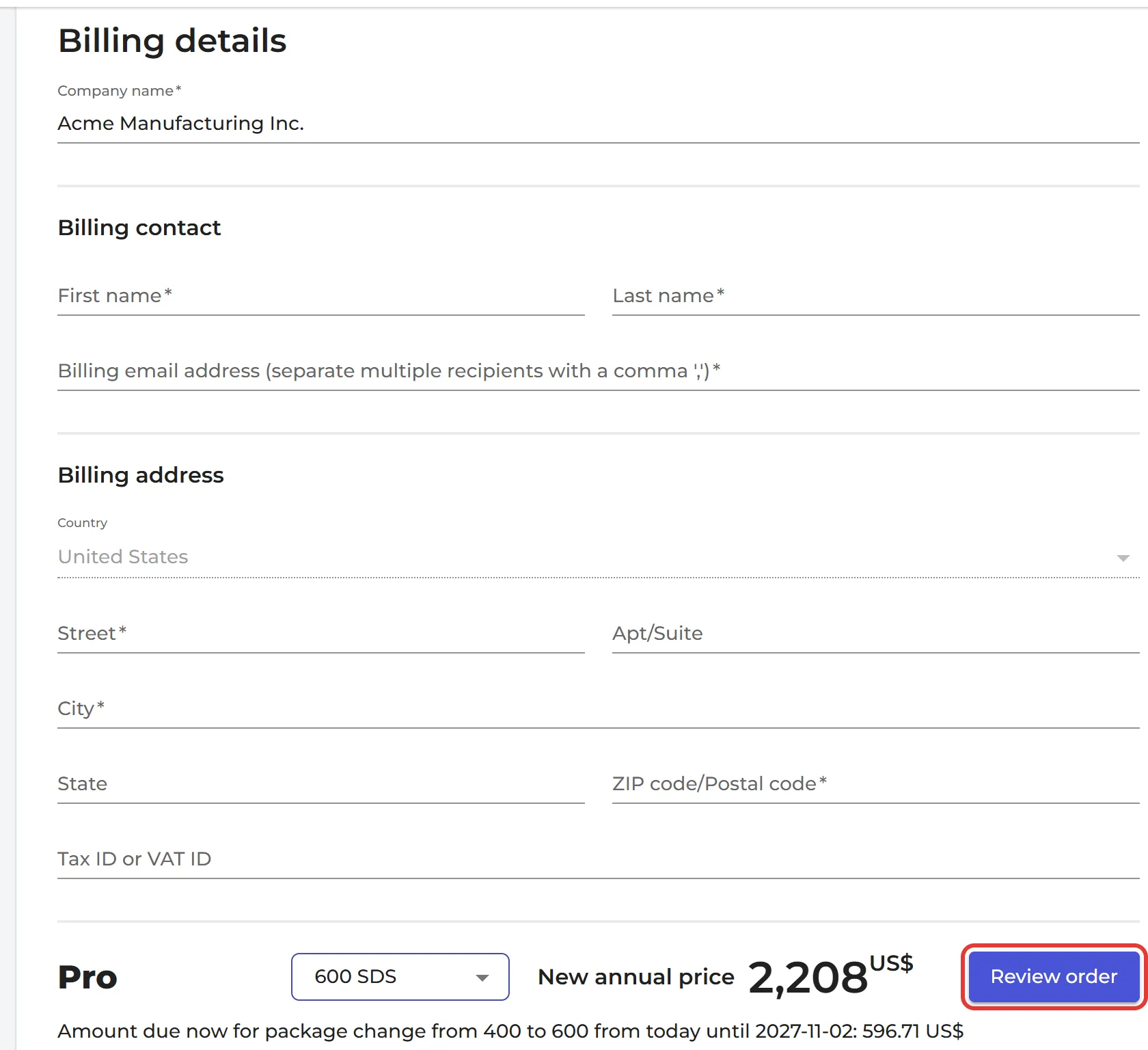
- Fill in the Billing details: billing contact, billing e-mail address, billing address and, if you have one, your tax ID or VAT ID. Click Review order.
- Choose how you want to pay:
- Pay by Credit Card or Link: you pay now by card, and the card is charged again at each renewal. Click Pay and subscribe.
- Pay by Invoice or PO: we e-mail you an invoice, which you can pay later by bank transfer (ACH or wire) or by card. Choose this if you need a purchase order (PO). Click Submit order.
The payment method you choose for your first order is used for all later orders. To change it, contact sales@mail.sdsmanager.com.
If you buy during the free trial, your paid subscription starts the same day, and you keep all the SDSs you have added.
Order by e-mail or with a purchase order
You can also send us a purchase order, or just tell us by e-mail (order@mail.sdsmanager.com) that you want to start the subscription. We can send the invoice without a PO. Need a quote first, for example to create a PO? E-mail order@mail.sdsmanager.com and we will send you a quote, also as a PDF if you need one.
Payment
- By credit card, or by bank transfer when you pay by invoice.
- US customers can pay by ACH to our US bank account. Here is our W-9.
- Customers outside the US pay to our IBAN account.
Terms
You don't need to sign a contract. Our terms and conditions apply. There are no hidden fees: you only pay the price of your plan, and prices are shown without tax.
You can stop at any time: click Stop renewal on the Billing Page, and your subscription runs until the end of the period you have paid for. Read more: How to reactivate the renewal?
You can change your plan, the number of SDSs or between monthly and yearly billing later. Read more: Can I change the number of SDS in our subscription later?
Please note: we do not sell our products to private individuals.
Attached files: