

General Information
Revision date
2018-09-28
Product name
Potassium Nitrate
Product Synonyms
Potassium saltpeter, Potassium salt of nitric acid, Commercial potassium nitrate
Chemical name
Potassium Nitrate
CAS No.
7757-79-1
REACH No
01-2119488224-35-0008
1.2.2. Uses advised against
no
supplier name
Uralchem Assist GmbH
Manufacturer Name
Uralchem, JSC
Emergency telephone
+44 (0) 203 394 9870 (24/7
Icons in SDS
Company Information
company name
Uralchem Assist GmbH
e-mail address of the competent person responsible for the Safety Data Sheet
azot@uralchem.com, info@uralchem-assist.com, reach@uralchem.com
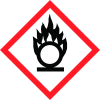
GHS Information
Signal word
Danger
Hazard Codes
Hazard statements (CLP)
H272
Hazard statements
Code
Statements
H272
May intensify fire; oxidiser
Section 2
EU Classification
REGULATION (EC) No 1272/2008 on classification, labeling and packaging: Oxidising solid, Category 3, H272
2.2 Label elements
WARNING
Hazard statements
H272: May intensify fire; oxidiser.
Precautionary statements
P210: Keep away from heat, hot surfaces, sparks, open flames and other ignition sources. No smoking. P220: Keep away from clothing and other combustible materials. P280: Wear protective gloves/protective clothing/eye protection/face protection. P370+P378 In case of fire Use water to extinguish
2.3 Other hazards
PBT/vPvB: not relevant (inorganic)



