


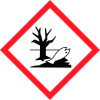
Note: Ingredients listed on restricted chemical lists
EC/CAS
1333-86-4
Name of the chemical
carbon black
Concentration
17-25
EC/CAS
7440-22-4
Name of the chemical
Silver
Concentration
17-25
General Information
Revision date
2021-01-12
Product name
Conductive Electroplating Ink
1.2.1 Relevant identified uses
Preparing printed circuit boards
Emergency telephone
(AUS) 13 11 26
Icons in SDS

Company Information
company name
Think & Tinker, Ltd
e-mail address of the competent person responsible for the Safety Data Sheet
support@thinktink.com
GHS Information
Signal word
Warning
Hazard Codes
Hazard statements (CLP)
H319, H320, H335, H410
Hazard statements
Code
Statements
H319
Causes serious eye irritation
Section 2
SECTION 2: Hazards identification
Hazard statements
H319 May cause serious eye irritation Category 2A H320: Causes eye irritation, Category 2B H335: May cause respiratory irritation Category 3 H410: Very toxic to aquatic life with long lasting effects
Precautionary statements
P305 + P351 + P338: IF IN EYES Rinse cautiously with water for sever and easy to do. Continue rinsing. P337 + P313 If eye irritation persists: Get medical advice/ attention. P304+341: IF INHALED, if breathing is difficult, remove victim to fresh air and keep at rest in a position comfortable for breathing



