

General Information
Revision date
2015-11-24
Product name
Tin phosphide
CAS No.
25324-56-5
Emergency telephone
(866) 928-0789
Icons in SDS

Company Information
company name
Thermo Fisher Scientific Chemicals, Inc
e-mail address of the competent person responsible for the Safety Data Sheet
tech@alfa.com
GHS Information
Signal word
Danger
Hazard Codes
Hazard statements (CLP)
H301, H301+H331, H331
Hazard statements
Code
Statements
H301
Toxic if swallowed
Section 2
SECTION 2: Hazards identification
2.3 Other hazards
No information known
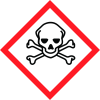
Hazard pictograms
GHS06
Signal word
Danger
Hazard statements
H301+H331 Toxic if swallowed or if inhaled.
Precautionary statements
P261 Avoid breathing dust/fume/gas/mist/vapours/spray. P301+P310 IF SWALLOWED: Immediately call a POISON CENTER/ doctor/… P304+P340 IF INHALED: Remove person to fresh air and keep comfortable for breathing. P311 Call a POISON CENTER/doctor/… P405 Store locked up. P501 Dispose of contents/container in accordance with local/regional/national/international regulations.
Classification system
HMIS ratings (scale 0-4) (Hazardous Materials Identification System) 3 Health (acute effects) = 3 HEALTH 2 Flammability = 2 FIRE REACTIVITY 2 Physical Hazard = 2
PBT Substances
Not applicable
vPvB Substances
Not applicable


