

Note: Ingredients listed on restricted chemical lists
EC/CAS
205-597-3/143-28-2
Name of the chemical
oleyl alcohol
Concentration
100%
General Information
Revision date
2015-11-23
Product name
Oleyl alcohol
CAS No.
143-28-2
Emergency telephone
(866) 928-0789
Icons in SDS

Company Information
company name
Thermo Fisher Scientific Chemicals, Inc
e-mail address of the competent person responsible for the Safety Data Sheet
tech@alfa.com
GHS Information
Signal word
Warning
Hazard Codes
Hazard statements (CLP)
H315
Hazard statements
Code
Statements
H315
Causes skin irritation
Section 2
SECTION 2: Hazards identification
2.3 Other hazards
No information known
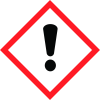
Hazard pictograms
GHS07
Hazard statements
H315 Causes skin irritation.
Precautionary statements
P280 Wear protective gloves/protective clothing/eye protection/face protection. P264 Wash thoroughly after handling. P362 Take off contaminated clothing. P321 Specific treatment (see on this label). P332+P313 If skin irritation occurs: Get medical advice/attention. P302+P352 IF ON SKIN: Wash with plenty of water/…
Classification system
HMIS ratings (scale 0-4) (Hazardous Materials Identification System) 1 Health (acute effects) = 1 HEALTH 1 Flammability = 1 FIRE REACTIVITY 1 Physical Hazard = 1
PBT Substances
Not applicable
vPvB Substances
Not applicable


