


General Information
Revision date
2020-02-24
Product name
ICON
1.2.1 Relevant identified uses
Insecticide
1.2.2. Uses advised against
N/A
Emergency telephone
+972-4-7771900
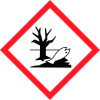
Icons in SDS


Company Information
company name
Tapazol Chemical works Ltd
e-mail address of the competent person responsible for the Safety Data Sheet
reg2@tapazol.co.il
GHS Information
Signal word
Warning
Hazard Codes
Hazard statements (CLP)
H319, H400, H410
Hazard statements
Code
Statements
H319
Causes serious eye irritation
Section 2
2.1 Classification of the substance or mixture
Classification in accordance to Regulation (EC) No. 1272/2008 (CLP): Eye Irrit. 2 H319 Aquatic Acute 1 H400 Aquatic Chronic 1 H410 See section 16 for the full text of the H-statements declared above.
2.2 Label elements
Labelling in accordance with Regulation 1272/2008 (CLP)
Hazard statements
H319: Causes serious eye irritation. H410: Very toxic to aquatic life with long lasting effects.
Precautionary statements
P273: Avoid release to the environment. P280: Wear protective gloves/protective clothing/eye protection/face protection. P305 + P351 + P338 IF IN EYES Rinse cautiously with water for several minutes. Remove contact lenses, if present and easy to do. P337+P313 If eye irritation persists Get medical advice/attention P391: Collect spillage.
Other hazards
Not available



