




Note: Ingredients listed on restricted chemical lists
EC/CAS
68476-86-8
Name of the chemical
Petroleum gases, liquefied, sweetened
Concentration
20-40
General Information
Revision date
2024-08-20
Product name
Trim Shine
Product Synonyms
None Known
1.2.1 Relevant identified uses
Automotive Appearance
1.2.2. Uses advised against
Uses not described above
supplier name
Stoner Incorporated
Emergency telephone
1-800-424-9300
Icons in SDS


Company Information
company name
Stoner Incorporated
e-mail address of the competent person responsible for the Safety Data Sheet
customerservice@stonersolutions.com
GHS Information
Signal word
Danger
Section 2
SECTION 2: Hazards identification
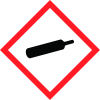
a) Classification of the hazardous Flammable Aerosol Category 1 product, namely the appropriate category or subcategory of the hazard class identified in Subparts 2 to 19 of Part 7 or Subparts 1 to 11 of Part 8, or a name that is its substantive equivalent, or for Subpart 20 of Part 7 and Subpart 12 of Part 8, the category of the hazard class or a description of the identified Gases under pressure - Liquified Gas
Aspiration hazard
Category 1 Skin Corrosion/Irritation Category 2 Specific Target Organ Toxicity Single Exposure Category 3 (b) Information elements referred to in section 3 of Annex 3 of the GHS and in paragraphs 3(1)(d) to (f) of these Regulations for each of those categories or subcategories. If the required information element is a symbol, either the name of the symbol or the symbol itself may be used
Hazard statements
class symbols Extremely flammable aerosol; Pressurized container: may burst if heated; Contains gas under pressure; may explode if heated; May be fatal if swallowed and enters airways; Causes skin irritation; May cause drowsiness or dizziness
Signal word
Danger
Prevention
Keep away from heat/sparks/open flames/hot surfaces. No smoking. Do not spray on an open flame or other ignition source. Pressurized container: Do not pierce or burn, even after use. Avoid breathing dust/fume/gas/mist/vapours/spray. Wash thoroughly after handling. Use only outdoors or in a well-ventilated area. Wear protective gloves/protective clothing/eye protection/face protection.
Response
IF SWALLOWED: Immediately call a POISON CENTER/doctor. If on skin: Wash with plenty of water. IF INHALED: Remove victim to fresh air and keep at rest in a position comfortable for breathing. Call a POISON CENTER/doctor if you feel unwell. Specific treatment (see on this label). Do NOT induce vomiting. If skin irritation occurs: Get medical advice/attention. Take off contaminated clothing and wash it before reuse.
Storage
Store in a well-ventilated place. Keep container tightly closed. Store locked up. Protect from sunlight. Store in a well-ventilated place. Protect from sunlight. Do not expose to temperatures exceeding 50 °C/122 °F.
Disposal
Dispose of contents/container to a suitable disposal site in accordance with local/national/international regulations. (c) Other hazards known to the supplier with respect to the hazardous product Physical hazards not otherwise classified None Known Health hazards not otherwise classified None Known



