

General Information
Version
6.5
Revision date
2025-04-28
Product name
tert-Butyldicyclohexylphosphine
CAS No.
93634-87-8
1.2.1 Relevant identified uses
Laboratory chemicals, Synthesis of substances
1.2.2. Uses advised against
The product is being supplied under the TSCA R&D Exemption
Emergency telephone
800-424-9300, +1-703- 527-3887
Icons in SDS

Company Information
company name
Sigma-Aldrich Inc
GHS Information
Signal word
Danger
Hazard Codes
Hazard statements (CLP)
H250
Hazard statements
Code
Statements
H250
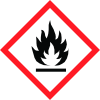
Catches fire spontaneously if exposed to air
Section 2
SECTION 2: Hazards identification
Other hazards
None known
Signal word
Danger
Hazard statements
H250 Catches fire spontaneously if exposed to air.
Prevention
P210 Keep away from heat, hot surfaces, sparks, open flames and other ignition sources. No smoking. P222 Do not allow contact with air. P231 Handle and store contents under inert gas. P233 Keep container tightly closed. P280 Wear protective gloves/ protective clothing/ eye protection/ face protection.
Response
P302 + P334 IF ON SKIN: Immerse in cool water or wrap in wet bandages. P370 + P378 In case of fire: Use dry sand, dry chemical or alcohol-resistant foam to extinguish.
2.1 Classification of the substance or mixture
(29 CFR 1910.1200) Pyrophoric liquids : Category 1 Other hazards


