


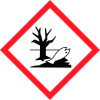
General Information
Revision date
2023-09-15
Product name
KRS-5 window
Product name
KRS-5 window
Identification on the label/Trade name
206-31018-51
Emergency telephone
+81-75-823-1203, +81-75-823-4614
Icons in SDS


Company Information
company name
Shimadzu Corporation
GHS Information
Signal word
Danger
Hazard Codes
Hazard statements (CLP)
H300, H330, H373, H411
Hazard statements
Code
Statements
H300
Fatal if swallowed
Section 2
SECTION 2: Hazards identification
identification or mixture Very toxic by ingestion with cumulative effects. Harmful in contact with skin. Toxic to aquatic organisms, may cause long term adverse effects in the aquatic environment. Particular care must be exercised when machining and creating dust or particles. Dangerous for the environment.
Signal word
Danger H300 Fatal if swallowed H330 Fatal if inhaled H373 May cause damage to organs through prolonged or repeated exposure. H411 Toxic to aquatic life with long lasting effects
Precautionary statements
P260 Do not breathe dust/fume/gas/mist/vapors/spray. P264 Wash thoroughly after handling. P270 Do not eat, drink or smoke when handling this product P273 Avoid release to the environment. P301+P310 IF SWALLOWED: Immediately call a poison center or doctor. Rinse mouth. P304+P312 IF INHALED: Call a poison center or doctor/physician if you feel unwell. 1



