


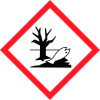
Note: Ingredients listed on restricted chemical lists
EC/CAS
204-881-4/128-37-0
Name of the chemical
2,6-di-tert-butyl-p-cresol
Concentration
01-211956511 10-25%
General Information
Version
3
Revision date
2023-08-24
Product name
GENORAD* 20
Product Synonyms
Polymerization inhibitor in acrylic acid ester
supplier name
RAHN AG
Emergency telephone
+41 44 251 51 51
Icons in SDS
Company Information
company name
RAHN AG
e-mail address of the competent person responsible for the Safety Data Sheet
SDSENC@rahn-group.com
GHS Information
Signal word
Warning
Hazard Codes
Hazard statements (CLP)
H317, H319, H411
Hazard statements
Code
Statements
H317
May cause an allergic skin reaction
Section 2
SECTION 2: Hazards identification
Contains
Glycerol, propoxylated, esters with acrylic acid
Signal word
Warning 3
Hazard statements
H317 - May cause an allergic skin reaction H319 - Causes serious eye irritation H411 - Toxic to aquatic life with long lasting effects
Precautionary statements
P261 - Avoid breathing dust/fume/gas/mist/vapours/spray P273 - Avoid release to the environment P280 - Wear protective gloves/protective clothing/eye protection/face protection P333 + P313 - If skin irritation or rash occurs: Get medical advice/attention P337 + P3138 - If eye irritation persists: Get medical advice/attention
2.3 Other hazards
No information available.



