

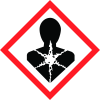
Note: Ingredients listed on restricted chemical lists
EC/CAS
14808-60-7
Name of the chemical
Silica, crystalline
Concentration
<0.5
General Information
Revision date
2015-10-15
Product name
QuietCoat 118 Acoustical Paint
1.2.1 Relevant identified uses
Water-based coating to provide noise damping properties
Emergency telephone
1-800-424-9300, +1-703-527-3887
Icons in SDS

Company Information
company name
QuietRock by PABCO Gypsum
e-mail address of the competent person responsible for the Safety Data Sheet
info@quietrock.com
GHS Information
Signal word
Danger
Hazard Codes
Hazard statements (CLP)
H350
Hazard statements
Code
Statements
H350
May cause cancer
Section 2
SECTION 2: Hazards identification
2.1 Classification of the substance or mixture
CARCINOGENICITY - Category 1A
Signal word
Danger
Hazard statements
H350 - May cause cancer.
Prevention
P202 - Do not handle until all safety precautions have been read and understood. P280 - Wear protective gloves. Wear eye or face protection. Wear protective clothing.
Response
P308 + P313 - IF exposed or concerned: Get medical attention.
Storage
P405 - Store locked up.
Disposal
P501 - Dispose of contents and container in accordance with all local, regional, national and international regulations.
2.3 Other hazards
None known. : None known.


