


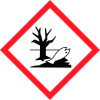
Note: Ingredients listed on restricted chemical lists
General Information
Revision date
2016-06-02
Product name
Ammonium Chloride
Substance name
Ammonium Chloride
CAS No.
12125-02-9
Emergency telephone
1.800.424.9300 (USA
Icons in SDS


GHS Information
Signal word
Warning
Hazard Codes
Hazard statements (CLP)
H302, H319, H401, H411
Hazard statements
Code
Statements
H302
Harmful if swallowed
Section 2
Signal word
Warning
Hazard statements
H302 : Harmful if swallowed. H319 : Causes serious eye irritation. H411 : Toxic to aquatic life with long lasting effects.
Precautionary statements
P264 : Wash skin thoroughly after handling. 06/02/2016 EN (English) 1 P270 : Do not eat, drink or smoke when using this product. P273 : Avoid release to the environment. P280 : Wear eye protection/ face protection. P301 + P312 + P330 : IF SWALLOWED: Call a POISON CENTER/doctor if you feel unwell. Rinse mouth. P305 + P351 + P338 : IF IN EYES: Rinse cautiously with water for several minutes. Remove contact lenses, if present and easy to do. Continue rinsing. P337 + P313 : If eye irritation persists: Get medical advice/ attention. P391 : Collect spillage. P501 : Dispose of contents/ container to an approved waste disposal plant.
2.3 Other hazards
none



