



General Information
Revision date
2020-04-17
Product name
PARA-CYMENE
Substance name
PARA-CYMENE
CAS No.
99-87-6
REACH No
01-2120807345-59
Emergency telephone
00 33) 4 93 09 00 11 (8 30 - 17 30
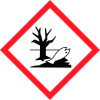
Icons in SDS
Company Information
company name
Prodasynth
e-mail address of the competent person responsible for the Safety Data Sheet
info@prodasynth.com
GHS Information
Signal word
Danger
Hazard Codes
Hazard statements (CLP)
H226, H304, H361, H411
Hazard statements
Code
Statements
H226
Flammable liquid and vapour
Section 2
2.1 Classification of the substance or mixture
Flammable Liquids - Category 3 - H226 Toxic to reproduction - Category 2 - H361
Aspiration hazard
Category 1 - H304 Hazardous to the aquatic environment, long-term (chronic) - Category 2 - H411
Signal word
Danger
Hazard statements
H226 – Flammable liquid and vapour. H304 – May be fatal if swallowed and enters airways. H361 – Suspected of damaging fertility or the unborn child. H411 – Toxic to aquatic life with long lasting effects.
Precautionary statements
P210 – Keep away from heat/sparks/open flames/hot surfaces. — No smoking. P280 – Wear protective gloves/protective clothing/eye protection/face protection. P301+P310+P331 – IF SWALLOWED: Immediately call a POISON CENTER or doctor/physician. Do NOT induce vomiting.
2.3 Other hazards
No Information available



