

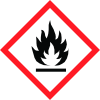
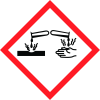
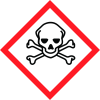
General Information
Product name
address tel. no., e-mail address
1.2.1 Relevant identified uses
and uses
1.2.2. Uses advised against
(brief description)
Icons in SDS


Company Information
company name
Person responsible for placing on EU market
Section 2
2.1 Classification of the substance or mixture
Brief clear description of hazards
2.3 Other hazards
eg. dustiness, strong odour SDS for Substances (453) From 1st Dec 2010 to 1st Jun 2015 CLP & CPL CLP Only (as on Label) SDS for Mixtures (453) From 1st Dec 2010 to 1st Jun 2015: CPL (as on Label) What will section 3 tell you? Identification for all hazardous substances Conc. of substances as percentages % Classification of the substances: Indication of danger, symbol letter, R phrases If CLP class made available by supplier for subs: Hazard class, Category code, H statement And now...... You have identified the hazards by reading label and sections 2 & 3 of the SDS, now... do up a Risk Assessment: what are the risks? look at Exposure control the risks Assess the risks Evaluate the information on hazards & uses (potential exposure) of chemical Consider: likelihood of being exposed to hazard & severity of that hazard, which may lead to an adverse effect on health or safety Assess the exposure Consider: chemical HOW is the HOW used? OFTEN is HOW will chemical user be used? exposed? HOW LONG is user HOW MUCH is exposed to used? chemical? WHO WHAT IS Can NON- uses the THE USERS be chemical? EXPOSURE? exposed? Control the risks Eliminate Substitute Engineering Controls Administrative controls


