

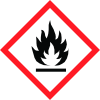
General Information
Revision date
2021-05-19
Product name
Thinner of Screen Printing Ink Series ORALITE 5018
Emergency telephone
In case of a medical emergency following
Icons in SDS
Company Information
company name
ORAFOL Europe GmbH
e-mail address of the competent person responsible for the Safety Data Sheet
msds@orafol.de
GHS Information
Signal word
Warning
Hazard Codes
Hazard statements (CLP)
H226
Hazard statements
Code
Statements
H226
Flammable liquid and vapour
Section 2
2.1 Classification of the substance or mixture
Regulation (EC) No. 1272/2008
Hazard categories
Flammable liquid: Flam. Liq. 3
Hazard statements
Flammable liquid and vapour. H226 Flammable liquid and vapour.
2.2 Label elements
Regulation (EC) No. 1272/2008
Hazardous Ingredients
2-methoxy-1-methylethyl acetate, reaction mass of ethylbenzene and xylene
Signal word
Warning
Precautionary statements
P210 Keep away from heat, hot surfaces, sparks, open flames and other ignition sources. No smoking. P243 Take action to prevent static discharges. P280 Wear protective gloves/protective clothing/eye protection/face protection/hearing protection. P303+P361+P353 IF ON SKIN (or hair): Take off immediately all contaminated clothing. Rinse skin with water or shower. P314 Get medical advice/attention if you feel unwell. P403+P233 Store in a well-ventilated place. Keep container tightly closed. P501 Dispose of contents/container to an appropriate recycling or disposal facility.
2.3 Other hazards
No information available.


