

Note: Ingredients listed on restricted chemical lists
EC/CAS
201-746-1/87-44-5
Name of the chemical
(1R,4E,9S)-4,11,11-Trimethyl-8-methylenebicyclo[7.2.0]undec-4-ene (40)
Concentration
0.1-<1%
EC/CAS
201-291-9/80-56-8
Name of the chemical
α-pinene
Concentration
0.1-<1%
General Information
Version
03/09/2024
Revision date
2024-09-03
Product name
Nikura | Cedarwood Atlas
Product Synonyms
None
1.2.1 Relevant identified uses
Aromatherapy
Icons in SDS

Company Information
company name
Nikura Ltd
e-mail address of the competent person responsible for the Safety Data Sheet
support@nikura.com
GHS Information
Signal word
None
Hazard Codes
Hazard statements (CLP)
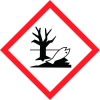
H411
Hazard statements
Code
Statements
H411
Toxic to aquatic life with long lasting effects
Section 2
SECTION 2: Hazards identification
Classification under Regulation (EC) No 1272/2008 2.1 Classification of the substance or mixture Classification under
2.2 Label elements
Classification under
Signal word
None
Hazard statements
H411, Toxic to aquatic life with long lasting effects. M factor None
Additional information
None
Precautionary statements
P273, Avoid release to the environment. P391, Collect spillage. P501, Dispose of contents/container to approved disposal site, in accordance with local regulations.
Other hazards
Hydrocarbon Concentration %: 1.5000%


