




General Information
Revision date
2019-08-21
Product name
UV ink LF-140 Light Magenta
CAS No.
13048-33-4
Manufacturer Name
Mimaki Engineering Co., Ltd
Emergency telephone
+1 866 928 0789 (within United States only, Toll free
Icons in SDS
Company Information
company name
Mimaki Engineering Co., Ltd
GHS Information
Signal word
Danger
Hazard Codes
Hazard statements (CLP)
H314, H317, H318, H360, H372, H373, H411
Hazard statements
Code
Statements
H314
Causes severe skin burns and eye damage
Section 2
Physical hazards
Flammable Liquids : Not classified
Health hazards
Skin Corrosion / Irritation : Category 1 Eye Damage / Irritation : Category 1 Sensitization – Skin : Category 1 Toxic to Reproduction : Category 1B Specific Target Organ Toxicity : Category 1 (central nervous system, blood, (Repeated Exposure) respiratory system, thyroid gland, and lungs) Category 2 (nose)
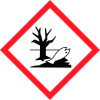
Environmental hazards
Hazardous to the Aquatic : Category 2 Acute Hazard Hazardous to the Aquatic : Category 2
Long term hazards
The above list does not include category being non-classifiable or not-applicable.
Signal word
Danger
Hazard statements
H314 Causes severe skin burns and eye damage H317 May cause an allergic skin reaction H318 Cause serious eye damage H360 May damage fertility or the unborn child H372 Causes damage to organs through prolonged or repeated exposure (central nervous system, blood, respiratory system, thyroid gland, and lungs) H373 May cause damage to organs through prolonged or repeated exposure (nose) H411 Toxic to aquatic life with long lasting effects
Prevention
P201 Obtain SDS (Safety Data Sheet) and printer's operation manual before use. P202 Do not handle until all safety precautions have been read and understood. P260 Do not breathe gas/mist. P264 Wash hands thoroughly after handling. P270 Do not eat, drink, or smoke when using this product. P272 Contaminated work clothing should not be allowed out of the workplace. P273 Avoid release to the environment. P280 Wear protective gloves/protective clothing/eye protection/face protection.
Response
P301+P330+P331 IF SWALLOWED: Rinse mouth. Do NOT induce vomiting. P302+P352 IF ON SKIN: Wash with plenty of soap and water. P303+P361+P353 IF ON SKIN (or hair): Take off immediately all contaminated clothing. Rinse skin with water[or shower]. P304+P340 IF INHALED: Remove victim to fresh air and keep at rest in a position comfortable for breathing. P305+P351+P338 IF IN EYES: Rinse cautiously with water for several minutes. Remove contact lenses, if present and easy to do. Continue rinsing. P308+P313 IF exposed or concerned: Get medical advice/attention. P310 Immediately call a POISON CENTER or doctor/physician. P314 Get medical advice/attention if you feel unwell. P333+P313 If skin irritation or rash occurs: Get medical advice/attention. P362+P364 Take off contaminated clothing and wash before reuse. P391 Collect spillage.
Storage
P405 Store locked up.
Disposal
P501 Dispose of contents/container in accordance with local/regional/national/international regulation (to be specified). NFPA Rating (scale 0 – 4) Health = 3 Flammability = 1 1 Instability = 0 3 0 Special = None



