

General Information
Version
6.9
Revision date
2026-07-10
Product name
Potassium nitrate
CAS No.
7757-79-1
1.2.1 Relevant identified uses
For R&D use only. Not for pharmaceutical, household or other uses
Emergency telephone
+61 2 9037 2994
Icons in SDS


Company Information
company name
Merck Life Science Pty Ltd
e-mail address of the competent person responsible for the Safety Data Sheet
customersupport.anz@merckgroup.com
GHS Information
Signal word
Warning
Hazard Codes
Hazard statements (CLP)
H272
Hazard statements
Code
Statements
H272
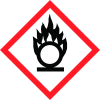
May intensify fire; oxidiser
Section 2
SECTION 2: Hazards identification
GHS Classification Oxidizing solids Category 3
Signal word
Warning
Hazard statements
H272 May intensify fire; oxidizer.
Prevention
P210 Keep away from heat, hot surfaces, sparks, open flames and other ignition sources. No smoking. P220 Keep away from clothing and other combustible materials. P280 Wear protective gloves/ protective clothing/ eye protection/ face protection.
Response
P370 + P378 In case of fire: Use dry sand, dry chemi- cal or alcohol-resistant foam to extinguish.
Disposal
P501 Dispose of contents/ container to an approved waste disposal plant.
Other hazards which do not result in classification
None known.
2.1 Classification of the substance or mixture
Oxidizing solids



