

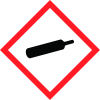
Note: Ingredients listed on restricted chemical lists
General Information
Revision date
2018-01-03
Product name
SULFUR HEXAFLUORIDE
Product Synonyms
MTG MSDS 81; SULFUR FLUORIDE; SULPHUR HEXAFLUORIDE; ELEGAS; UN 1080; F6S
Chemical name
inorganic gas
CAS No.
2551-62-4
Emergency telephone
Outside the US: 703-527-3887 (Call collect
Icons in SDS
Company Information
company name
MATHESON TRI-GAS, INC
GHS Information
Signal word
Warning
Section 2
OSHA HCS Classification
Gases Under Pressure - Liquefied gas Specific Target Organ Toxicity - Single Exposure - Category 3 Simple Asphyxiant
Signal word
Warning
Hazard statements
Contains gas under pressure; may explode if heated. May displace oxygen and cause rapid suffocation.
Prevention
Use only outdoors or in a well-ventilated area. Avoid breathing dust/fume/gas/mist/vapors/spray.
Response
IF INHALED: Remove person to fresh air and keep at rest in a position comfortable for breathing. Call a POISON CENTER or doctor if you feel unwell.
Storage
Protect from sunlight. Store in a well-ventilated place.
Disposal
Dispose of contents/container in accordance with local/regional/national/international regulations.
2.3 Other hazards
Contact with liquified gas may cause frostbite.



