



General Information
Product name
Calcium nitrate tetrahydrate
CAS No.
13477-34-4
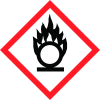
Icons in SDS
Company Information
company name
LTS Research Laboratories, Inc
GHS Information
Signal word
Danger
Hazard Codes
Hazard statements (CLP)
H272, H302, H315, H318, H335
Hazard statements
Code
Statements
H272
May intensify fire; oxidiser
Section 2
Signal word
Danger
Hazard statements
H272: May intensify fire; oxidizer H302: Harmful if swallowed. H315: Causes skin irritation H318: Causes serious eye damage. H335: May cause respiratory irritation
Precautionary statements
P210: Keep away from heat/sparks/open flames/hot surfaces – No smoking P220: Keep/Store away from clothing/combustible materials P221: Take any precaution to avoid mixing with combustibles P264: Wash skin thoroughly after handling. P270: Do not eat, drink or smoke when using this product. P280: Wear eye protection/ face protection. P301+P312+P330 IF SWALLOWED Call a POISON CENTER/doctor if you feel unwell. Rinse mouth. P305+P351+P338+P310 IF IN EYES Rinse cautiously with water for several minutes. Remove contact lenses, if present and easy to do. Continue rinsing. Immediately call a POISON CENTER/doctor. P501: Dispose of contents/container in accordance with local/regional/national/international regulations. HMIS Health Ratings (0-4): Health: 1 Flammability: 0 Physical: 2 1 of 5



