


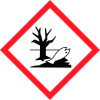
Note: Ingredients listed on restricted chemical lists
EC/CAS
12014-28-7
Name of the chemical
Cadmium phosphide (Cd3P2)
Concentration
N/A
General Information
Product name
Cadmium Phosphide
CAS No.
12014-28-7
Emergency telephone
800-424-9300 (US & Canada
Icons in SDS


Company Information
company name
LTS Research Laboratories, Inc
GHS Information
Signal word
Warning
Hazard Codes
Hazard statements (CLP)
H302+H312+H332, H410
Hazard statements
Code
Statements
H302+H312+H332
Harmful if swallowed, in contact with skin or if inhaled
Section 2
Signal word
Warning
Hazard statements
H302+H312+H332: Harmful if swallowed, in contact with skin or if inhaled. H410: Very toxic to aquatic life with long lasting effects
Precautionary statements
P261 Avoid breathing dust/fume/vapor P280: Wear protective gloves/protective clothing/eye protection/face protection P301+P312 IF SWALLOWED Call a POISON CENTER or doctor/physician if you feel unwell P312: Call a POISON CENTER or doctor/physician if you feel unwell P302+PP352 IF ON SKIN Wash with soap and water P304+P340 IF INHALED Remove victim to fresh air and keep at rest in a position comfortable for breathing P501: Dispose of contents/container in accordance with local/regional/national/international regulations HMIS Health Ratings (0-4): Health: 3 Flammability: 0 Physical: 2 1 of 4



