

General Information
Revision date
2015-12-21
Product name
LOVELAND BARK OIL
CAS No.
64742-47-8
1.2.1 Relevant identified uses
CARRIER AND DILUENT
supplier name
LOVELAND PRODUCTS, INC
Emergency telephone
SPILL, LEAK, FIRE, EXPOSURE OR ACCIDENT, CALL CHEMTREC - DAY OR NIGHT 1-800-424-9300
Icons in SDS
Company Information
company name
LOVELAND PRODUCTS, INC
GHS Information
Signal word
Danger
Hazard Codes
Hazard statements (CLP)
H304, H316, H320
Hazard statements
Code
Statements
H304
May be fatal if swallowed and enters airways
Section 2
EU Classification
29 CFR 1910.1200
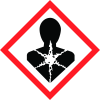
Aspiration hazard
Category 1 H304 Eye Damage/Irritation Category 2B H320
Signal word
DANGER
Hazard statements
H304 – May be fatal if swallowed and enters airways. H320 – Causes eye irritation. H316 – Causes mild skin irritation.
Prevention
P264 – Wash hands thoroughly after handling.
Response
P301+P310 – IF SWALLOWED: Immediately call a POISON CENTER or doctor/physician. P331 – Do not induce vomiting. P305+P351+P338 – IF IN EYES: Rinse cautiously with water for several minutes. Remove contact lenses if present and easy to do. Continue rinsing. P337+P313 – If eye irritation persists: Get medical advice/attention. Precautionary
Storage
Not applicable or required. Precautionary
Disposal
Not applicable or required.
2.3 Other hazards
None known


