

General Information
Revision date
2018-03-06
Product name
FennoSize KD 368TPChemical name: Alkyl ketene dimers, aqueous dispersion
CAS No.
1327-41-9
1.2.1 Relevant identified uses
Sizing agent for the paper industry
1.2.2. Uses advised against
on use -
supplier name
Kemira Hong Kong Co., Ltd
Icons in SDS
Company Information
company name
Kemira Hong Kong Co., Ltd
e-mail address of the competent person responsible for the Safety Data Sheet
ProductSafety.CN.Shanghai@kemira.com
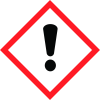
GHS Information
Signal word
Warning
Hazard Codes
Hazard statements (CLP)
H319
Hazard statements
Code
Statements
H319
Causes serious eye irritation
Section 2
2.1 Classification of the substance or mixture
Globally Harmonized System of Classification and Labelling of Chemicals (GHS) Eye damage/irritation; Category 2A; Causes serious eye irritation.;
Signal word
Warning
Hazard statements
H319 Causes serious eye irritation.
Prevention
P264 Wash the contact area thoroughly after handling. P280 Wear protective gloves/ protective clothing/ eye protection/ face protection.
Response
P305 + P351 + P338 IF IN EYES: Rinse cautiously with water for several minutes. Remove contact lenses, if present and easy to do. Continue rinsing. P337 + P313 If eye irritation persists: Get medical advice/ attention.


