

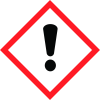
Note: Ingredients listed on restricted chemical lists
General Information
Revision date
2013-07-01
Product name
VITRA 400WG FUNGICIDE
Product Synonyms
None
CAS No.
20427-59-2
supplier name
InnoLink Pty Ltd
Icons in SDS
Company Information
company name
InnoLink Pty Ltd
e-mail address of the competent person responsible for the Safety Data Sheet
gderrick@innolink.net.au
Section 2
Hazardous Ingredients
DANGEROUS GOOD
2.1 Classification of the substance or mixture
Hazardous according to the criteria of the National Occupational Health & Safety Commission (NOHSC)
Hazard statements
R20 – Harmful by inhalation. R22 – Harmful if swallowed. R50/53 - Toxic to aquatic organisms, may cause long-term adverse effects in the aquatic environment.
Precautionary statements
See sections 4,5,6,7,8,10,12,13 S2 – Keep out of the reach of children. S13 – Keep away from food, drink and animal feedstuffs. S20 – When using do not eat or drink. S21 – When using do not smoke. S22 – Do not breathe dust. S36 – Wear suitable protective clothing. S37 – Wear suitable gloves. S45 – In case of accident or if you feel unwell seek medical advice immediately (show the label where possible.
ADG classification
9
SUSDP Classification
6 (Standard for the Uniform Scheduling of Drugs & Poisons) 3)


