



Note: Ingredients listed on restricted chemical lists
EC/CAS
106-46-7
Name of the chemical
1,4-Dichlorbenzol
Concentration
99%
General Information
Revision date
2021-01-28
Product name
DEODORANT
Substance name
DEODORANT BUTTONS
CAS No.
106-46-7
1.2.1 Relevant identified uses
of As a deodorant and air freshener in washrooms, toilets and urinals. To destroy the chemical and moths, silverfish and their larvae in wardrobes, linen chests and drawers
Icons in SDS


Company Information
company name
Hunters Products (TAS) Pty. Ltd.
GHS Information
Signal word
WARNING
Hazard Codes
Hazard statements (CLP)
H319, H351, H410
Hazard statements
Code
Statements
H319
Causes serious eye irritation
Section 2
SECTION 2: Hazards identification
GHS Classification GHS classification of the substance/mixture Carcinogenicity: Category 2 Eye Damage/Irritation: Category 2A Hazardous to the Aquatic Environment - Acute Hazard: Category 1 Hazardous to the Aquatic Environment - Long-Term Hazard: Category 1
Signal word
WARNING
Hazard statements
H319 Causes serious eye irritation. H351 Suspected of causing cancer. H410 Very toxic to aquatic life with long lasting effects.
Precautionary statements
P102 Keep out of reach of children. P103 Read label before use. P201 Obtain special instructions before use. P202 Do not handle until all safety precautions have been read and understood.
Hazard pictograms
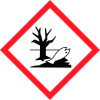
Exclamation mark,Health hazard,Environment
Prevention
P264 Wash contaminated skin thoroughly after handling. P273 Avoid release to the environment. P280 Wear protective gloves/protective clothing/eye protection/face protection. P281 Use personal protective equipment as required.
Response
P305+P351+P338 IF IN EYES: Rinse cautiously with water for several minutes. Remove contact lenses, if present and easy to do. Continue rinsing. P308+P313 IF exposed or concerned: Get medical advice/attention. P337+P313 If eye irritation persists: Get medical advice/attention. P391 Collect spillage.
Storage
P405 Store locked up. Precautionary P501 Dispose of contents/container in accordance with local regulations.
2.1 Classification of the substance or mixture
the Eye Damage/Irritation: Category 2A substance/mixture Hazardous to the Aquatic Environment - Acute Hazard: Category 1 Hazardous to the Aquatic Environment - Long-Term Hazard: Category 1 Signal Word (s) WARNING Hazard Statement (s) H319 Causes serious eye irritation. H351 Suspected of causing cancer. H410 Very toxic to aquatic life with long lasting effects. Precautionary P102 Keep out of reach of children. statement – General P103 Read label before use. Pictogram (s) Exclamation mark,Health hazard,Environment Precautionary P201 Obtain special instructions before use. statement – P202 Do not handle until all safety precautions have been read and understood. Prevention P264 Wash contaminated skin thoroughly after handling. P273 Avoid release to the environment. P280 Wear protective gloves/protective clothing/eye protection/face protection. P281 Use personal protective equipment as required. Precautionary P305+P351+P338 IF IN EYES: Rinse cautiously with water for several minutes. statement – Response Remove contact lenses, if present and easy to do. Continue rinsing. P308+P313 IF exposed or concerned: Get medical advice/attention. P337+P313 If eye irritation persists: Get medical advice/attention. P391 Collect spillage. Precautionary P405 Store locked up.



