


Note: Ingredients listed on restricted chemical lists
General Information
Revision date
2018-03-12
Product name
Difluoromethane (R32)
CAS No.
75-10-5
REACH No
01-2119471312-47
Emergency telephone
+44 (0) 1270 502891
Icons in SDS


Company Information
company name
Harp International Limited
e-mail address of the competent person responsible for the Safety Data Sheet
harp@harpintl.com, safety@harpintl.com
GHS Information
Signal word
Danger
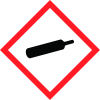
Hazard Codes
Hazard statements (CLP)
H220, H280
Hazard statements
Code
Statements
H220
Extremely flammable gas
Section 2
EC Classification
Flam. Gas 1 H220; Compressed gas H280; 1272/2008
Signal word
Danger
Hazard statements
Flam. Gas 1: H220 - Extremely flammable gas. Compressed gas: H280 - Contains gas under pressure; may explode if heated.
Precautionary statements
P210 - Keep away from heat, hot surfaces, sparks, open flames and other ignition sources. No P377 - Leaking gas fire: Do not extinguish, unless leak can be stopped safely. P403 - Store in a well-ventilated place.
Prevention
smoking.
Response
P381 - Eliminate all ignition sources if safe to do so.
Storage
P410+P403 - Protect from sunlight. Store in a well-ventilated place.
Other hazards
Contact with liquid may cause cold burns/frostbite.



