


General Information
Product name
Ghemco RIBB Primer, Side-A
Manufacturer Name
Ghemco
Emergency telephone
(562) 250-4745
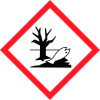
Icons in SDS
Company Information
company name
Ghemco
GHS Information
Signal word
Warning
Hazard Codes
Hazard statements (CLP)
H302, H313, H402, H411
Hazard statements
Code
Statements
H302
Harmful if swallowed
Section 2
2.1 Classification of the substance or mixture
Acute aquatic toxicity - Category 3 Acute toxicity Dermal - Category 5 Acute toxicity Oral - Category 4 Chronic aquatic toxicity - Category 2
Signal word
Warning
Hazard statements
H313 - May be harmful in contact with skin H302 - Harmful if swallowed Environmental H402 - Harmful to aquatic life H411 - Toxic to aquatic life with long lasting effects
Precautionary statements
P101 - If medical advice is needed, have product container or label at hand. P102 - Keep out of reach of children. P103 - Read label before use. Disposal P501 - Dispose of contents/ container to an approved waste disposal plant.
Prevention
P273 - Avoid release to the environment. P264 - Wash thoroughly after handling. P270 - Do not eat, drink or smoke when using this product.
Response
P312 - Call a POISON CENTER/doctor if you feel unwell. P301 + P312 - IF SWALLOWED: Call a POISON CENTER/doctor if you feel unwell. P330 - Rinse mouth. P391 - Collect spillage.
Storage
No precautionary statement available.



